Tell us what you are trying to do?
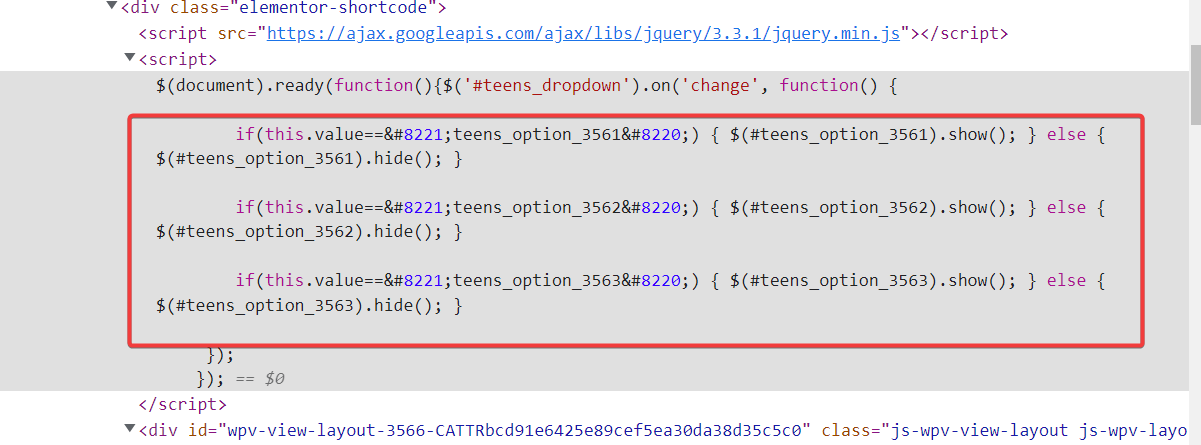
I'm trying to use Toolset to output some Javascript that I'm using for a dropdown. When I try to use double quotes in the content template, it gets converted to unicode characters and so the Javascript fails to operate properly (it shows up in the HTML source as this (without spaces): & # 8 2 2 1 ;
Is there any documentation that you are following?
None
Is there a similar example that we can see?
You can see the hardcoded version of Javascript that does work on this page: lien caché
What is the link to your site?
lien caché
For anyone looking for an answer to this unusual problem. What I did is to NOT use a content template (which I guess converts double quotes to unicode characters in the final HTML output).
Instead I created my Javascript directly inside the main loop editor.
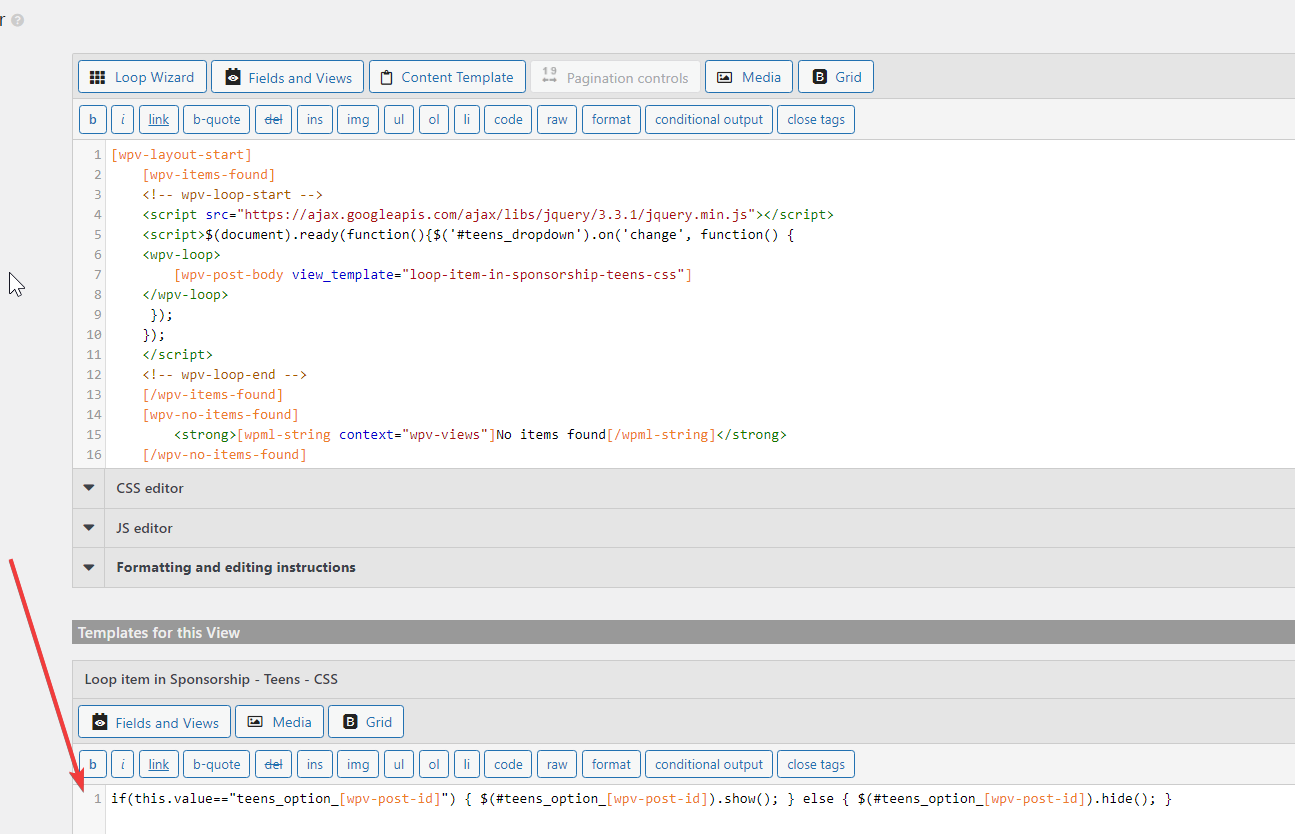
So instead of this (which DOES NOT work - see line 7 below):
[wpv-layout-start]
	[wpv-items-found]
	<!-- wpv-loop-start -->
	<script src="<em><u>lien caché</u></em>"></script>
	<script>$(document).ready(function(){$('#teens_dropdown').on('change', function() {
	<wpv-loop>
		[wpv-post-body view_template="loop-item-in-sponsorship-teens-css"]
	</wpv-loop>
     });
	});
	</script>
	<!-- wpv-loop-end -->
	[/wpv-items-found]
	[wpv-no-items-found]
		<strong>[wpml-string context="wpv-views"]No items found[/wpml-string]</strong>
	[/wpv-no-items-found]
[wpv-layout-end]
I did this which skips entirely the content template usage.
[wpv-layout-start]
	[wpv-items-found]
	<!-- wpv-loop-start -->
	<script src="<em><u>lien caché</u></em>"></script>
	<script>$(document).ready(function(){$('#teens_dropdown').on('change', function() {
	<wpv-loop>
		if(this.value=="teens_option_[wpv-post-id]") { $('#teens_option_[wpv-post-id]').show(); } else { $('#teens_option_[wpv-post-id]').hide(); }
	</wpv-loop>
     });
	});
	</script>
	<!-- wpv-loop-end -->
	[/wpv-items-found]
	[wpv-no-items-found]
		<strong>[wpml-string context="wpv-views"]No items found[/wpml-string]</strong>
	[/wpv-no-items-found]
[wpv-layout-end]