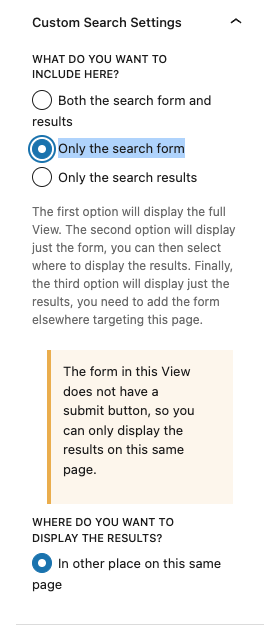
For this site:
lien caché
I'm using a classic view and I see when I place it into the page I can choose
"Only the search form"
and the place it
"In other place on this same page"
which I would like to do. I'd like to place it right below the search dropdown, so that the user has to choose a selection before any results show. However if I select that, it doesn't give me an option on where to show it on that page.
How do I get it to show right under that dropdown once the user selects an option?
Hi there
You want to hide the View results until a search filter has been applied, right?
That is described for the Block editor here, and the principle with the legacy editor is essentially the same:
https://toolset.com/course-lesson/creating-a-custom-search/#hide-the-search-results-until-the-first-search
In the legacy editor you would use a wpv-conditional shortcode, something like this:
[wpv-layout-start]
    [wpv-items-found]
    <!-- wpv-loop-start -->
    [wpv-conditional if="( '[wpv-search-term param='wpv_view_count']' ne '' )"]
        <wpv-loop>
          <h3>[wpv-post-link]</h3>
        </wpv-loop>
    [/wpv-conditional]
    <!-- wpv-loop-end -->
    [/wpv-items-found]
    [wpv-no-items-found]
        <strong>[wpml-string context="wpv-views"]No items found[/wpml-string]</strong>
    [/wpv-no-items-found]
[wpv-layout-end]
My issue is resolved now. Thank you!