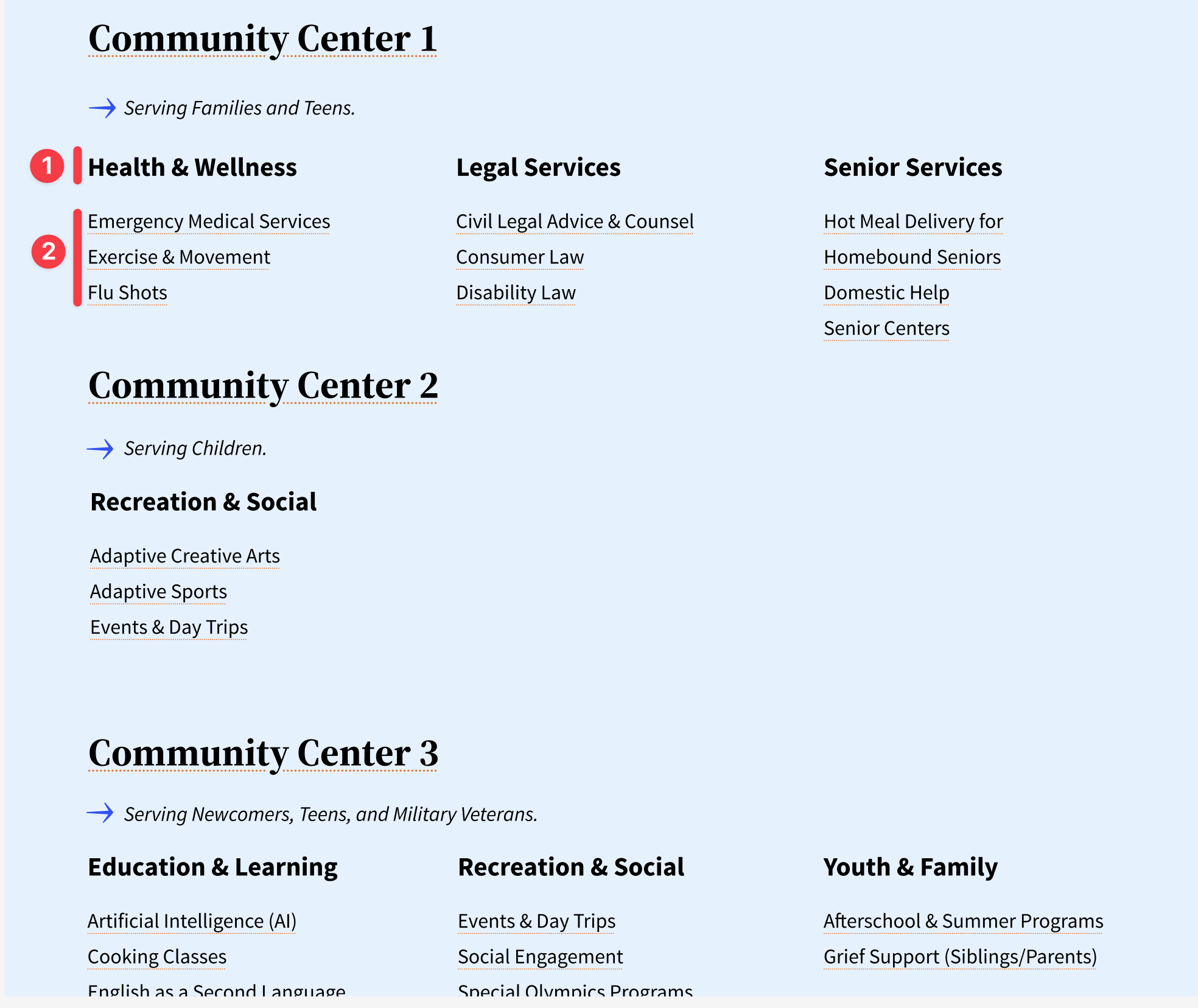
I'm trying to display a custom taxonomy (Services) for a custom post (Agency) using legacy Views. My custom taxonomy is caterogical and has two levels in its hierarchy (e.g., Health & Wellness > Emergency Medical Services). Please see the attached visual mockup for reference.
As stated, I'm trying to display a list of Agency custom posts and their associated Services taxonomy terms. I think I need to nest my views like so:
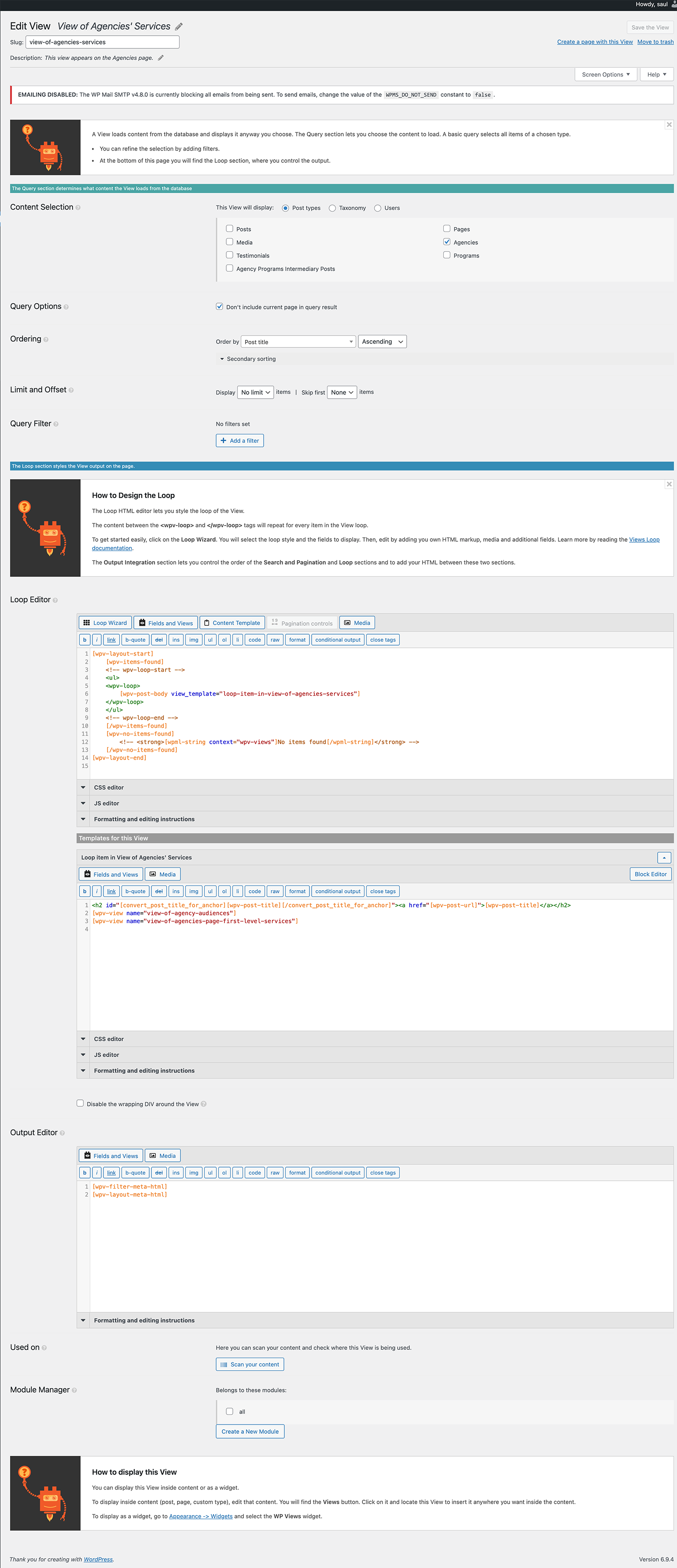
1. Parent view: list all Agency posts.
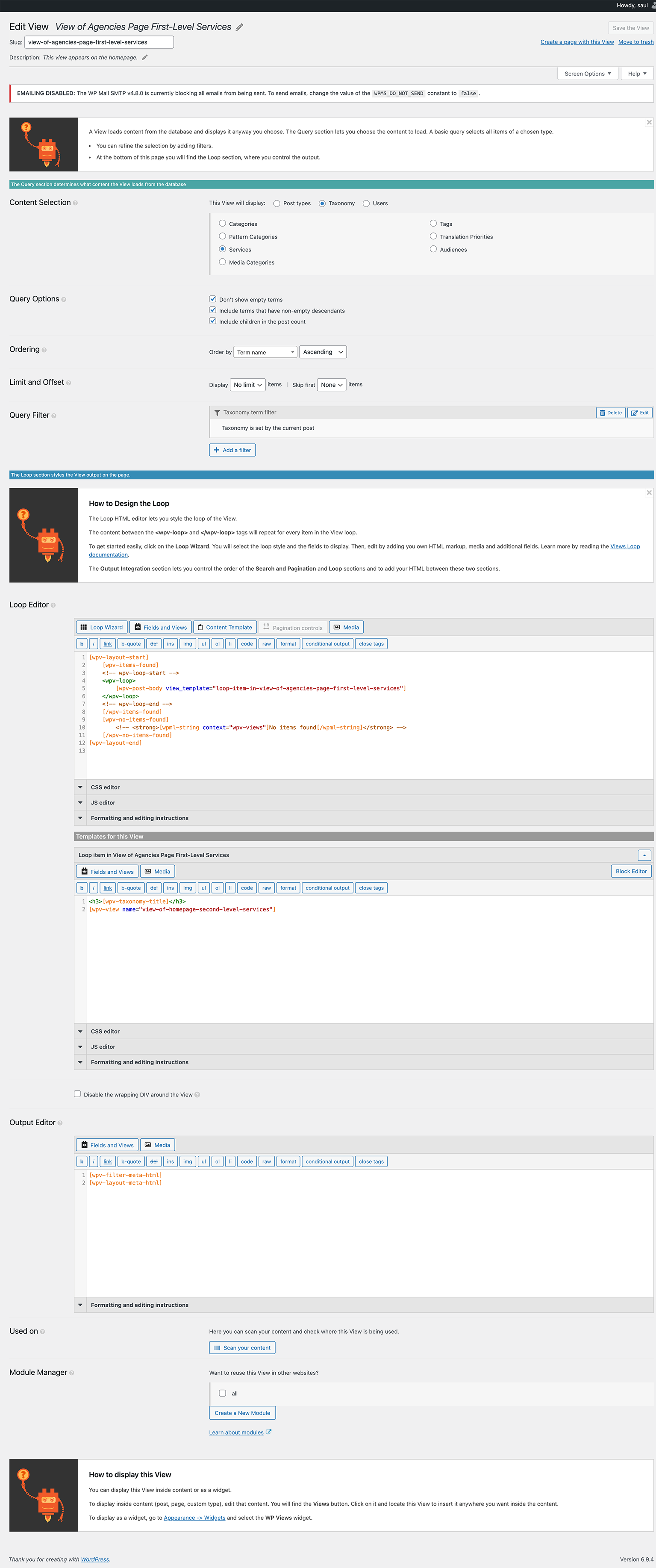
2. Child (nested) view: list all first-level taxonomy terms connected to the current Agency.
3. Grandchild (nested) view: list all second-level taxonomy terms connected to the parent term.
Assuming this structure is correct (and it may not be), I have been able to get the Parent view (#1) to work correctly, but I can't get the Child (nested) view (#2) to display any content. Please refer to the attached screenshots of the Views' configuration.
Hello. Thank you for contacting the Toolset support.
Can you please share problem URL and admin access details and tell me what is your expected resunt under every section.
*** Please make a FULL BACKUP of your database and website.***
I would also eventually need to request temporary access (WP-Admin and FTP) to your site. Preferably to a test site where the problem has been replicated if possible in order to be of better help and check if some configurations might need to be changed.
I have set the next reply to private which means only you and I have access to it.
I see you have many-to-many post relationship between the post type Agencies and Programs.
But as you have many to many post reltionship. how you want to displau the Services taxonomy terms.
When you have many to many post relationship there is possiblility of having more than one related program post. So lets assume with the Agency post "Test Agency 1 (do not delete)" you have three related program post and you assigned taxonomy terms as given under:
Program post 1
- term 1
-- term 11
- term 2
-- term 22
program post 2
- term 3
-- term 33
- term 4
-- term 44
program post 3
- term 5
-- term 55
As you can see now, the terms are assiged per post. you want to display the parent and child term per post or all the terms altogather?
> ...the terms are assigned per post. you want to display the parent and child term per post or all the terms altogether?
I want to show the aggregated terms. To use a textual representation, as you did, here's what I'm looking for. If I have an Agency post connected to two Program posts with the following taxonomy terms:
Program Post 1
- Term 1
-- Term 1.1
- Term 2
-- Term 2.2
Program Post 2
- Term 1
-- Term 1.2
- Term 3
-- Term 3.1
Then I would want the terms to be displayed as follows: