Passer la navigation

[Résolu] Display Toolset custom image field in Gridbuilder WP

This support ticket is created Il y a 2 years, 10 months. There's a good chance that you are reading advice that it now obsolete.

This is the technical support forum for Toolset - a suite of plugins for developing WordPress sites without writing PHP.

Everyone can read this forum, but only Toolset clients can post in it. Toolset support works 6 days per week, 19 hours per day.

Sun Mon Tue Wed Thu Fri Sat
- 10:00 – 13:00 10:00 – 13:00 10:00 – 13:00 10:00 – 13:00 10:00 – 13:00 -
- 14:00 – 18:00 14:00 – 18:00 14:00 – 18:00 14:00 – 18:00 14:00 – 18:00 -

Fuseau horaire du supporter : Asia/Kolkata (GMT+05:30)

Ce sujet contient 7 réponses, a 2 voix.

Dernière mise à jour par Minesh Il y a 2 years, 10 months.

Assisté par: Minesh.

Auteur
Publications
#2627857

Ian

Tell us what you are trying to do?
Add a Toolset custom image to a Gridbuilder WP grid

Is there any documentation that you are following?
lien caché

Is there a similar example that we can see?
I am returning to an issue I never got to get working https://toolset.com/forums/topic/display-toolset-custom-image-field-in-gridbuilder-wp/

I have made some updates to the code but it is still not working. Do you think it because of the way Toolset stores images?

[code]
function register_vendor_profile_image_block( $blocks ) {

// "vendor_profile_image_block" corresponds to the block slug.
$blocks['vendor_profile_image_block'] = [
'name' => 'Vendor Profile Image',
'render_callback' => 'render_vendor_profile_image_block',
];

return $blocks;

}
add_filter( 'wp_grid_builder/blocks', 'register_vendor_profile_image_block' );

function render_vendor_profile_image_block() {

// Object can be a post, term or user.
$object = wpgb_get_object();

// If this is not a post (you may change this condition for user or term).
if ( ! isset( $object->vendor ) ) {
return;
}

// You have to change "custom_field_name" to yours.
$image_id = get_post_meta( $object->ID, 'wpcf-vendor-profile-image', true );

if ( empty( $image_id ) ) {
return;
}

// You can change the image size "medium_large" to suit your needs.
$image_url = wp_get_attachment_image_url( $image_id, 'medium' );

if ( empty( $image_url ) ) {
return;
}

printf(
'<img src="%s" alt="%s" width="100%%" height="400px" style="object-fit:contain">',
esc_url( $image_url ),
esc_attr( get_post_meta( $image_id, '_wp_attachment_image_alt', true ) )
);
}
[/code]

What is the link to your site?
This is how the grid currently looks: lien caché
This is how I want the grid to look: lien caché

Thanks

#2627933

Minesh
Supporter

Les langues: Anglais (English )

Fuseau horaire: Asia/Kolkata (GMT+05:30)

Hello. Thank you for contacting the Toolset support.

Actually - you should contact the "gridbuilder wp" support in order to know what you are missing and how exactly you can replicate the same example that you shared as we do not have any idea how they store the content.

I can help you to get values stored from Toolset custom field in your desired format but how to build the exact grid layout that should be inquired to "gridbuilder wp" support.

#2628151

Ian
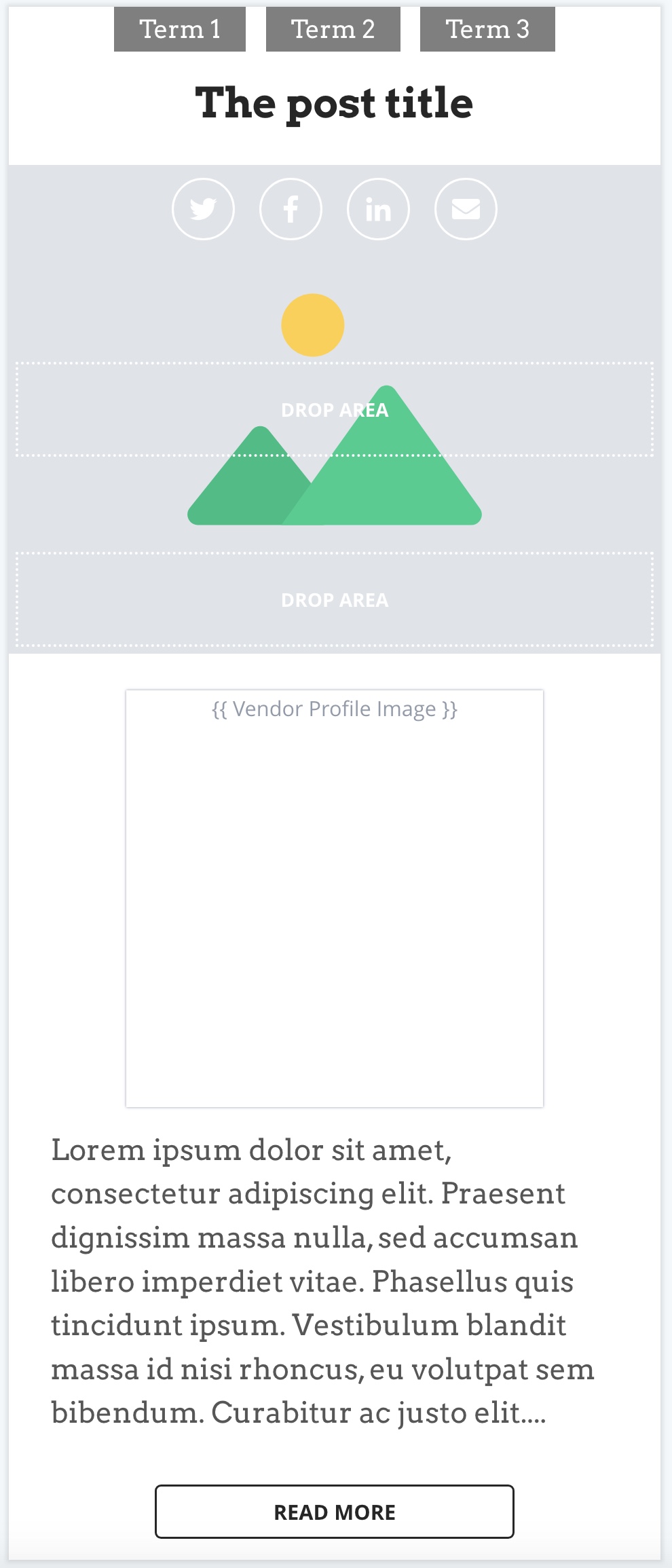
grid.jpeg

The code I included and example I linked to is the support page from "gridbuilder wp". The purpose of the code is to add a custom block to gridbuilder in order to construct the grid.

I have attached an image from the gridbuilder backend, you can see the custom block in place but it does not render an image. You will note their support documentation lien caché works with ACF or Meta Box image field. I know that Toolset does not store images the same way as these other two products so as I stated previously I think the issue is the difference in the way toolset stores images.

#2628801

Minesh
Supporter

Les langues: Anglais (English )

Fuseau horaire: Asia/Kolkata (GMT+05:30)

What if you try to use the following modified function code:

function render_vendor_profile_image_block() {

global $wpdb;

// Object can be a post, term or user.
$object = wpgb_get_object();

// If this is not a post (you may change this condition for user or term).
if ( ! isset( $object->vendor ) ) {
return;
}

// You have to change "custom_field_name" to yours.
$image_url = get_post_meta( $object->ID, 'wpcf-vendor-profile-image', true );

$image_id = $wpdb->get_var($wpdb->prepare(
"SELECT ID FROM $wpdb->posts WHERE guid=%s",$image_url
));


if ( empty( $image_id ) ) {
return;
}

// You can change the image size "medium_large" to suit your needs.
$image_url = wp_get_attachment_image_url( $image_id, 'medium' );

if ( empty( $image_url ) ) {
return;
}

printf(
'<img src="%s" alt="%s" width="100%%" height="400px" style="object-fit:contain">',
esc_url( $image_url ),
esc_attr( get_post_meta( $image_id, '_wp_attachment_image_alt', true ) )
);
}

Where:

I've adjusted the following lines of the code:

// You have to change "custom_field_name" to yours.
$image_url = get_post_meta( $object->ID, 'wpcf-vendor-profile-image', true );

$image_id = $wpdb->get_var($wpdb->prepare(
"SELECT ID FROM $wpdb->posts WHERE guid=%s",$image_url
));

Does that helps?

#2628815

Ian

This still does not work.

I added your full block of code initially, but it did not contain the code to register the block.

I then tried replacing:
// You have to change "custom_field_name" to yours.
$image_id = get_post_meta( $object->ID, 'wpcf-vendor-profile-image', true );

With the lines of code you provided and it still does not render an image in the backend or frontend.

#2629037

Minesh
Supporter

Les langues: Anglais (English )

Fuseau horaire: Asia/Kolkata (GMT+05:30)

I will require admin access details and problem URL where I can see the issue in order to investigate the issue further and that will give me the idea if Toolset can help you further or not in this matter.

*** Please make a FULL BACKUP of your database and website.***
I would also eventually need to request temporary access (WP-Admin and FTP) to your site. Preferably to a test site where the problem has been replicated if possible in order to be of better help and check if some configurations might need to be changed.

I have set the next reply to private which means only you and I have access to it.

#2629533

Minesh
Supporter

Les langues: Anglais (English )

Fuseau horaire: Asia/Kolkata (GMT+05:30)

Can you please check now: lien caché

I've adjusted the function code as given under:

function register_vendor_profile_image_block( $blocks ) {

// "vendor_profile_image_block" corresponds to the block slug.
$blocks['vendor_profile_image_block'] = [
'name' => 'Vendor Profile Image',
'render_callback' => 'render_vendor_profile_image_block',
];

return $blocks;

}
add_filter( 'wp_grid_builder/blocks', 'register_vendor_profile_image_block' );

function render_vendor_profile_image_block() {

  global $wpdb;
// Object can be a post, term or user.
$object = wpgb_get_object();


// You have to change "custom_field_name" to yours.
$image_url = get_post_meta( $object->ID, 'wpcf-vendor-profile-image', true );
  
$image_id = attachment_url_to_postid($image_url);
  
  
  /*
// You have to change "custom_field_name" to yours.
$image_id = $wpdb->get_var($wpdb->prepare(
"SELECT ID FROM $wpdb->posts WHERE guid=%s",$image_url
));
  
  */
  
  
if ( empty( $image_id ) ) {
return;
}

// You can change the image size "medium_large" to suit your needs.
$image_url = wp_get_attachment_image_url( $image_id, 'medium' );

if ( empty( $image_url ) ) {
return;
}

printf(
'<img src="%s" alt="%s" width="100%%" height="400px" style="object-fit:contain">',
esc_url( $image_url ),
esc_attr( get_post_meta( $image_id, '_wp_attachment_image_alt', true ) )
);
}

I can see now it shows the correct image and you can find a way to remove the other image that is displayed.

#2629539

Minesh
Supporter

Les langues: Anglais (English )

Fuseau horaire: Asia/Kolkata (GMT+05:30)

just an update, I've added following lines of code to your function os that the function "render_vendor_profile_image_block" should apply to only vendor post type.

 // If this is not a post type vendor then return
	if ( $object->post_type != 'vendor' ) {
		return;
	}