Passer la navigation

[Résolu] Display of Custom Field Data in Elementor Template

This support ticket is created Il y a 3 years, 8 months. There's a good chance that you are reading advice that it now obsolete.

This is the technical support forum for Toolset - a suite of plugins for developing WordPress sites without writing PHP.

Everyone can read this forum, but only Toolset clients can post in it. Toolset support works 6 days per week, 19 hours per day.

Sun Mon Tue Wed Thu Fri Sat
- 10:00 – 13:00 10:00 – 13:00 10:00 – 13:00 10:00 – 13:00 10:00 – 13:00 -
- 14:00 – 18:00 14:00 – 18:00 14:00 – 18:00 14:00 – 18:00 14:00 – 18:00 -

Fuseau horaire du supporter : Asia/Kolkata (GMT+05:30)

Ce sujet contient 4 réponses, a 2 voix.

Dernière mise à jour par patriciaM-5 Il y a 3 years, 8 months.

Assisté par: Minesh.

Auteur
Publications
#2475633

Tell us what you are trying to do?
I am trying to display the custom field value in the front-end post.
I am using Elementor to create the template.
The custom field type is single-line.
The custom field value is an embed code.
Ex: <iframe src="lien caché" height="auto" width="100%" frameborder="0" scrolling="no"></iframe>

The value is not displaying or rendering in the template preview or on the front-end post.
Ex: lien caché

Does Elementor support the single-line post type?

Is there an issue with the fact that it is iFrame code?

Should I use a shortcode instead?

What is the code for the short code for this custom field (podcast-group Embedded Podcast Link)

Thank you for your help.

#2475951

Minesh
Supporter

Les langues: Anglais (English )

Fuseau horaire: Asia/Kolkata (GMT+05:30)

Hello. Thank you for contacting the Toolset support.

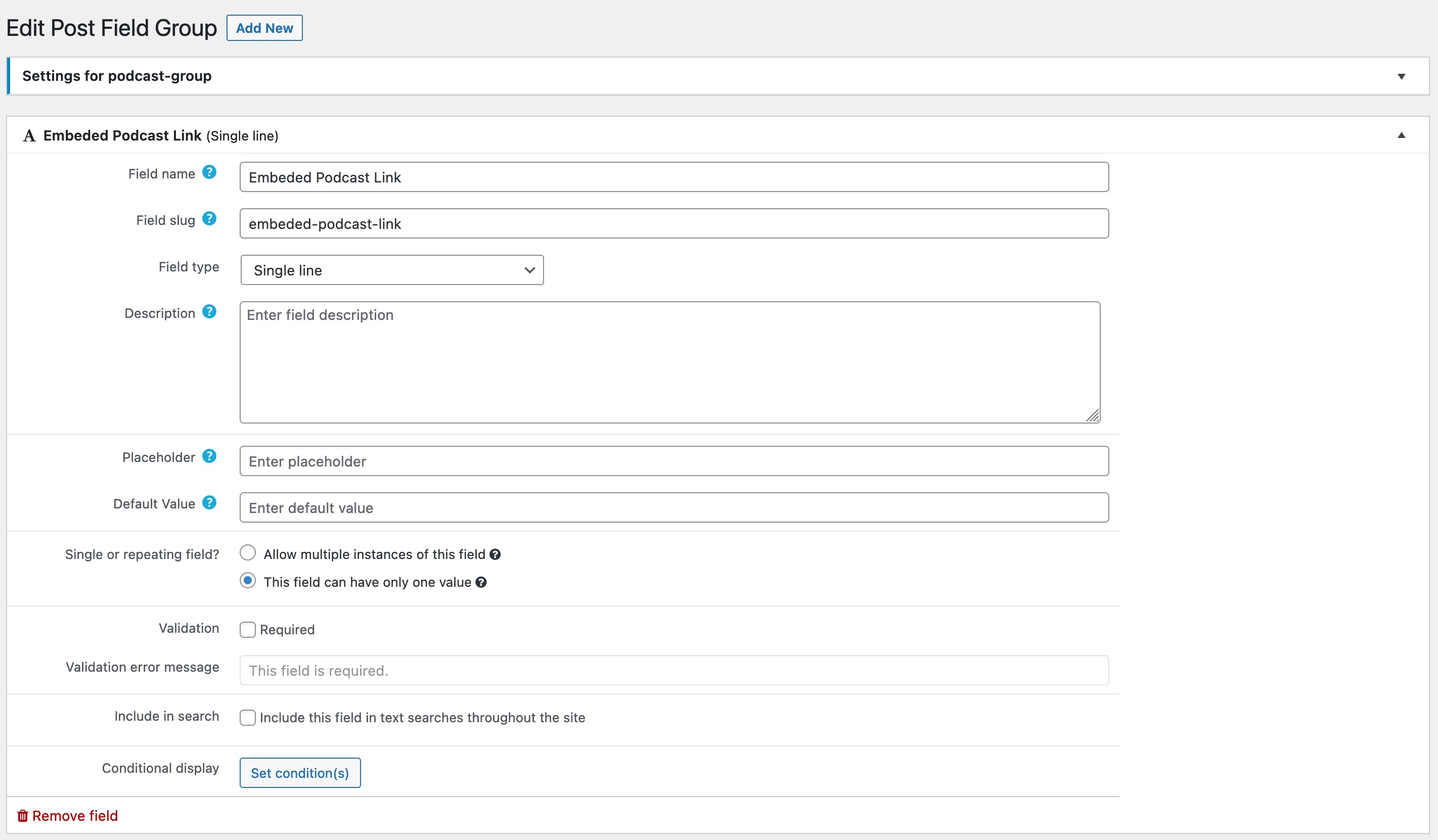
Can you please share screenshot of the custom field group page where you created the field (podcast-group Embedded Podcast Link)?

#2476207
toolset-screenshot-1.jpg

Attached is the screenshot as requested.

Let me know if you have any questions.

Thanks

#2476245

Minesh
Supporter

Les langues: Anglais (English )

Fuseau horaire: Asia/Kolkata (GMT+05:30)

So, you will have two ways to display the Toolset Types field.

You should add a Elementor's Text widget and add the shortcode to it:

[types field='embeded-podcast-link' output='raw'][/types]

Or you should create a content template and do not assign this content template (in legacy/classic mode) to any post type and add the shortcode to it:

[types field='embeded-podcast-link' output='raw'][/types]

Does the above information helps?

#2476375

My issue is resolved now. Thank you!