Passer la navigation

[Closed] Display images on Safari

This support ticket is created Il y a 1 year, 12 months. There's a good chance that you are reading advice that it now obsolete.

This is the technical support forum for Toolset - a suite of plugins for developing WordPress sites without writing PHP.

Everyone can read this forum, but only Toolset clients can post in it. Toolset support works 6 days per week, 19 hours per day.

Sun Mon Tue Wed Thu Fri Sat
- 7:00 – 15:00 7:00 – 15:00 7:00 – 15:00 7:00 – 15:00 7:00 – 15:00 -
- - - - - - -

Fuseau horaire du supporter : Pacific/Easter (GMT-06:00)

Ce sujet contient 3 réponses, a 2 voix.

Dernière mise à jour par Ilyes Il y a 1 year, 11 months.

Assisté par: Ilyes.

Auteur
Publications
#2700288
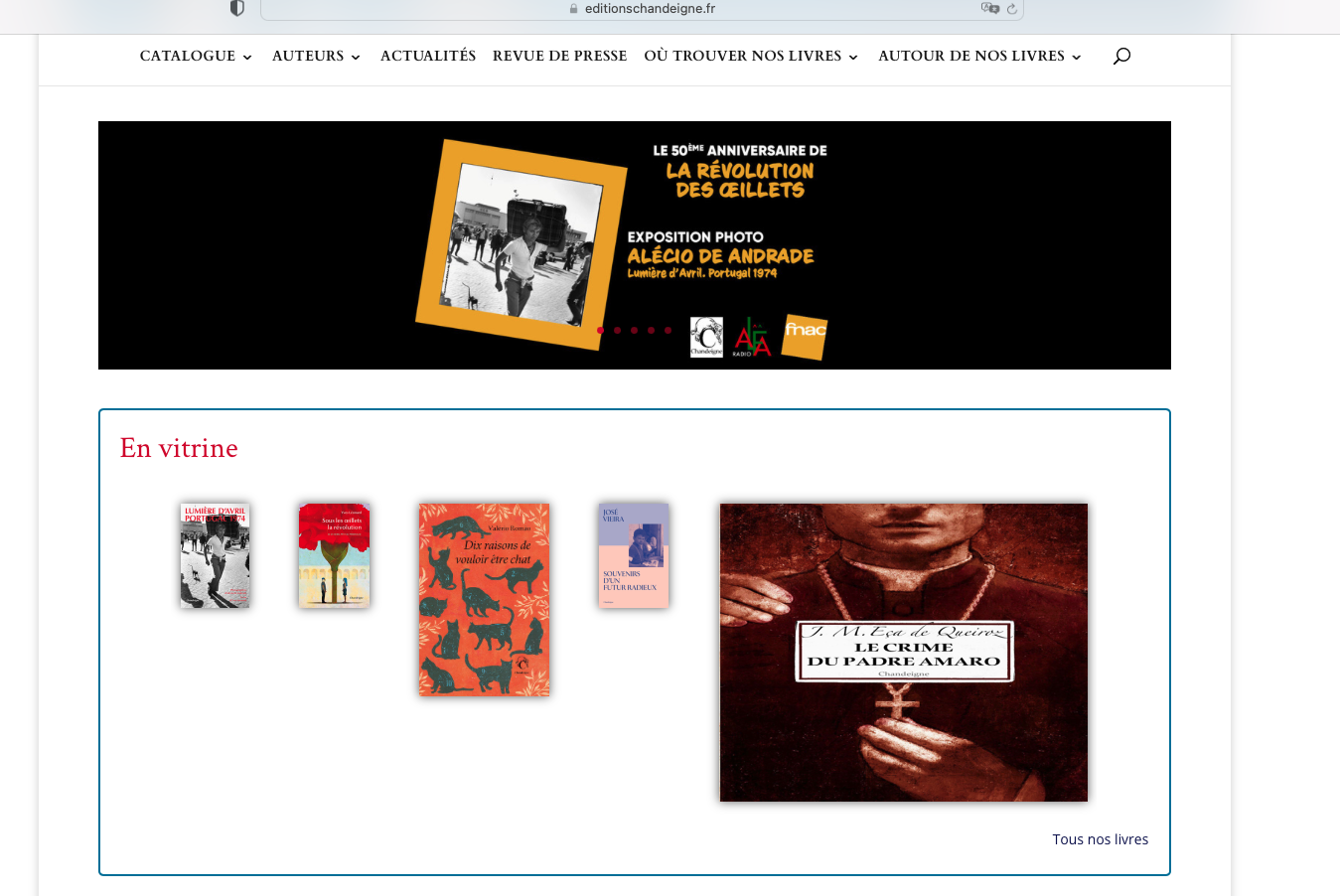
EditionsChandeigne-5books-Safari.png
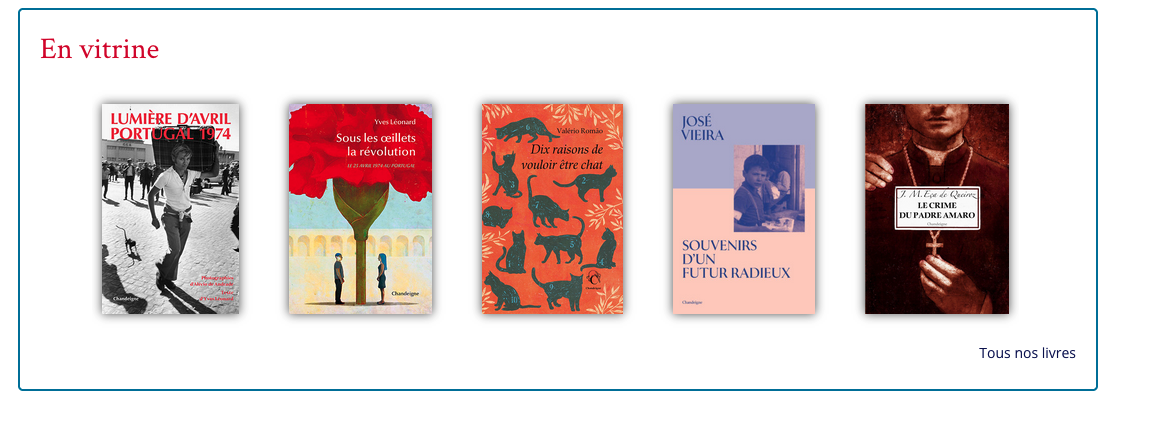
Editions-Chandeigne-5books-Firefox-Chrome.png

Hi support,

I have a problem with this part of the site. It displays 5 images of the book. They are well displayed on Firefox and Chrome. However on Safari, it’s not the case. Please see attached screenshots. Could you please help ?

Thank you for your help.
Best regards,
Sawitri

#2700351

Ilyes
Supporter

Fuseau horaire: Pacific/Easter (GMT-06:00)

Hello,

Thank you for contacting Toolset support team,

A couple of my colleague checked your site on Safari and they confirm that the issue exist, Only on the Desktop version, Mobile version is displaying correctly.

Is it possible to get access to your admin site? if yes, I have opened a form below where you can share your credentials privately.

Best,

#2700977

Ilyes
Supporter

Fuseau horaire: Pacific/Easter (GMT-06:00)

Thank you for the access,

I will share your issue with our 2nd tier for debugging purposes and get back to you once I get an update,

Best,

#2701223

Ilyes
Supporter

Fuseau horaire: Pacific/Easter (GMT-06:00)

As a test, I have created this page : lien caché

It seems it works fine : lien caché

If I call the short code directly from the default WordPress editor (not using Divi builder) like this : lien caché , it works fine.

This is related to the structure that you are using with Divi, it's seems resetting it solved it : lien caché

You can then delete the test page I created if the issue is solved,

Best,

The topic ‘[Closed] Display images on Safari’ is closed to new replies.