I am trying to:
CRED form uses Woocommerce.
add_action('cred_save_data', 'plus_diu_online_kurs',10,2);
function plus_diu_online_kurs ($post_id, $form_data)
{
// Execute for form ID: 123
if ($form_data['id'] == 13882 ) {
// Get currently logged in User ID
// Custom field name
$meta_key = "wpcf-uu";
$dmeta_key = "wpcf-dateuu";
// Fetch the current value of $meta_key for $user_id
$currentValue = get_post_meta($post_id, $meta_key, true);
$dcurrentValue = get_post_meta($post_id, $dmeta_key, true);
// And plus 1 to the $currentValue
$newValue = $currentValue + 1;
$dnewValue = strtotime('Today');
// $dnewValue = date('m.d.y H:i:s');
// Finally, update $meta_key for $user_id with $newValue
update_post_meta( $post_id, $meta_key, $newValue);
update_post_meta( $post_id, $dmeta_key, $dnewValue);
}
}
I expected to see:
Custom field should be updated after payment.
Instead, I got:
Custom field is updated right after moving to checkout page before payment.
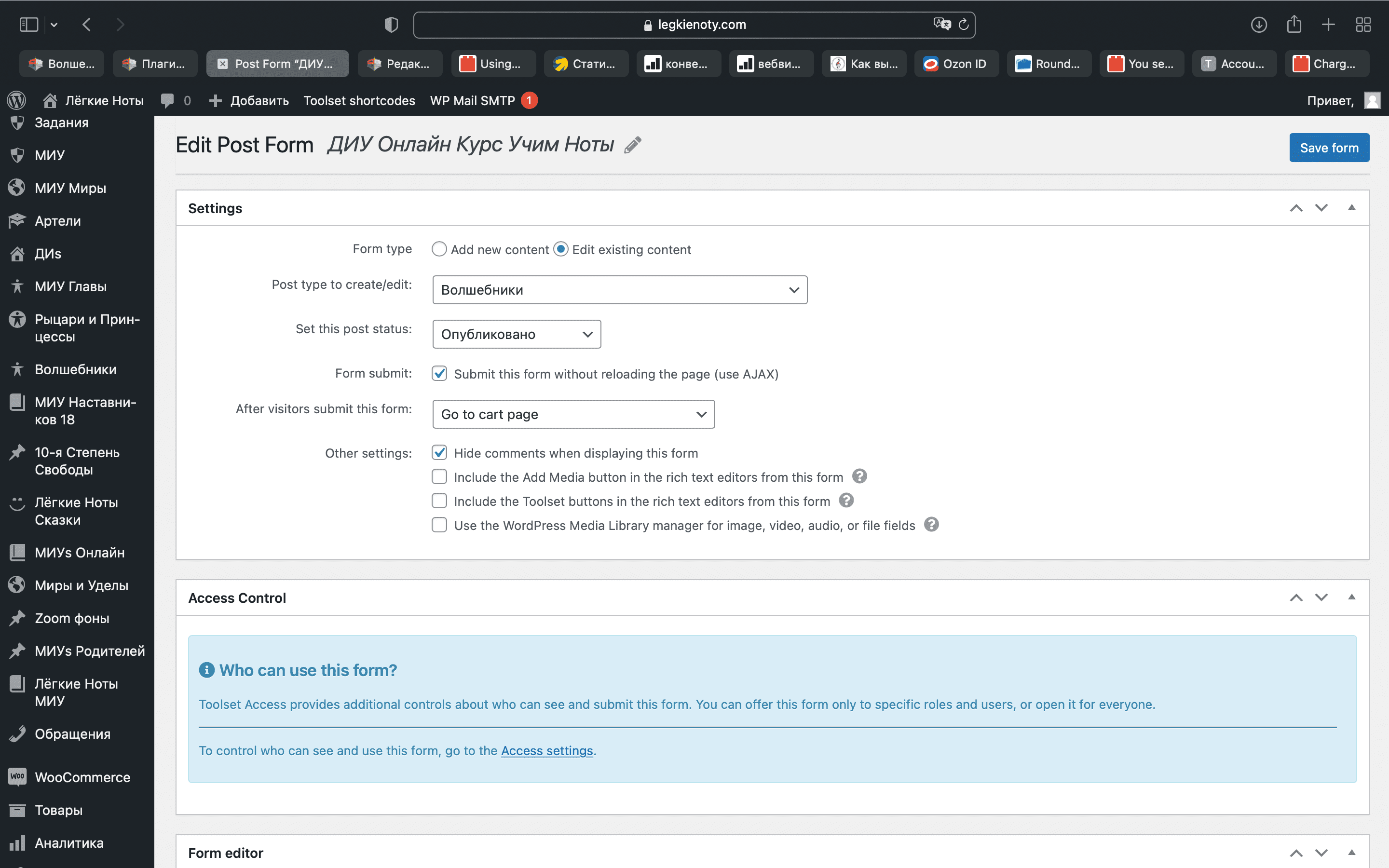
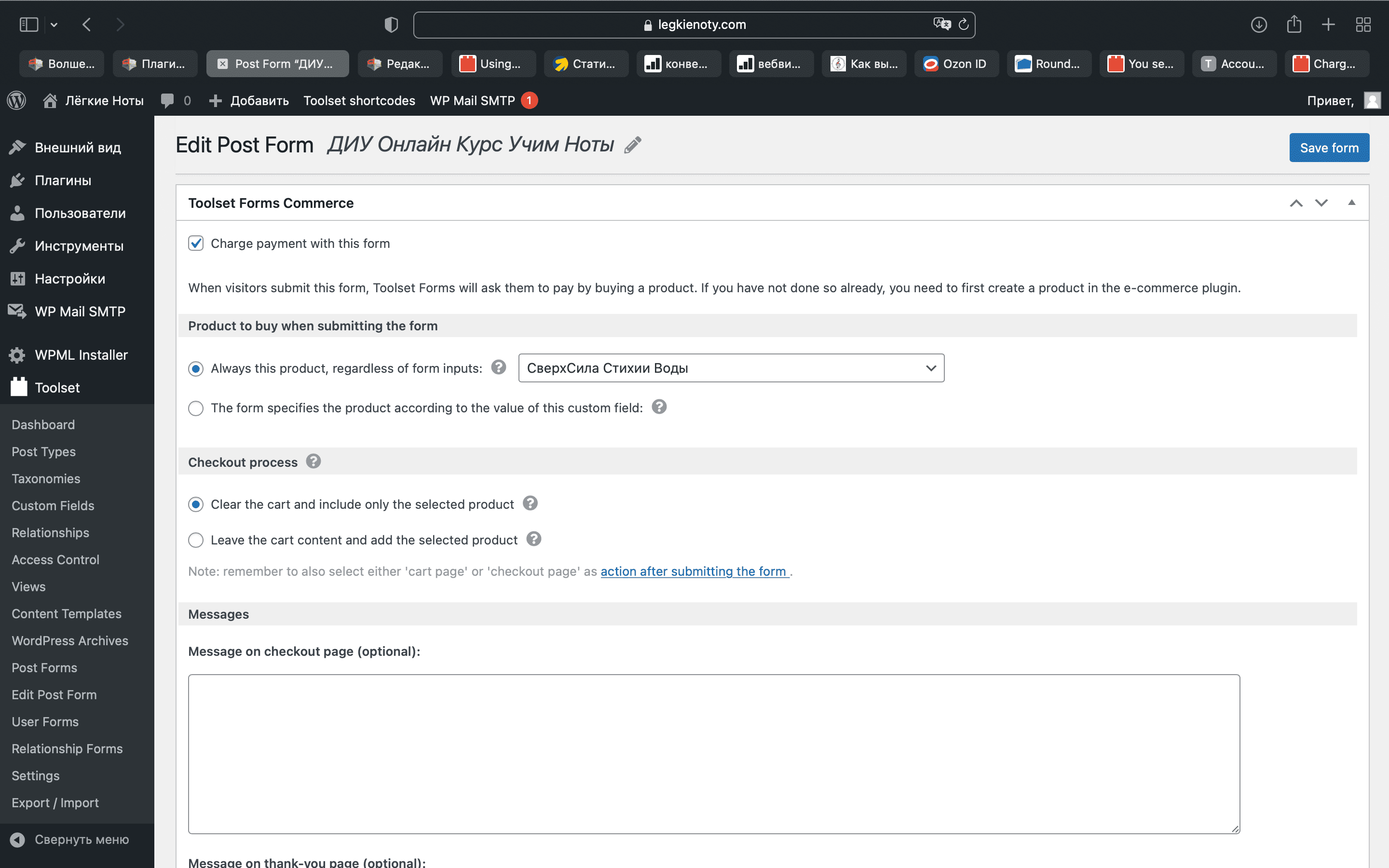
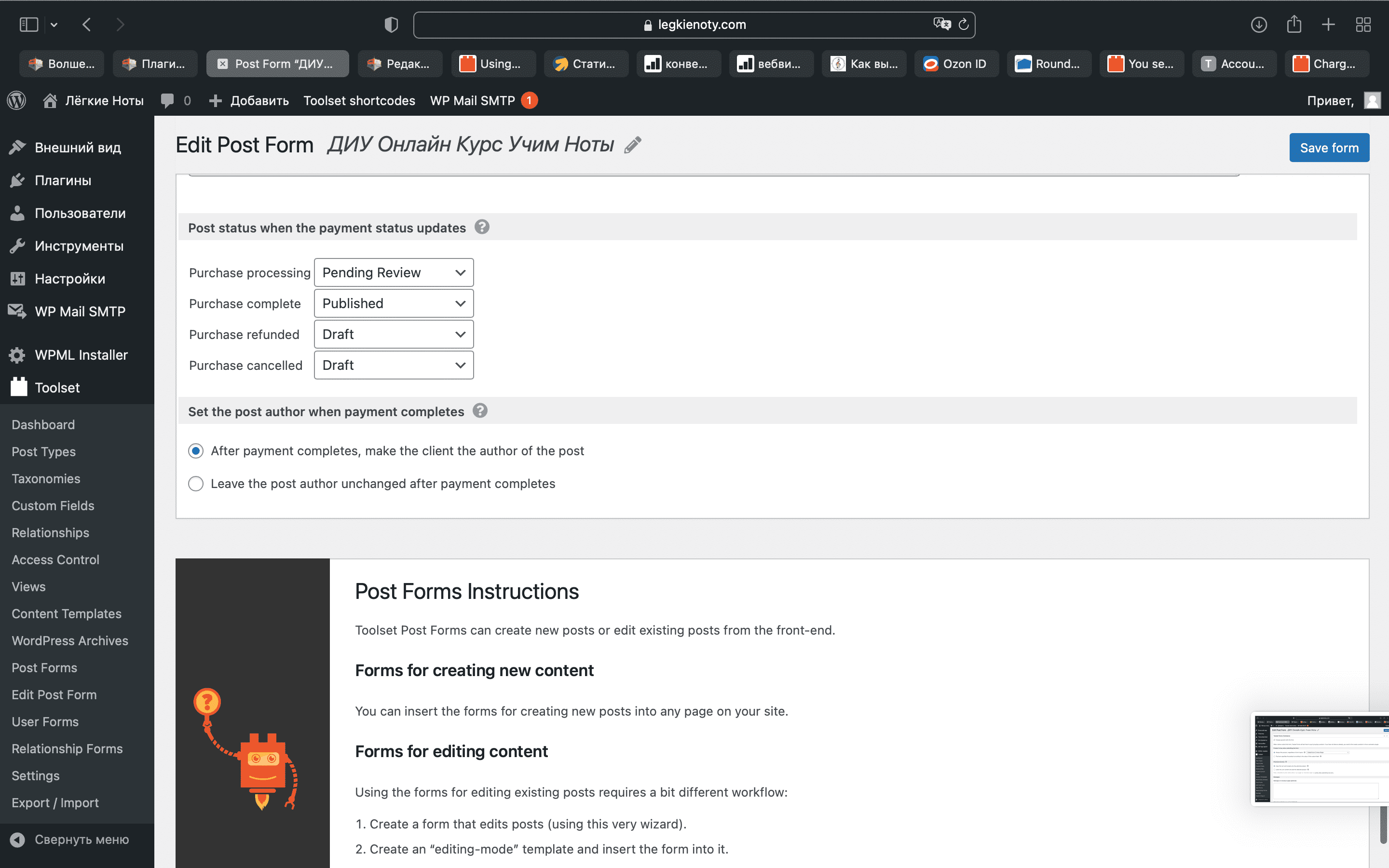
Attaching screenshots of the form. Please advise what is wrong?
Thank you in advance
Anton
Hi there
I think you would want to use one of the hooks specifically for using Toolset Forms Commerce to buy products, see the API details here: https://toolset.com/documentation/programmer-reference/cred-commerce-api/
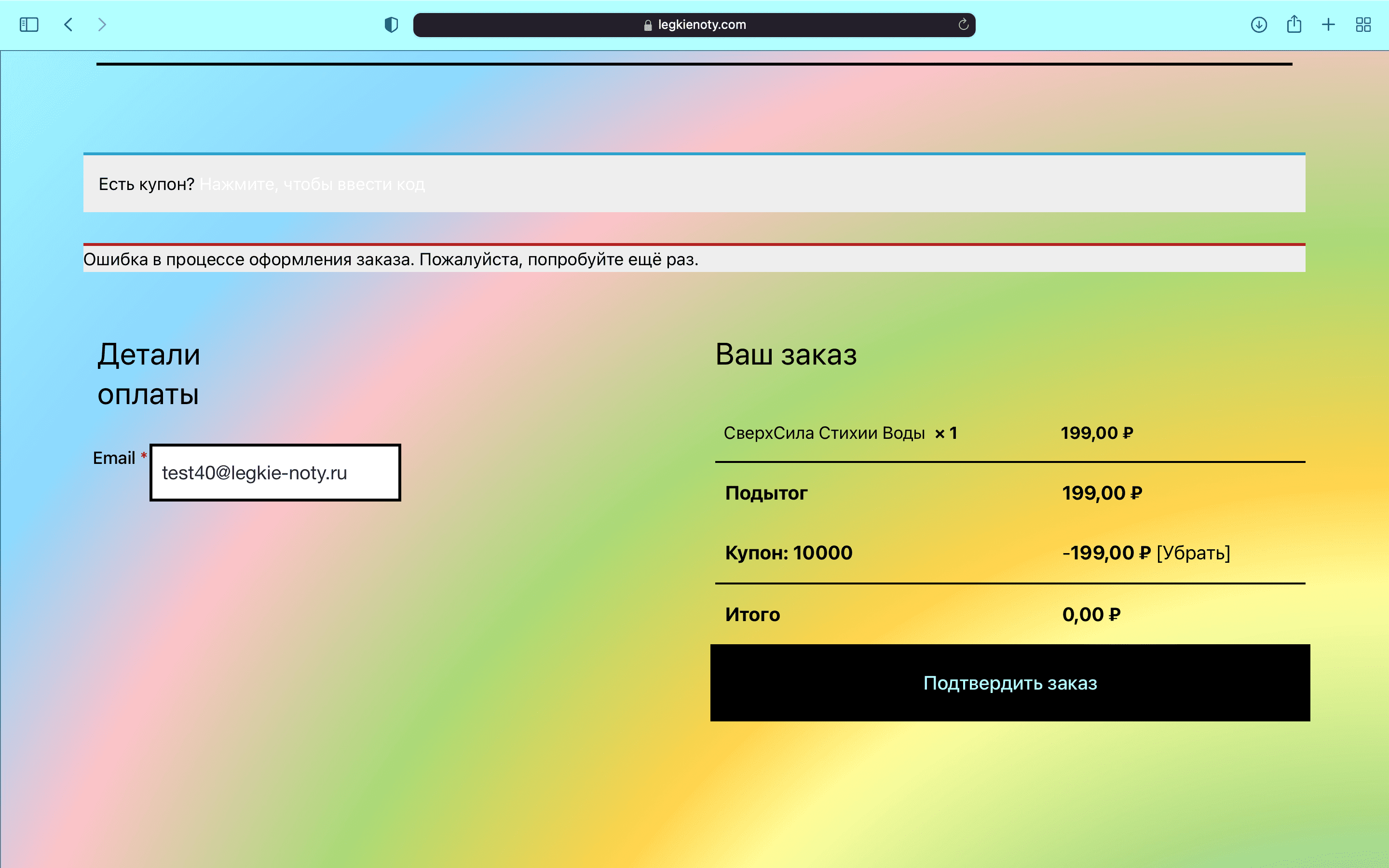
thank you. I've replaced hook but there are error during payment on the page.
add_action('cred_commerce_after_order_completed', 'plus_diu_online_kurs',10,2);
function plus_diu_online_kurs ($post_id, $form_data)
{
// Execute for form ID: 123
if ($form_data['id'] == 13882 ) {
// Get currently logged in User ID
// Custom field name
$meta_key = "wpcf-uu";
$dmeta_key = "wpcf-dateuu";
// Fetch the current value of $meta_key for $user_id
$currentValue = get_post_meta($post_id, $meta_key, true);
$dcurrentValue = get_post_meta($post_id, $dmeta_key, true);
// And plus 1 to the $currentValue
$newValue = $currentValue + 1;
$dnewValue = strtotime('Today');
// $dnewValue = date('m.d.y H:i:s');
// Finally, update $meta_key for $user_id with $newValue
update_post_meta( $post_id, $meta_key, $newValue);
update_post_meta( $post_id, $dmeta_key, $dnewValue);
}
}
You will need to follow our document to setup the custom codes:
https://toolset.com/documentation/programmer-reference/cred-commerce-api/#cred_commerce_after_order_completed
For example:
add_action('cred_commerce_after_order_completed', 'plus_diu_online_kurs',10,1);
function plus_diu_online_kurs ($data)
{
	$form_id = $data['extra_data']['cred_form_id'];
	$post_id = $data['extra_data']['cred_post_id'];
...
}
I've put it , payment happened but custom field was not updated.
Can you copy/paste your new PHP codes here?
add_action('cred_commerce_after_order_completed', 'plus_diu_online_kurs',10,1);
function plus_diu_online_kurs ($data)
{
$cred_form_id = $data['extra_data'][0]['cred_form_id'];
$cred_post_id = $data['extra_data'][0]['cred_post_id'];
if($data['extra_data'][0]['cred_form_id'] == 13882 ) {
// Custom field name
$meta_key = "wpcf-uu";
$dmeta_key = "wpcf-dateuu";
// Fetch the current value of $meta_key for $user_id
$currentValue = get_post_meta($post_id, $meta_key, true);
$dcurrentValue = get_post_meta($post_id, $dmeta_key, true);
// And plus 1 to the $currentValue
$newValue = $currentValue + 1;
$dnewValue = strtotime('Today');
// $dnewValue = date('m.d.y H:i:s');
// Finally, update $meta_key for $user_id with $newValue
update_post_meta( $post_id, $meta_key, $newValue);
update_post_meta( $post_id, $dmeta_key, $dnewValue);
}
}
Are you going to this: After user complete the payment, update two custom USER field values:
- wpcf-uu
- wpcf-dateuu
Here is a sandbox website:
lien caché
Please try to duplicate your website settings in it, I need a live website to test and debug the custom PHP codes.
Please find
1. custom fields: uu and dateuu.
2. post form: updateuu linked to payment
3. post form is placed on "Sample page"
4. woocommerce product: updateuu
5. coupon for 100% discount on payment form: 1
EXPECTED RESULTS
Pressing button of the form fields uu and dateuu should be updated.
REQUIRED ACTION
need to place code below into functions.php as I didn't find how to do it via site:
add_action('cred_commerce_after_order_completed', 'plus_diu_online_kurs',10,1);
function plus_diu_online_kurs ($data)
{
$cred_form_id = $data['extra_data'][0]['cred_form_id'];
$cred_post_id = $data['extra_data'][0]['cred_post_id'];
if($data['extra_data'][0]['cred_form_id'] == 29 ) {
// Custom field name
$meta_key = "wpcf-uu";
$dmeta_key = "wpcf-dateuu";
// Fetch the current value of $meta_key for $user_id
$currentValue = get_post_meta($post_id, $meta_key, true);
$dcurrentValue = get_post_meta($post_id, $dmeta_key, true);
// And plus 1 to the $currentValue
$newValue = $currentValue + 1;
$dnewValue = strtotime('Today');
// $dnewValue = date('m.d.y H:i:s');
// Finally, update $meta_key for $user_id with $newValue
update_post_meta( $post_id, $meta_key, $newValue);
update_post_meta( $post_id, $dmeta_key, $dnewValue);
}
}
I assume we are talking about post field group "Anton":
lien caché
I have done below modifications in above test site:
1) Edit product post, setup the price to 0
lien caché
2) Create a page, and display the post form:
lien caché
3) Add one custom code snippet:
lien caché
With below codes:
add_action('cred_commerce_after_order_completed', 'plus_diu_online_kurs',10,1);
function plus_diu_online_kurs ($data){

	$form_id = $data['extra_data'][0]['cred_form_id'];
	$post_id = $data['extra_data'][0]['cred_post_id'];

	if($form_id == 29 ) {

		// Custom field name
		$meta_key = "wpcf-uu";
		$dmeta_key = "wpcf-dateuu";

		// Fetch the current value of $meta_key for $user_id
		$currentValue = get_post_meta($post_id, $meta_key, true);
		$dcurrentValue = get_post_meta($post_id, $dmeta_key, true);

		// And plus 1 to the $currentValue
		$newValue = $currentValue + 1;
		$dnewValue = strtotime('Today');
		// $dnewValue = date('m.d.y H:i:s');

		// Finally, update $meta_key for $user_id with $newValue
		update_post_meta( $post_id, $meta_key, $newValue);
		update_post_meta( $post_id, $dmeta_key, $dnewValue);

	}
}
4) Test it in frontend:
lien caché
1) submit the form, and complete the payment
2) Dashboard-> Woocommerce-> Orders:
lien caché
Find the new order, and change the status to: Completed
3) Check the new post:
lien caché
I can see the custom field values are updated correctly.
I've changed form type for update and put it into post with name "test".
submission of the form doesn't update fields.
I have tried these:
1) Open the "test" post in frontend:
lien caché
Submit the post form
2) Dashboard-> Woocommerce-> Orders:
lien caché
Find the new order, and change the status to: Completed
3) Check the new post:
lien caché
I can see the custom field values are updated correctly.
Can you confirm it first?
My issue is resolved now. Thank you!