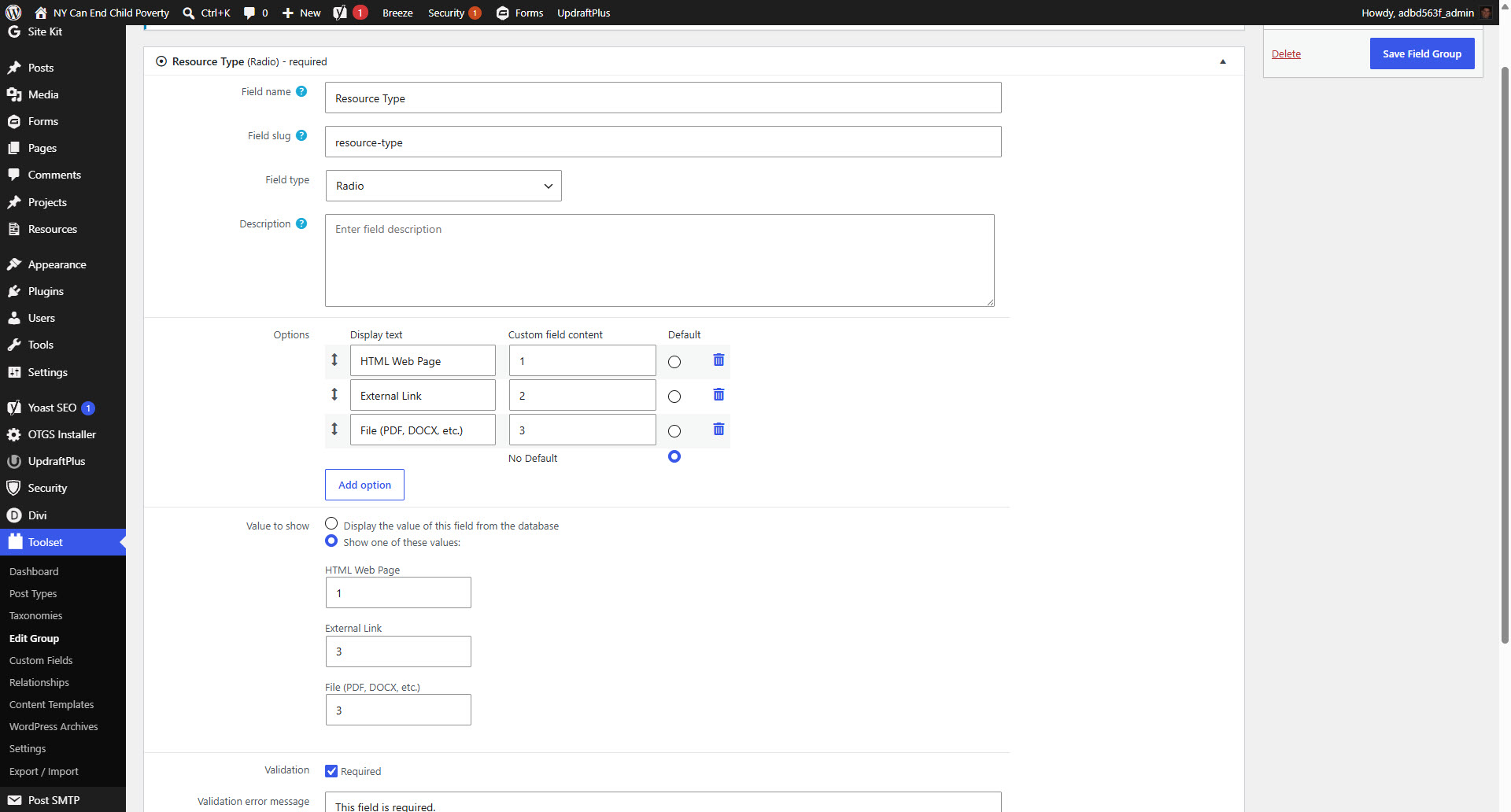
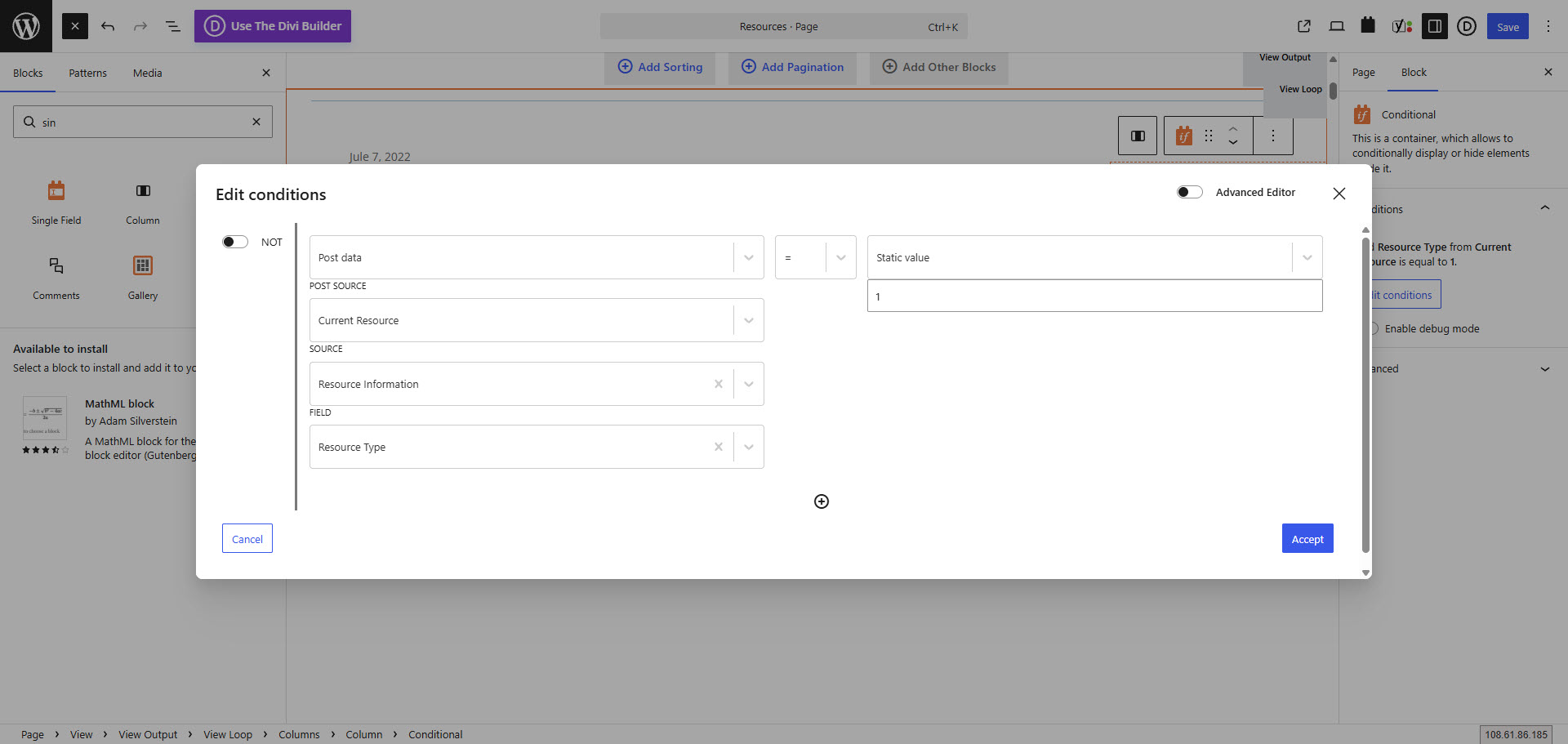
I am trying to: display one of three buttons with each resource. The buttons display based on the selection in a radio button (Resource Type). There are three options with values of 1, 2, or 3. These conditions worked fine but stopped all of a sudden. We set the condition on each button: if the custom field Resource Type = a static value of 1, 2 or 3 with each button getting 1 value. When displaying the radio button as single field on the page, we get the values of 1 or 2 or 3 depending on the selection for each resource. The conditions are just not working anymore.
Link to a page where the issue can be seen: lien caché
I expected to see: A button with each resource.
Instead, I got: A list of resources without their buttons.
Hello. Thank you for contacting the Toolset support.
Can you please tell me what is the condition you build and what you want to display inside the condition block. Can you please share screenshot of backend where you added the conditon that shows condition as well as what you display inside the codntional display.
Alternatively - you can send me admin access details and I will quickly check and try to reproduce the issue and escalte it if confirmed.
*** Please make a FULL BACKUP of your database and website.***
I would also eventually need to request temporary access (WP-Admin and FTP) to your site. Preferably to a test site where the problem has been replicated if possible in order to be of better help and check if some configurations might need to be changed.
I have set the next reply to private which means only you and I have access to it.
I was just told that this is happening on other websites we have conditions on. Pretty much any site that we have a conditional block on won't display the conditions.
With the following link I've uploaded the hotfix version that contains the fix for this issue. It has Toolset Blocks and Toolset Views plugins zip.
=> lien caché
You can download whatever plugin you are using and replace with your existing plugins by removing the current Toolset Blocks/Views plugin from your plugins page.
I hope the above hotfix version will help you to fix your issue.
Once we release the hotfix version official, it will available with your account's Download page and you can later update to that once its available later on.