Hi.
A short time ago the comment form of our blog is no longer there at the bottom end (lien caché" . The pages are designed with toolset. What do you suggest?
Regards
Daniel Follonier
daniel.follonier@rioandlearn.com
Hi Albert,
Thanks for getting in touch.
Would you mind allowing me to have admin access to check on the site to see what is happening here?
Also were there any new plugins installed since you've noticed the issue ?
Thanks,
Shane
Hi Albert,
Thank you for the login details.
I've checked to ensure that comments have been enabled and they are. Can you let me know if there was anything done to the site before you notice this changes?
Please let me know.
Thanks,
Shane
Hi Albert,
Thank you for the login details.
I've checked to ensure that comments have been enabled and they are. Can you let me know if there was anything done to the site before you notice this changes?
Please let me know.
Thanks,
Shane
Hi!
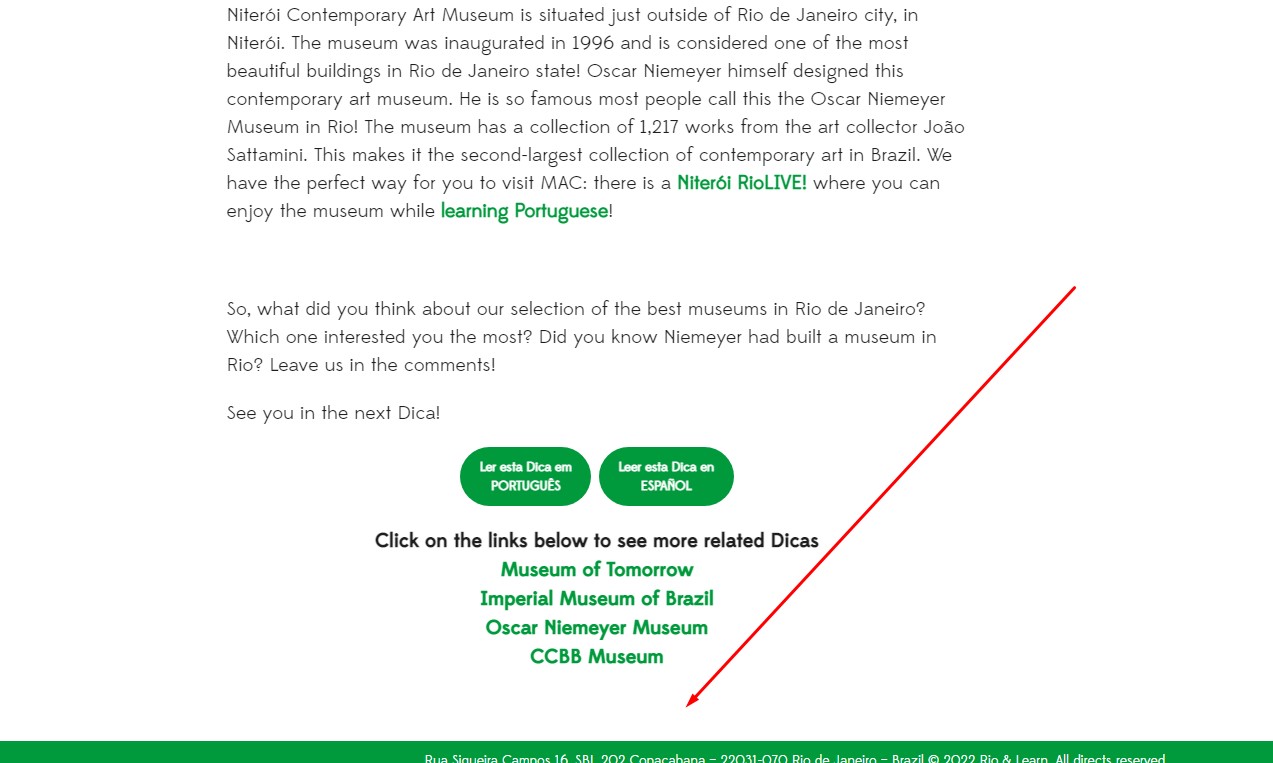
In our site blog ( lien caché) , you still can't see the comments, I attach an image. If you want, I'll give you the password and username to enter our staging site and be able to see better and do tests without fear of playing the live.
lien caché
user: blogvault
password: da4d7720
Hi Albert,
It turns out to be that the comments block was missing from the page.
Can you check on the page below and let me know if it is now displaying the correct information.
lien caché
Thanks,
Shane
Hi Shane
I can see the comments but what we want i sorry for no tell before, we want to normal users write comments at the end of that posts.
Hi Albert,
You can actually add the comments form back to the page by editing the page template at the link below.
lien caché
There is a block called Posts Comment Form. If you add this to your page you should be able to allow users to add new comments.
Thanks,
Shane
My issue is resolved now. Thank you!