Passer la navigation

[Résolu] check out not displayed properly when toolset is active

Ce fil est résolu. Voici une description du problème et la solution proposée.

Problem:

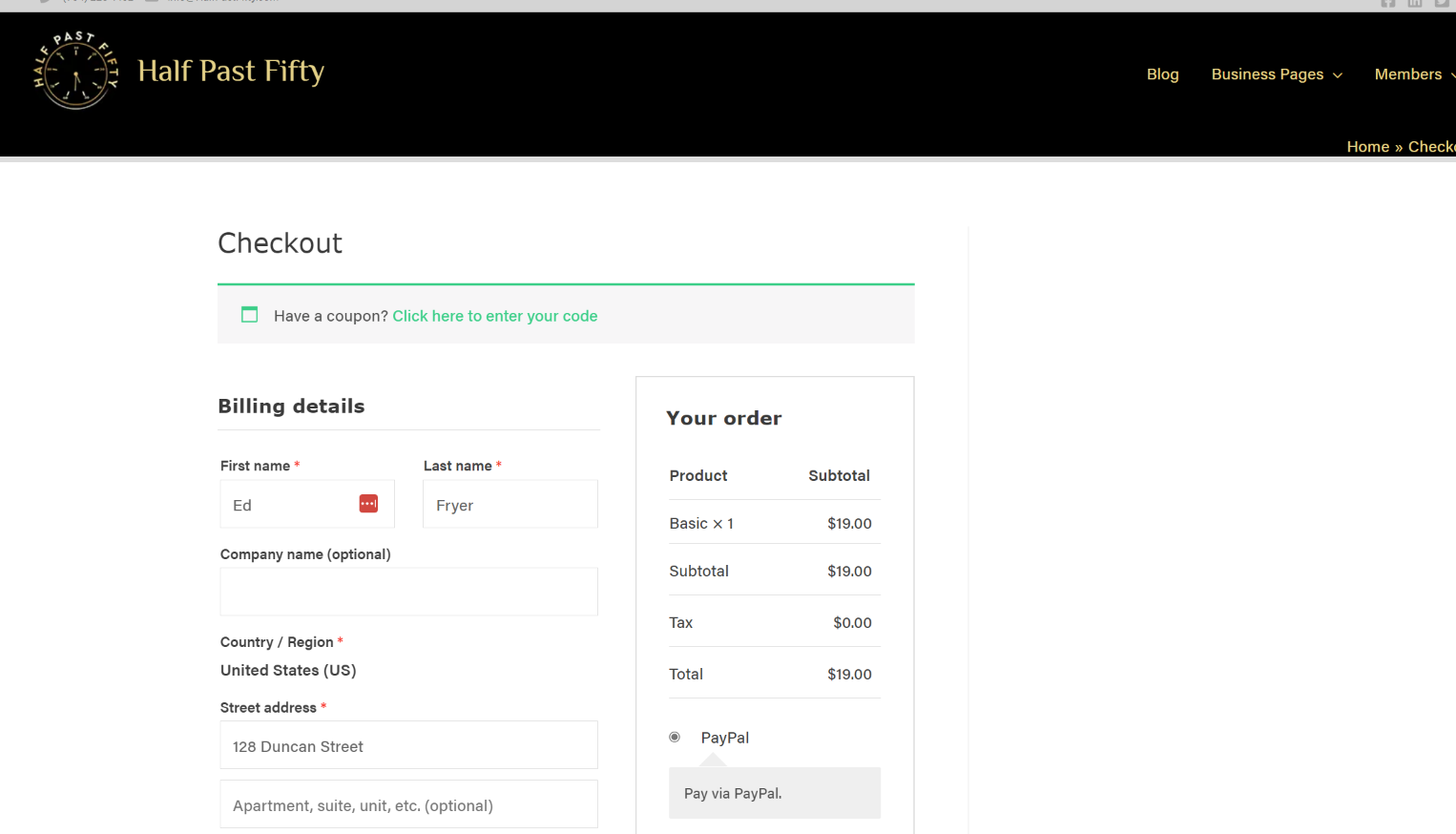
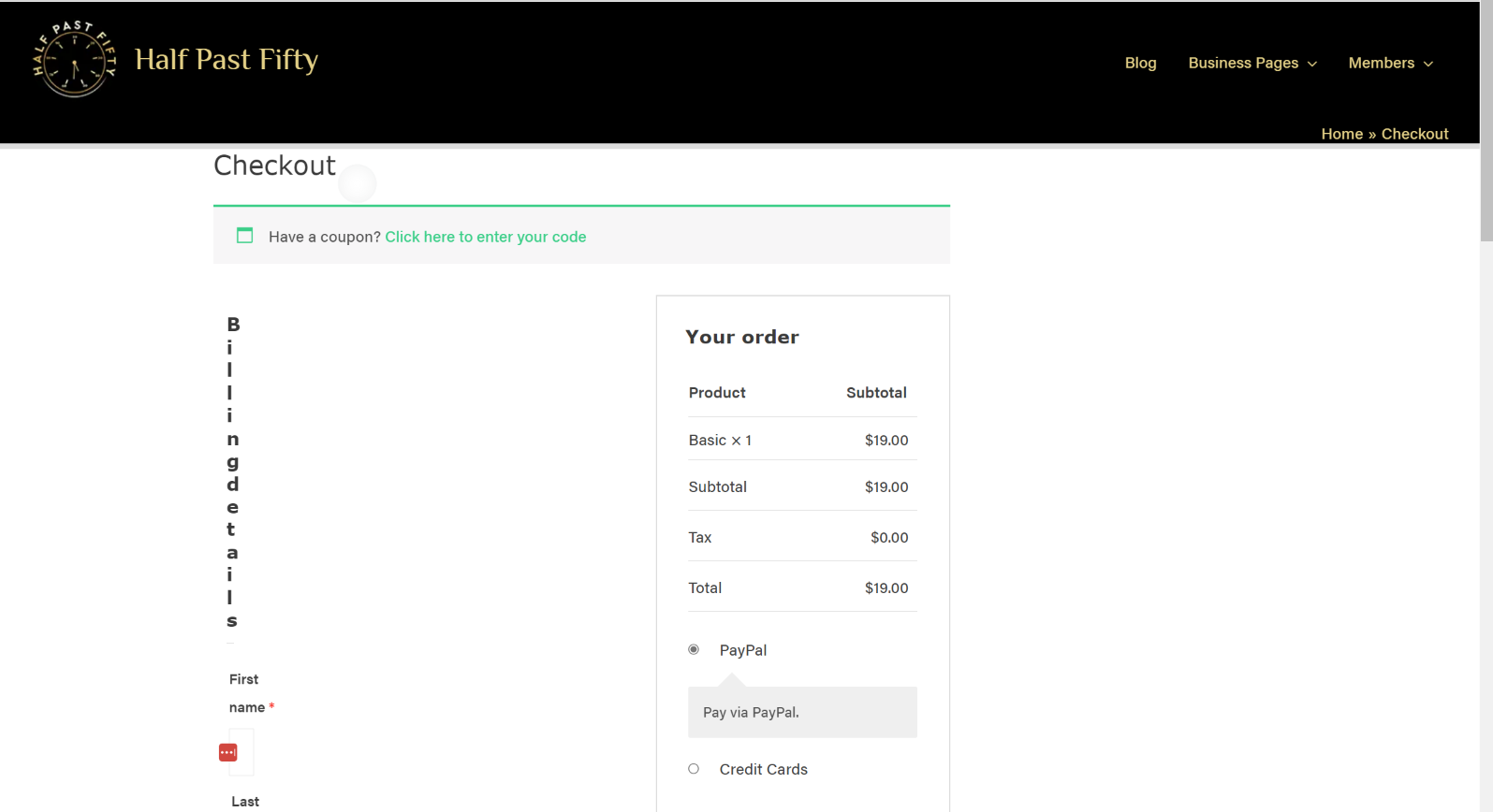
The checkout style is wrong when Toolset is active

Solution:

Whenever a theme loads bootstrap it is recommended that you check Toolset Bootstrap loading options and decide if you want Toolset to load Bootstrap or not and which version to use.

You can decide how Bootstrap loads in Toolset by going to Toolset > Settings > General (tab) and check the Bootstrap loading options.

This support ticket is created Il y a 3 years, 5 months. There's a good chance that you are reading advice that it now obsolete.

This is the technical support forum for Toolset - a suite of plugins for developing WordPress sites without writing PHP.

Everyone can read this forum, but only Toolset clients can post in it. Toolset support works 6 days per week, 19 hours per day.

Ce sujet contient 2 réponses, a 2 voix.

Dernière mise à jour par edgarF-2 Il y a 3 years, 5 months.

Assisté par: Christopher Amirian.

Auteur
Publications
#2539187
without active toolset.png
checkout with active toolset.png

I am trying to: Use woocomerce

Link to a page where the issue can be seen:lien caché

I expected to see: Png

Instead, I got: Png

#2539303

Christopher Amirian
Supporter

Les langues: Anglais (English )

Hi there,

It might be the issue that you use another version of Bootstrap, Toolset also uses Bootstrap.

You can decide how Bootstrap loads in Toolset by going to Toolset > Settings > General (tab) and check the Bootstrap loading option.

I also found out that you use the Siteground modification and cache system which might be causing issues. I suggest that you deactivate that feature and test it.

Thank you.

#2539563

My issue is resolved now. Thank you!