Ce fil est résolu. Voici une description du problème et la solution proposée.
Problem:
How to translate the Author of a post type?
Solution:
- Please go to Toolset > Post Types.
- Click the title of the custom post type in question.
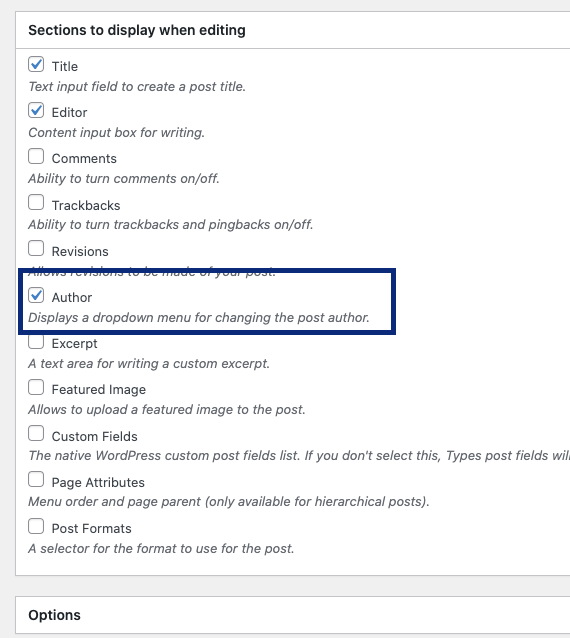
- Scroll down to the "Sections to display when editing".
- Check the "Author" checkbox. (check the attached screenshot)
- On the right side, click the "Save Post Type" button.
- Go back to the edit screen of the post type in the question and this time you will see the Author option to change.
This is the technical support forum for Toolset - a suite of plugins for developing WordPress sites without writing PHP.
Everyone can read this forum, but only Toolset clients can post in it. Toolset support works 6 days per week, 19 hours per day.
Ce sujet contient 2 réponses, a 2 voix.
Dernière mise à jour par - Il y a 3 years, 11 months.
Assisté par: Christopher Amirian.