Passer la navigation

[Résolu] cant delete old template associated with views

This support ticket is created Il y a 4 years, 9 months. There's a good chance that you are reading advice that it now obsolete.

This is the technical support forum for Toolset - a suite of plugins for developing WordPress sites without writing PHP.

Everyone can read this forum, but only Toolset clients can post in it. Toolset support works 6 days per week, 19 hours per day.

Sun Mon Tue Wed Thu Fri Sat
- 9:00 – 13:00 9:00 – 13:00 9:00 – 13:00 9:00 – 13:00 9:00 – 13:00 -
- 14:00 – 18:00 14:00 – 18:00 14:00 – 18:00 14:00 – 18:00 14:00 – 18:00 -

Fuseau horaire du supporter : Asia/Hong_Kong (GMT+08:00)

Ce sujet contient 2 réponses, a 2 voix.

Dernière mise à jour par Luo Yang Il y a 4 years, 9 months.

Assisté par: Luo Yang.

Auteur
Publications
#2130945
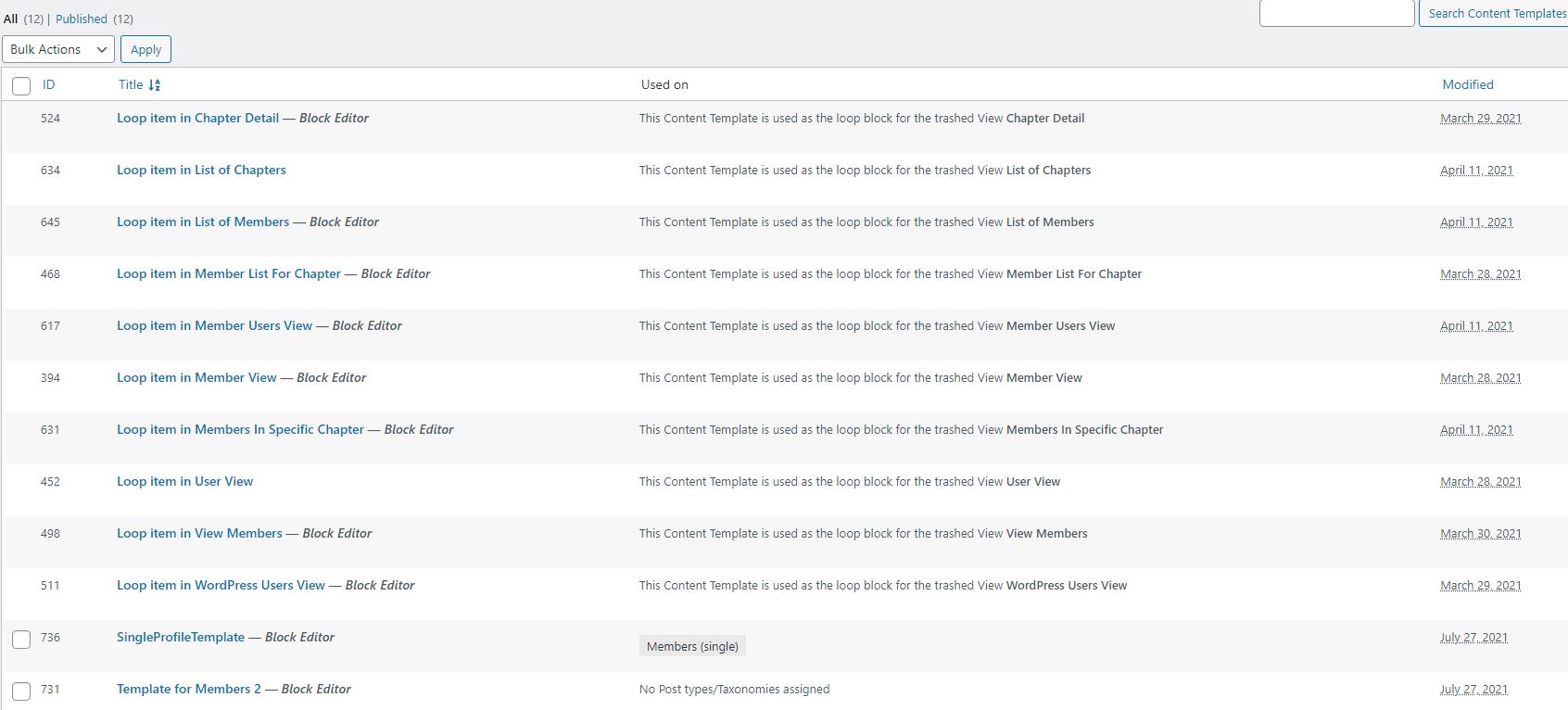
TemplateScreen.JPG

I'm unable to delete these templates associated with views after i deactivated views and activated ToolSet Blocks

#2131293

Hello,

Please try these:
1) Switch back to Toolset Views plugin, try to delete those content templates
2) If the problem still persists, then provide a database dump of your website in below private message box, I need to test and debug it in my localhost
https://toolset.com/faq/provide-supporters-copy-site/

#2131993

Thanks for the details, please try these in your website:
1) Backup your website database
2) Dashboard-> Toolset-> Settings-> General, in section "Editing experience", enable option " Show both the legacy and Blocks interface and let me choose which to use for each item I build"
3) Dashboard-> Toolset-> Views-> Trash, find and "Delete Permanently" those unused items, and test again