Tell us what you are trying to do?
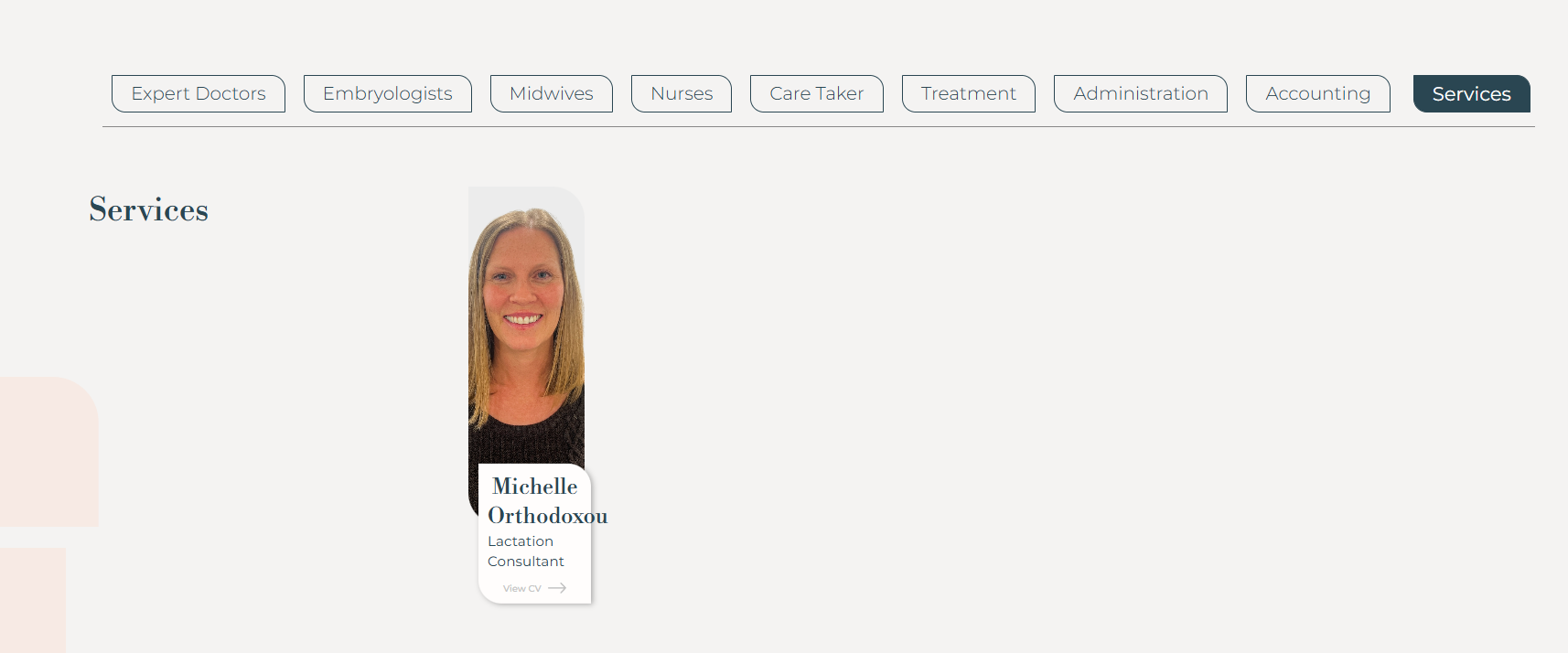
Checking the website we saw the one of the display categories of our team members is broken. We had an issue with the last update of Toolset. The issue with the conflict was resolved but we found a broken display
Is there any documentation that you are following?
We are following a topic from our last ticket.
Is there a similar example that we can see?
No.
What is the link to your site?
lien caché
Hi,
Would you please give us more context on which ticket you talked about and what was the workaround there?
From what I see you are talking about this page:
lien caché
One difference that I see between the Services person and the other tabs is that the ither ones have at least 3 items. Can you add two dummy items for services section and see if the issue is fixed?
I want to know if it is related to the number of items or not.
Hi Christopher,
Yes, this is with the least ticket. And from what I see it is the issue.
This is the link to the clone website we created to solve that ticket:
lien caché
I can provide with username and password to help up solve this error.
Hi,
Please do two things:
Add two dummy team members to the "Services" category on the clone site and check whether the display corrects itself. That confirms whether the item count is the cause.
Set your next reply as private and send the clone site username and password.
Also confirm the clone has a backup in place before I access it.
Thanks.
Thank you for the login information.
Please check this video:
lien caché
Video Summary:
- The issue occurs in the Team Top Members View.
- Bootstrap CSS classes are used to define the item columns.
- The configured medium column sizes make a single item appear too narrow.
- This behavior is caused by Bootstrap rather than Toolset.
- Custom CSS was added to the View’s CSS editor.
- The CSS uses the `:only-child` selector.
- The rule applies only when the View contains one item.
- The rule is limited to this View and does not affect other Views.
- The single item now displays correctly on the front end.
- The result was verified on the Teams and Services pages.
- The CSS can be adjusted further to achieve the preferred single-item layout.
Thanks.