Tell us what you are trying to do?
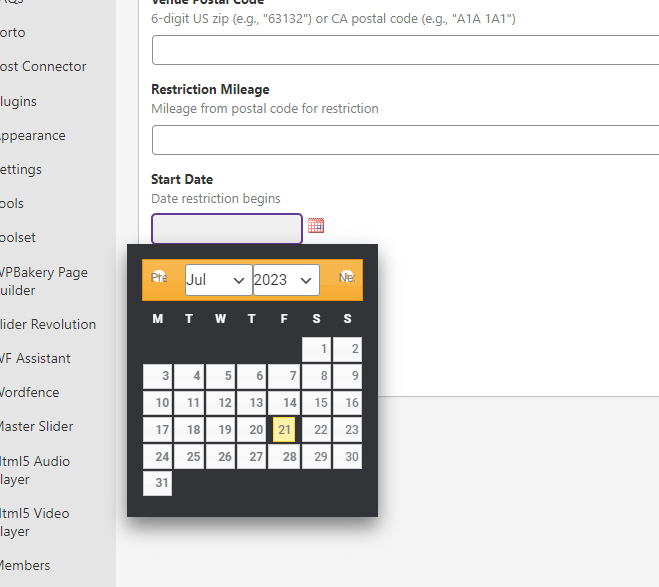
Is there a simple way to better style the admin datepicker? I'm attaching a screenshot. It looks bad.
Is there any documentation that you are following?
Can't find any documentation.
Is there a similar example that we can see?
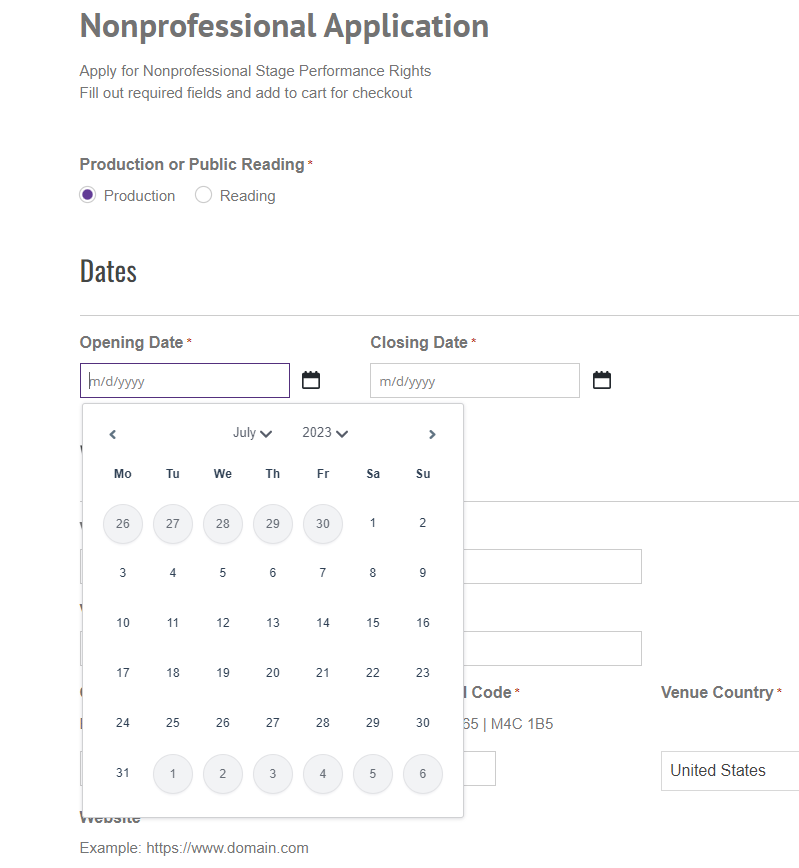
Attaching a screenshot of our frontend datepicker. Would love to get the backend looking just somewhat similar to this. Just decent looking and legible.
What is the link to your site?
lien caché
lien caché
Hi there,
There is no built-in feature to change the styling of the admin date picker in Toolset.
If you want to customize the date-picker you need to add custom styling to it which is outside of our support scope.
But we can give you the code on how to add CSS code to the WordPress dashboard and here it is:
function custom_admin_css() {
    echo '<style>
        /* Add your custom CSS here */
        body {
            background-color: #f5f5f5;
        }
    </style>';
}
add_action('admin_head', 'custom_admin_css');
You can add the code above to your theme's functions.php file.
The actual styling itself is outside of our support scope and you need to do it yourself or hire a developer to do so.
Thank you for your understanding.