Passer la navigation

[Résolu] Add a main banner to product pages (WooCommerce)

This support ticket is created Il y a 3 years, 7 months. There's a good chance that you are reading advice that it now obsolete.

This is the technical support forum for Toolset - a suite of plugins for developing WordPress sites without writing PHP.

Everyone can read this forum, but only Toolset clients can post in it. Toolset support works 6 days per week, 19 hours per day.

Sun Mon Tue Wed Thu Fri Sat
- 9:00 – 13:00 9:00 – 13:00 9:00 – 13:00 9:00 – 13:00 9:00 – 13:00 -
- 14:00 – 18:00 14:00 – 18:00 14:00 – 18:00 14:00 – 18:00 14:00 – 18:00 -

Fuseau horaire du supporter : Asia/Hong_Kong (GMT+08:00)

Ce sujet contient 2 réponses, a 2 voix.

Dernière mise à jour par timv-7 Il y a 3 years, 7 months.

Assisté par: Luo Yang.

Auteur
Publications
#2483077
Capture69.JPG

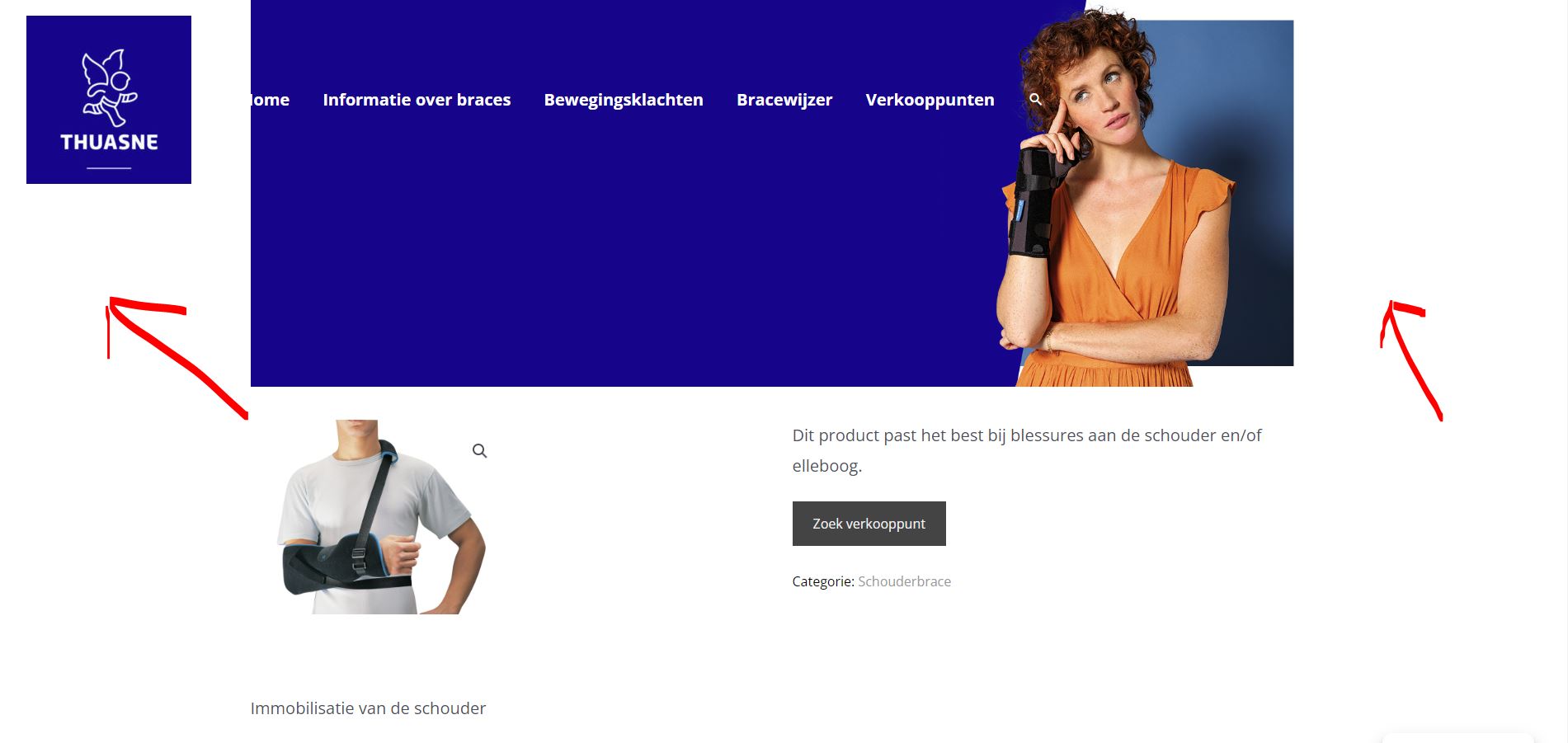
On every page, we have a main banner which slides under the menu. For all pages and all other Custom post types it works perfectly. But once I tried to add the main banner to the product pages, I get an unexpected result. Instead of the picture showing up in full size it gets cut off.

This how it should look like: lien caché

And this is how it looks like instead: lien caché

I don't understand why this does work on the pages and custom post types, but not on the products. Could you please give me some tips?

For your information, I have the Atra theme installed with the Woocommerce module activated. I also tried to deactivate it, but that did not help.

#2483645

Hello,

How do you add the main banner to the product pages?
I assume we are talking about Astra theme, here is a test site:
lien caché
Please try to reproduce the same problem in above test site

#2487533

My issue is resolved now. Thank you!