Tell us what you are trying to do?
I need to generate a directory of store locations. For each location I would like to display a map with the pin for that specific store.
However, apparently the map block cannot be in the view block, so how do I show a map for each location.
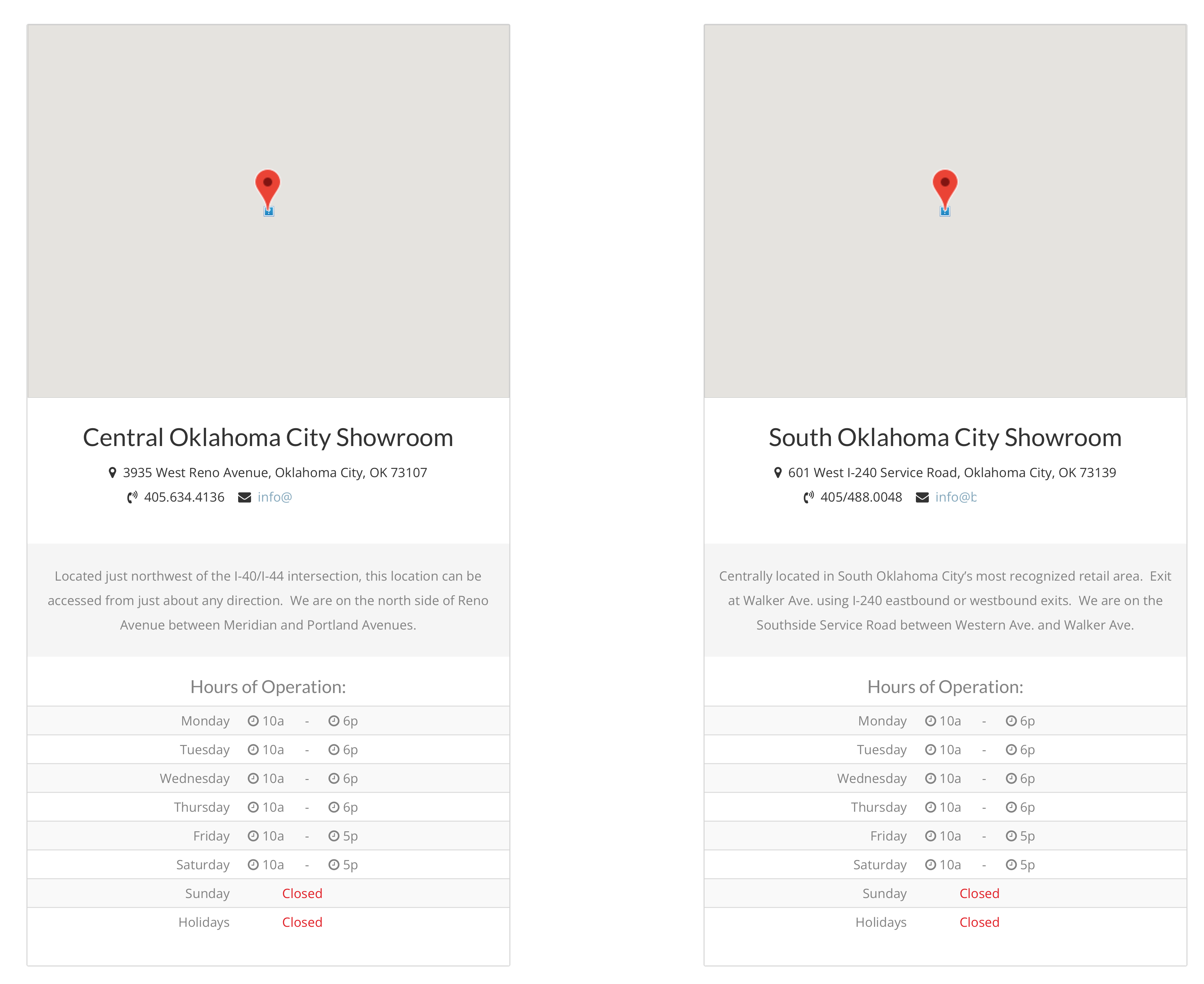
for each location I want to display a column of info (2/page row) like this:
MAP
location name
location address
location contact info
store hours
So how do I accomplish this?
Is there a similar example that we can see?
not at this time.
my site is currently on my local machine so I cannot share it.
thx
Gordon

Nigel
Unterstützer
Sprachen:
Englisch (English )
Spanisch (Español )
Zeitzone:
Europe/London (GMT+01:00)
Hi Gordon
I'm not sure I understand the problem, why you say you cannot use a View.
You are displaying a list of locations in rows, and, rather than having one map at the top where each location is added as a marker on that map, you want each row to include a map specifically for that location (with one marker), is that right? In which case you would be using a View to output your locations.
You probably wouldn't want to include a full interactive map for each row, I'm guessing a static map with a marker would be appropriate in that scenario.
In that case what you want is described in this blog post about using static maps: https://toolset.com/2022/10/how-toolset-and-the-maps-static-api-can-help-you-cut-costs/
I need to display the locations like this:

Minesh
Unterstützer
Sprachen:
Englisch (English )
Zeitzone:
Asia/Kolkata (GMT+05:30)
Hello. Thank you for contacting the Toolset support.
What you should do is remove the map block and add a "Fields and Text" block or shortcode block and add the map shortcode to it as given under:
[wpv-map-render map_id="map-[wpv-post-id]"]
- https://toolset.com/documentation/legacy-features/maps-plugin/displaying-wordpress-content-on-maps/
More info:
- https://toolset.com/documentation/programmer-reference/maps/maps-shortcodes/#wpv-map-render
I hope this helps to display a map per your view' loop item.
ok ...
so I have created a fields & text field with the following contents:
[wpv-map-render map_id="map-[wpv-post-id]" map_height="250px" single_zoom="10" street_view_control="off" map-type="hybrid" address="[types field='location-address'][/types]" style_json="//bryansflooring.com/staging/5912/wp-content/plugins/toolset-maps/resources/json/Silver.json"][/wpv-map-render]
However, when I load the page, I see thecorrect location but in streetview and not mapview. Am I missing something? It's the correct location ... just in streetview.
To display the map you will require two things one map shortcode and another marker shortcode.
Can you please try to use the following shortcodes:
<!-- Map Shortcode -->
[wpv-map-render map_id="map-[wpv-post-id]" map_height="250px" single_zoom="10" street_view_control="off" map-type="hybrid" style_json="//bryansflooring.com/staging/5912/wp-content/plugins/toolset-maps/resources/json/Silver.json"]
<!-- Marker shortcode -->
[wpv-map-marker map_id="map-[wpv-post-id]" marker_id="marker-[wpv-post-id]" marker_title="This is a marker title" marker_field="wpcf-location-address"]This is the content of the marker popup.[/wpv-map-marker]
Where:
- Adjust marker_title and "This is the content of the marker popup." text as required.
More info:
- https://toolset.com/documentation/programmer-reference/maps/maps-shortcodes/#wpv-map-marker
- https://toolset.com/documentation/programmer-reference/maps/maps-shortcodes/#wpv-map-render
ok ... so it was just a caching error on my end ... its now working as expected.
Thank you so much for y'alls assistance in this matter