Tell us what you are trying to do?
Please can you advise if it is possible to amend the WordPress post attributes field in a Cred form.
[wpv-post-menu-order]
I have tried various formats in expert mode but I keep getting an error message.
There is a problem with post-menu-order field. Please check CRED form.
<div class="form-group">
<label>Order</label>
[cred_field field='post-menu-order' output='bootstrap']
</div>
Thank you.
Tony
I found this previous answer from way back:
https://toolset.com/forums/topic/cred-how-to-update-other-standard-wordpress-fields/
However a syntax error is being reported when I add the code to my functions.php file:
============
Your PHP code changes were rolled back due to an error on line 16 of file wp-content/themes/toolset-starter-child/functions.php. Please fix and try saving again.
syntax error, unexpected identifier " if"
=============
Line 16 relates to the line 5 in the original code:
if ($form_data['id']==123)
Hi Tony
menu_order isn't a supported field in terms of the standard fields you can include in a Toolset Form.
You would need to include a fake menu_order field (a generic field which could have a menu_order slug), and you would then use the cred_save_data hook to take the value of that generic field and use it to update actual menu_order field of the newly published post.
See
https://toolset.com/course-lesson/adding-generic-fields-to-forms/
https://toolset.com/documentation/programmer-reference/cred-api/#cred_save_data
https://developer.wordpress.org/reference/functions/wp_update_post/
Hi Nigel
I can display the field in the form now but when I come to update the functions.php file I get a syntax error, which is odd because it must have worked before on an old website that we no longer have.
Line 5
if ($form_data['id']==123)
Any pointers appreciated.
Tony
add_action('cred_save_data', 'my_menu_order_action',10,2);
function my_menu_order_action($post_id, $form_data)
{
// if a specific form
if ($form_data['id']==123)
{
if (isset($_POST['menu-oder']))
{
$my_post = array(
'ID' => $post_id,
'menu_order' => $_POST['menu-oder'],
);
// Update the post into the database
wp_update_post( $my_post );
}
}
}
Hi Tony
That looks okay at face value.
What exactly is the error?
Hello,
Please copy/paste the syntax error message here. thanks
Your PHP code changes were rolled back due to an error on line 7 of file wp-content/themes/toolset-starter-child/functions.php. Please fix and try saving again.
syntax error, unexpected identifier " if"
I am using the Toolset Starter Child theme and the Appearance Theme File Editor to edit the functions php file.
Line 7 is
if ($form_data['id']==123)
Thanks
Luo
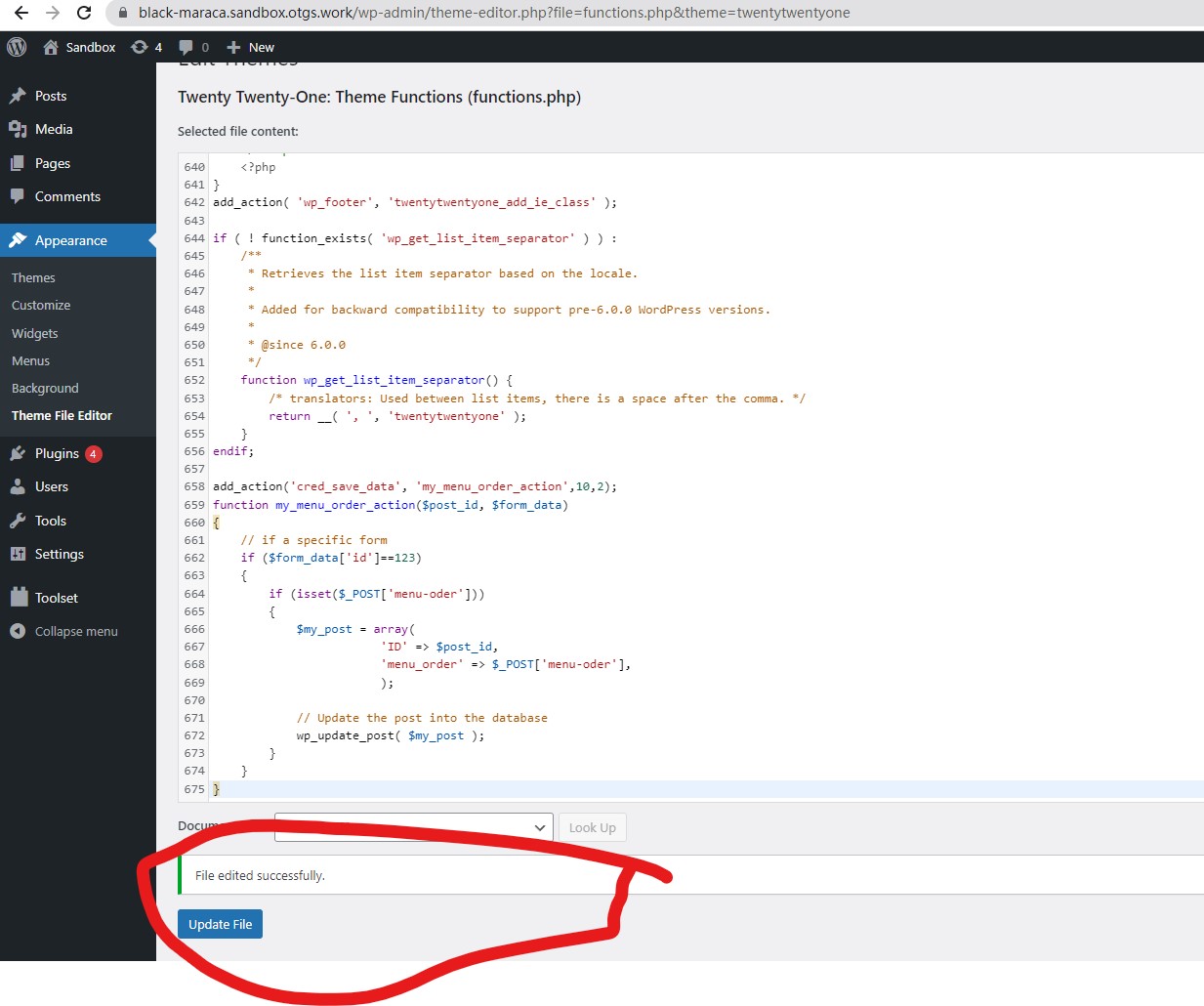
I have tried the same PHP codes you provided above in a fresh WP installation + the latest version of Toolset plugins, it works fine, I can save it into theme file "functions.php", see my screenshot functions-codes.jpg
See below test site:
versteckter Link
See the result here:
versteckter Link
There might be other compatibility issue in your website, as a workaround, you can follow our document to add custom codes into your website:
https://toolset.com/documentation/programmer-reference/adding-custom-code/using-toolset-to-add-custom-code/
Thanks Luo
I will do as you suggest and use the workaround.
Kind regards and all the best for 2023.
Tony
My issue is resolved now. Thank you!