Tell us what you are trying to do?
I am working creating a membership site displaying audio/video files for paid members to download. It would have audio/video previews along with all the necessary fields like artists, song title, etc.
I need it displayed in a table form so members can sort through them by genre, etc and search on the table.
On the main page of Toolset it clearly states "Custom Grids, Tables and Lists" and I don't see anywhere that I can make a custom table.
I use Elementor as a builder and I do have a plugin that may or may not work for building a table (Post Table Pro). I am trying to keep from using so many plugins to make this possible.
Hi,
Thank you for contacting the support.
You can use either Views Block or Legacy Views to create a table layout, please see following guides:
- https://toolset.com/course-lesson/creating-a-view/
- https://toolset.com/documentation/legacy-features/views-plugin/view-layouts-101/
- https://toolset.com/course-lesson/enabling-legacy-version-of-toolset-views/
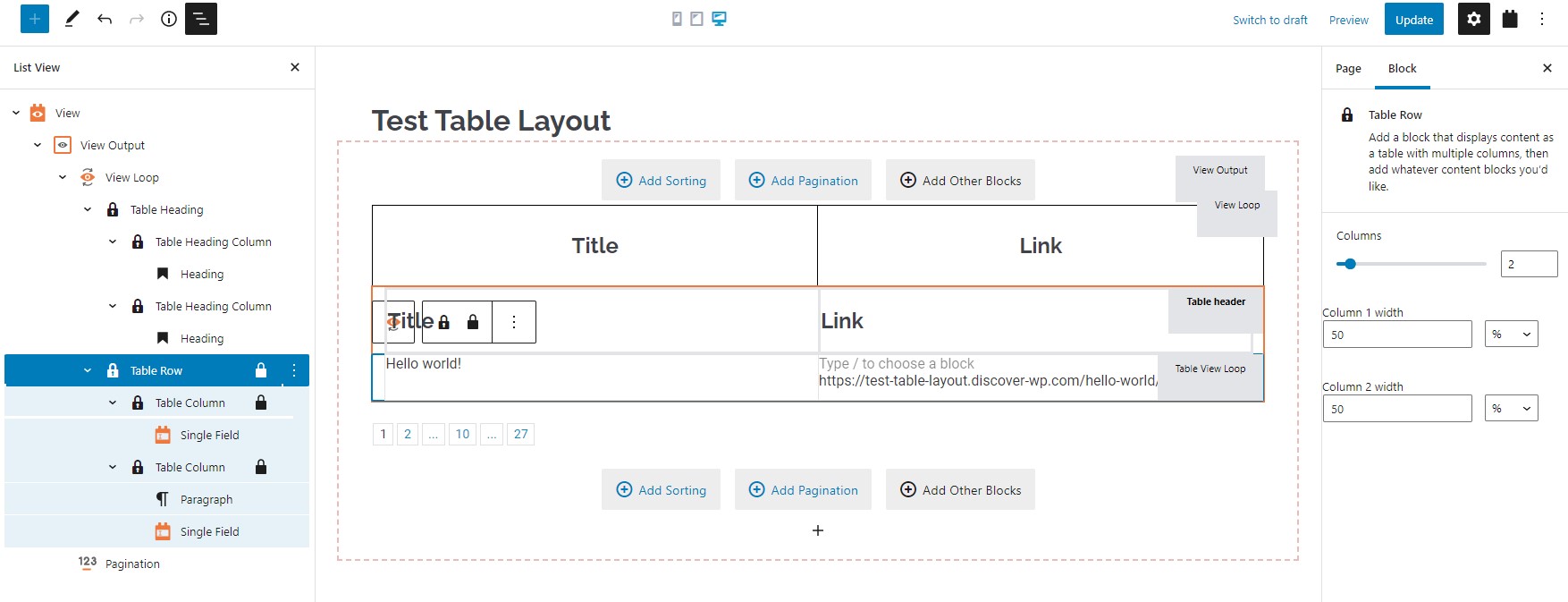
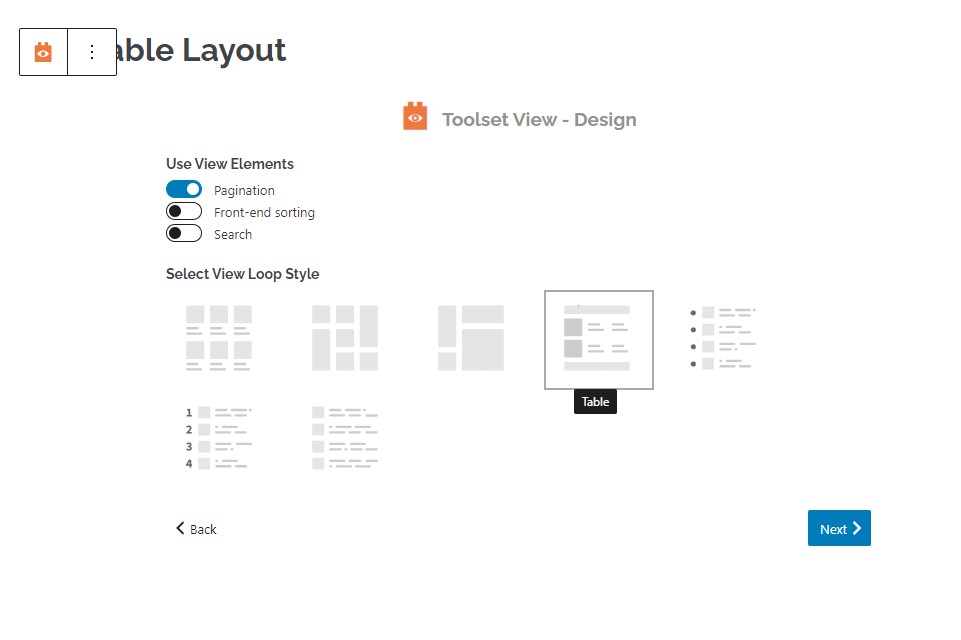
Also see the screenshot for a reference about how you can do this using Views Block. Remember to select "Table" layout when inserting a view (Table Layout.jpg) and then format as needed (Table Row.jpg).
I hope this helps answering your query.
Regards.
I have been out of town and will be able to follow your instructions to see if this will resolve my issue.
Thank you.
Sure, please take your time.