Navigation überspringen

[Gelöst] WSForm – You do not have sufficient permissions to access this admin page.

This support ticket is created vor 3 years, 2 months. There's a good chance that you are reading advice that it now obsolete.

This is the technical support forum for Toolset - a suite of plugins for developing WordPress sites without writing PHP.

Everyone can read this forum, but only Toolset clients can post in it. Toolset support works 6 days per week, 19 hours per day.

Sun Mon Tue Wed Thu Fri Sat
- 10:00 – 13:00 10:00 – 13:00 10:00 – 13:00 10:00 – 13:00 10:00 – 13:00 -
- 14:00 – 18:00 14:00 – 18:00 14:00 – 18:00 14:00 – 18:00 14:00 – 18:00 -

Zeitzone des Unterstützers: Asia/Kolkata (GMT+05:30)

Dieses Thema enthält 3 Antworten, hat 2 Stimmen.

Zuletzt aktualisiert von Minesh vor 3 years, 2 months.

Assistiert von: Minesh.

Author
Artikel
#2581521
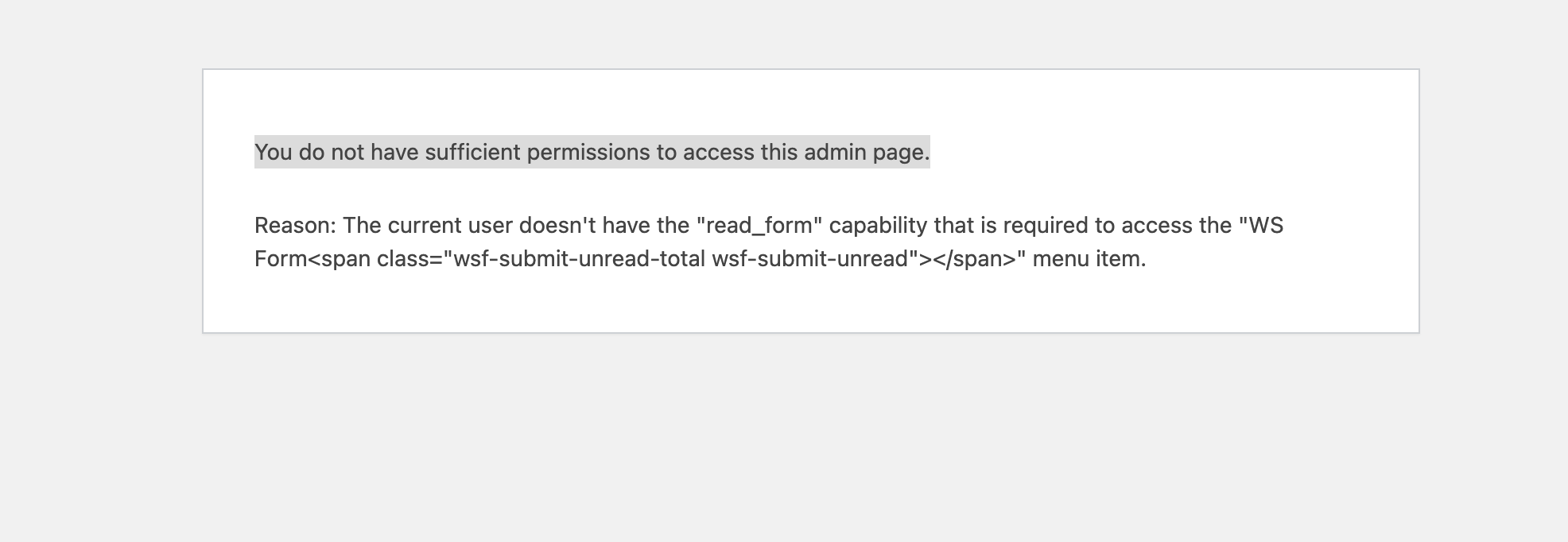
Bildschirm­foto 2023-03-27 um 16.04.13.png

I am trying to:
Work with WSForm

Link to a page where the issue can be seen:
versteckter Link

I expected to see:
The Admin-Panel of WSForm

Instead, I got:

Here is a temporary login link:
versteckter Link

And here the link where i try to create a form: versteckter Link
Once i click there then this problem appears

#2582005

Minesh
Unterstützer

Sprachen: Englisch (English )

Zeitzone: Asia/Kolkata (GMT+05:30)

Hello. Thank you for contacting the Toolset support.

I see you are using Toolset Access plugin as well as another third-party capabilities plugin.

As per WSForms you should be using the plugin "PublishPress Capabilities" to manage the capabilities with this plugin:
- versteckter Link

Can you please check with the WSForms plugin support and check with them what capabilities you will require to fix this issue.

#2582069
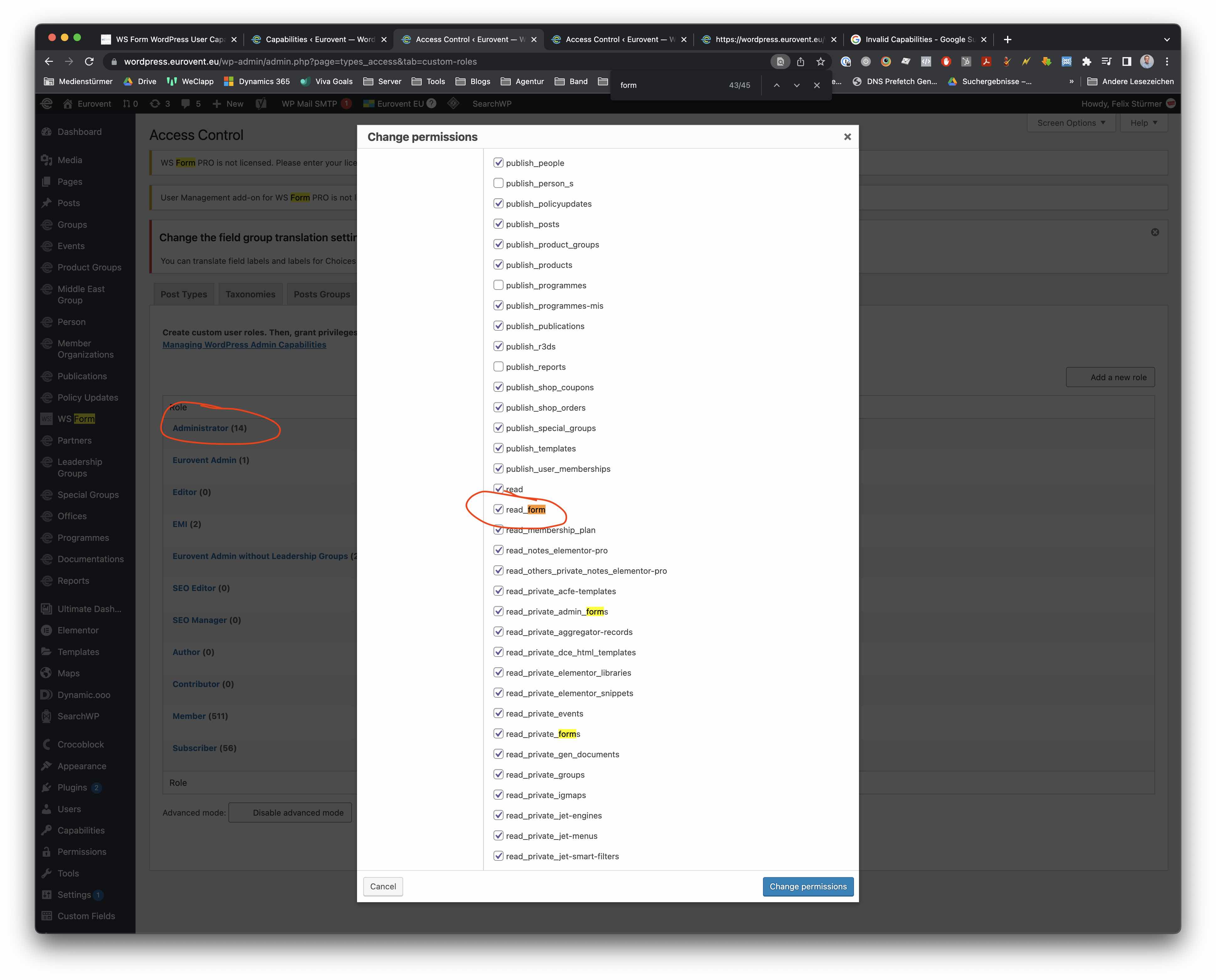
Bildschirm­foto 2023-03-28 um 09.18.46.jpg

No configuration of Capabilites was done with Toolset Access and still WSForm does not work once I enable Toolset Access. We have already been in contact with WSForm who referred us to you after all Capabilites are correctly integrated from their side. The capabilites all appear correctly and are all "set" (see screenshot).

#2582201

Minesh
Unterstützer

Sprachen: Englisch (English )

Zeitzone: Asia/Kolkata (GMT+05:30)

But I'm not sure why you require two role management plugins and with the administrator role I can see there there is many capabilities that is not assigned even though its administrator role. Like I try to edit the profile but I could not using the administrator user you shared "supportwpml".

*** Please make a FULL BACKUP of your database and website.***

I can see the user created more than one year a go and many administrator capabilities are missing. It seems total chaos when I see admin capabilities. I suggest you should create a new role namely for example "Administrator Copy"and use "Copy from Admin" and then try to create a brand new user and then try to assign this user the new role "Administrator Copy".

does that makes any difference?
OR
Maybe you can reset the Toolset Access settings Form: Toolset=>Settings=> Access

And then try to create a brand new user and role and try to assign the new user to this role.