Navigation überspringen

[Gelöst] [wpv-found-count]

This support ticket is created vor 4 years, 2 months. There's a good chance that you are reading advice that it now obsolete.

This is the technical support forum for Toolset - a suite of plugins for developing WordPress sites without writing PHP.

Everyone can read this forum, but only Toolset clients can post in it. Toolset support works 6 days per week, 19 hours per day.

Sun Mon Tue Wed Thu Fri Sat
- 9:00 – 12:00 9:00 – 12:00 9:00 – 12:00 9:00 – 12:00 9:00 – 12:00 -
- 13:00 – 18:00 13:00 – 18:00 13:00 – 18:00 14:00 – 18:00 13:00 – 18:00 -

Zeitzone des Unterstützers: America/Jamaica (GMT-05:00)

Dieses Thema enthält 4 Antworten, hat 2 Stimmen.

Zuletzt aktualisiert von Shane vor 4 years, 2 months.

Assistiert von: Shane.

Author
Artikel
#2329637
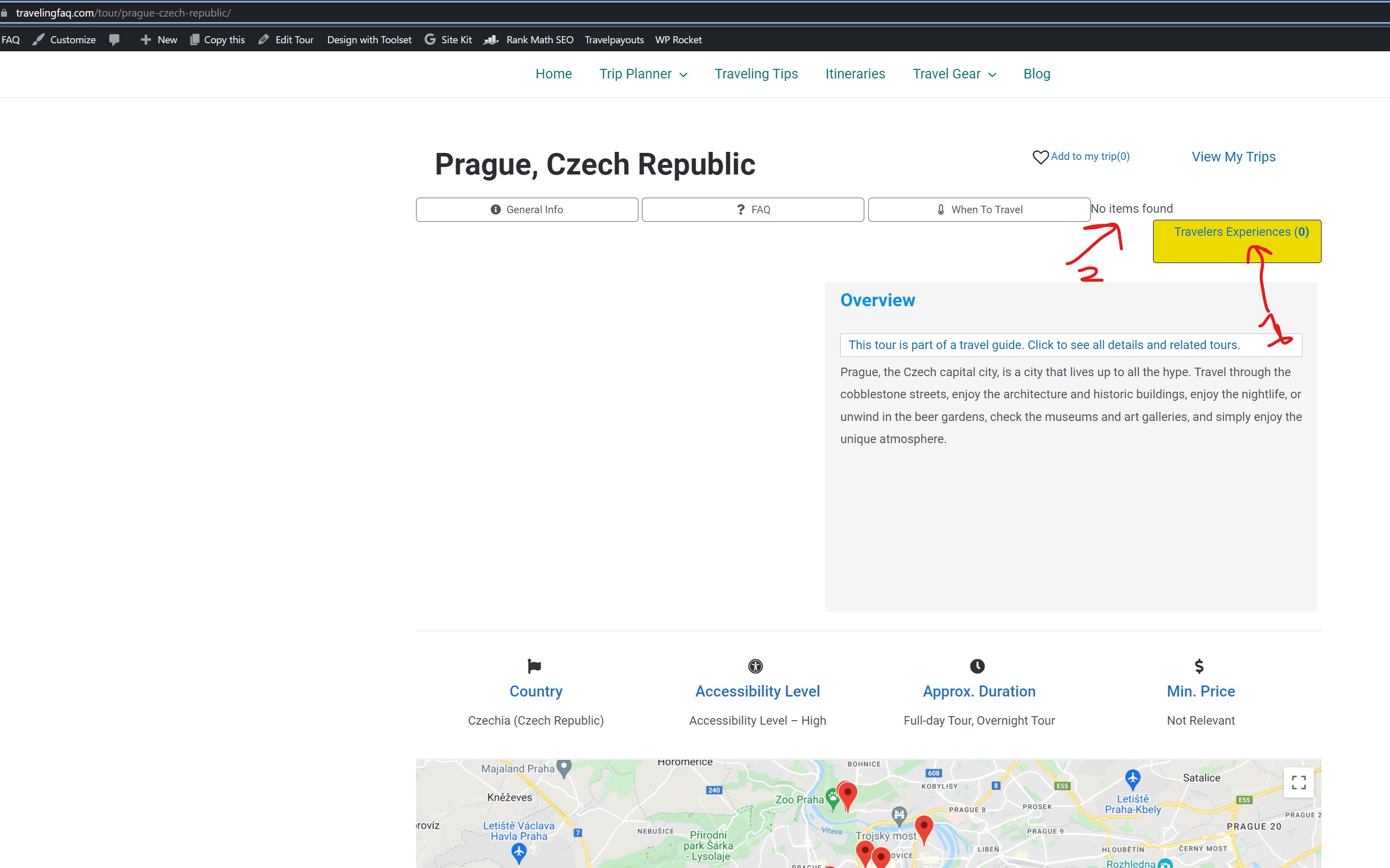
Screenshot 2022-03-29 182448.jpg

Hi,
I've added [wpv-found-count] to count items of a specific type in a post type.
You can an example on versteckter Link

As seen in the attached image, the count works, but when there are zero items it displays (0), but it also shows a message "No items found". How can I eliminate that message?

Thanks,
Nadav

#2329723

Shane
Unterstützer

Sprachen: Englisch (English )

Zeitzone: America/Jamaica (GMT-05:00)

Hi Nadav,

The No Items found text is actually on the view itself.

If you're using the Classic Editor for your view, you will see this text under the Loop Editor section within the [wpv-no-items-found] shortcode. You can simply delete the text.

Thanks,
Shane

#2330043

My issue is resolved now. Thank you!

#2330069
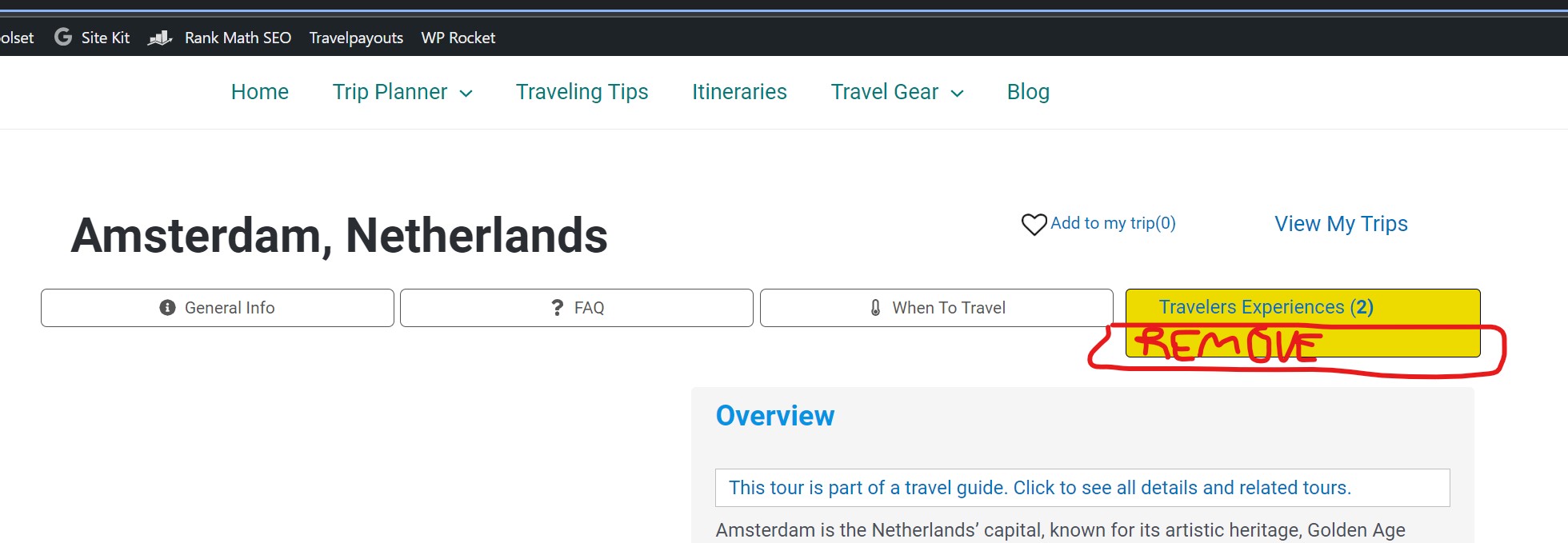
Screenshot 2022-03-30 133136.jpg

Sorry, I have another question regarding the same view.

As you can see in the attached image, it's very high and has a lot of space at the bottom.
I tried removing that space and changing the height with different settings but nothing really helped.

You can see this button (which is a view) on any Tour. e.g. versteckter Link

Could you please see if you can help with this?

Thanks

#2330253

Shane
Unterstützer

Sprachen: Englisch (English )

Zeitzone: America/Jamaica (GMT-05:00)

Hi Nadav,

You are going to have to set a height value for the text block that you're using to display this.

However i've crafted some generic css for this but you may need to add some custom class to the block and use the css.

.tb-fields-and-text{
height: 20px;
}

Thanks,
Shane