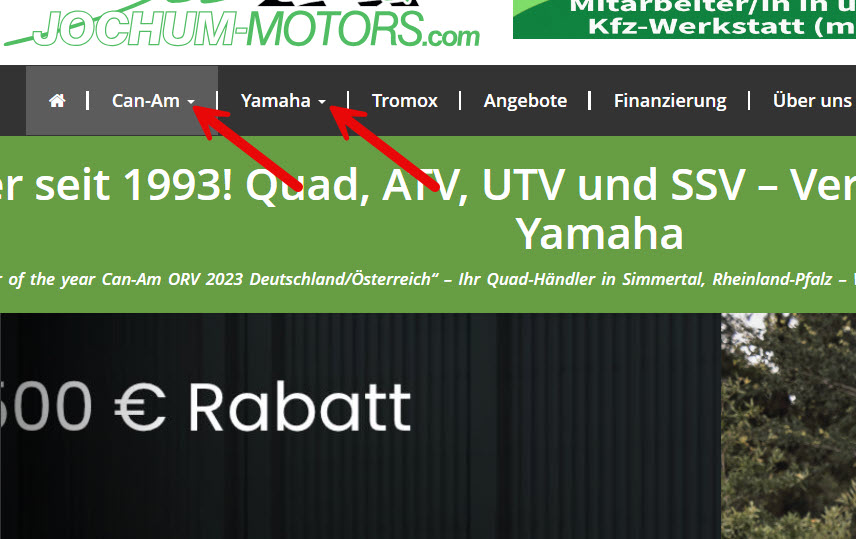
The sub-menus at the top_menue is not working anymore.
https://codex.wordpress.org/WordPress_Menu_User_Guide
versteckter Link
UPDATE: When disabling "Toolset Layouts," the problem is solved—except that the front-end design is gone.
Hi there,
It seems that there is some sort of modification and Javascript file merge is happening which seems to be a result of a compression or cache plugin.
And I see some Javascript errors with that.
But I am not sure. I need the debug information:
https://toolset.com/faq/provide-debug-information-faster-support/
Also please do the steps below and get back to us with the result:
- IMPORTANT STEP! Create a backup of your website. Or better approach will be to test this on a copy/staging version of the website to avoid any disruption of a live website.
- Go to "WordPress Dashboard > Plugins" and deactivate all plugins except Toolset and Toolset add-ons.
- Check if you can still recreate the issue.
- If not, re-activate your plugins one by one and check the issue each time to find out the plugin that causes the problem.
Thanks.
Thank you, Christopher. Here is the debug information.
UPDATE: I deactivate all plugins except Toolset and Toolset add-ons. The problem is still there.
Hi there,
Thank you. Would you please provide the login information of the copy of the website so we can investigate the details there?
If you can not provide a copy, please provide the login info of the live website and give us permission to copy the website to our server.
In the second scenario you need to give us a guarantee that you have a backup of the website so if something happens there is a point to restore the site.
You can set the next reply as private to provide the login information with description regarding first option or the second.
Thanks.
Hi there,
Sorry for the late reply. Thank you and I'm glad that you managed to fix the issue.