Tell us what you are trying to do?
display a view ... the filter needs to be seperate.
I have a view, that uses filters, i need to seperate the results from the filter ... below is how I am doing it, using the following shortcodes ..
filter view:
[wpv-form-view name="resource-library" target_id="self"]
display view:
[wpv-view name="resource-library" view_display=“layout”]
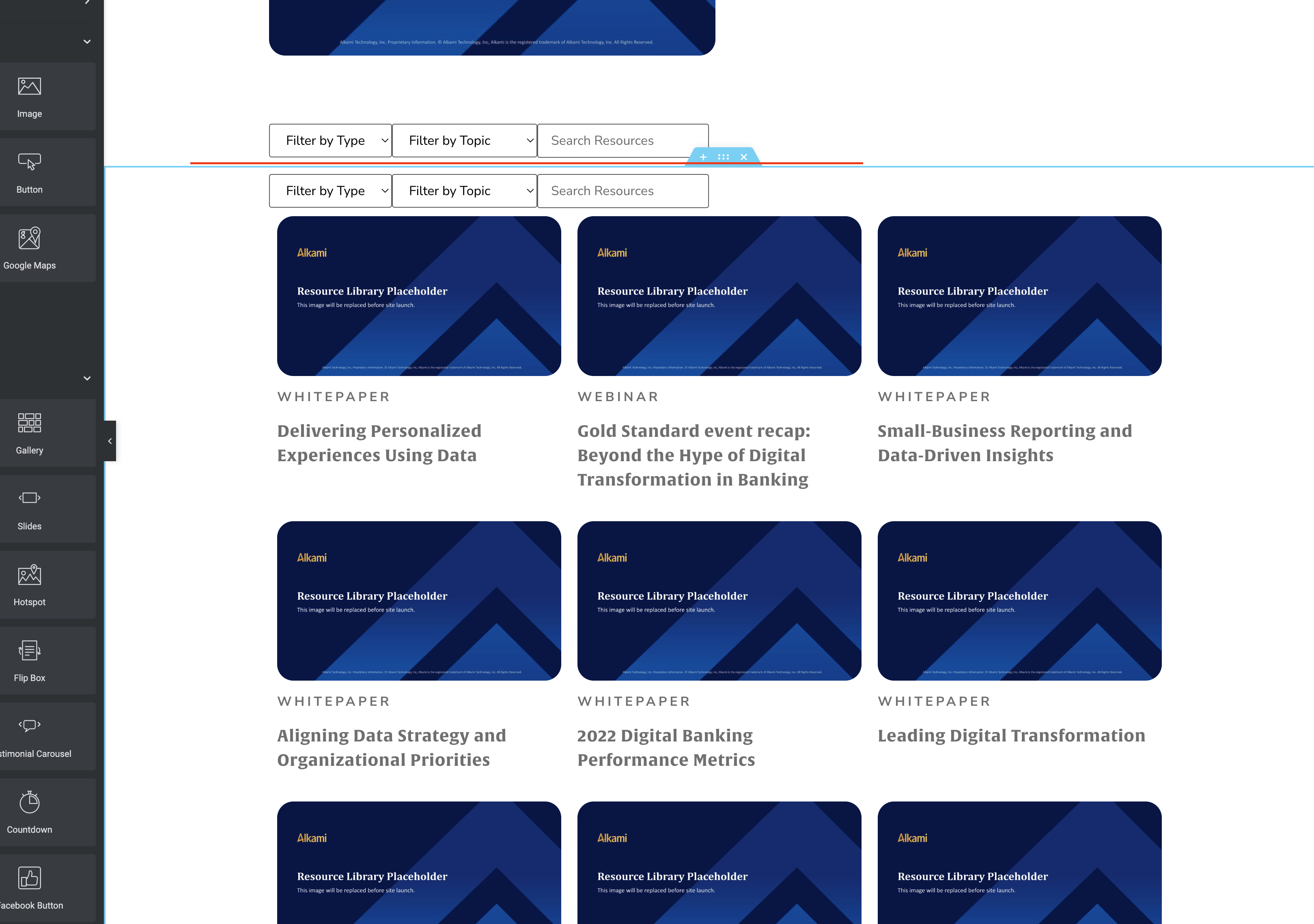
problem I am having is the display view also shows the filter as well. see image
di i have the shortcodes wrong ?
Hi Jen,
Based on what I see, you are using the correct shortcodes.
Can you send me a link to the search on the frontend so that I can have a look.
Thanks,
Shane
Hi Jen,
Thanks for the link. I can clearly see the issue.
Would you mind allowing me to have admin access to the website so that I can have a more detailed look at this for you ?
I've enabled the private fields for your next response.
Thanks,
Shane
Hi Jen,
This should now be working.
All I did was to re-add the shortcode back to the section that you want the results only to be displayed.
[wpv-view name="resource-library" view_display="layout"]
Thanks,
Shane
that does not make any since lol but thank you
can u look at one more thing for me. its about this same page
Hi Jen,
It could be that caching was preventing it.
Sure what is the issue on this page.
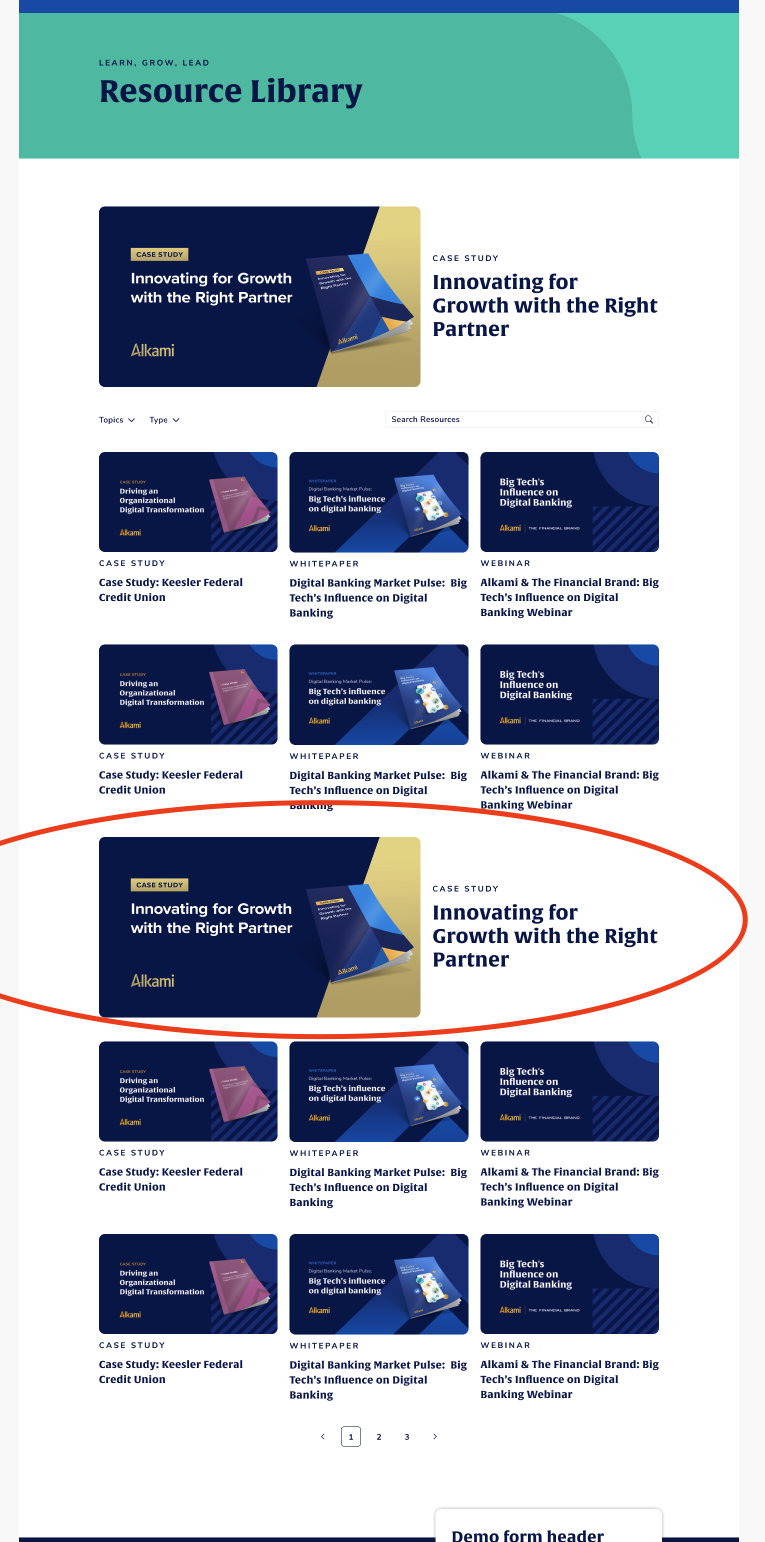
on the same page I am trying to place a static element in the middle of the results ... i was just wandering if this is possible. see the attached image.
so the page flow is:
filter
results
*static element*
results
I know I can put 2 views on the same page, was just not sure how to make both views (if possible) to be included in the filter.
in the image I have the static item circle in red. was not sure if this was possible to do or not.
Hi Jen,
I can see this being possible in 2 ways.
First you can use the [wpv-item ] shortcode and specify an index where you want to insert the static content.
Example
<Code>
[wpv-item index=5]
SOme static content below.
[/php]
This will replace the 6th index of the view loop with the static content you can still add your template to the index as well so the original content still displays but this gives you the option to modify what appears at the 6th index.
Or you can use [wpv-loop-index] to get the current index and then use the conditional shortcode to insert the static information based on the current index.
Please let me know if this helps.
Thanks,
Shane
can you share a link to some documentation. or even an example. Im not familiar with that shortcode at all.
so where would the "[wpv-item index=5]" go ?
<wpv-loop>
[wpv-post-body view_template="loop-item-in-resource-library"]
</wpv-loop>
i think I got it. man I wish I would of known about this years ago lol
Hi Jen,
Happy you were able to resolve the issue.
Can you let me know if everything is ok ? If so then you can go ahead and mark this ticket as resolved.
Thanks,
Shane
the only thing I cant get to display is the paging.
this is my code... its not working... and also I would like the paging below the view .. not at the top
[wpv-filter-start hide="false"]
[wpv-filter-controls]
<div class="filter_wrap">
<div class="filter_type">
[wpv-control-post-taxonomy taxonomy="resource-type" type="select" default_label="Filter by Type" url_param="wpv-resource-type"]
</div>
<div class="filter_topic">
[wpv-control-postmeta field="wpcf-area-of-business" type="select" default_label="Filter by Topic" url_param="wpv-wpcf-area-of-business"]
</div>
<div class="filter_search">
[wpv-filter-search-box placeholder="Search Resources" output="bootstrap"]
</div>
</div>
<div class="filter_clear"></div>
[/wpv-filter-controls]
[wpv-pager-nav-links output="bootstrap"]
[wpv-filter-end]