Navigation überspringen

[Gelöst] Use my location button is set to "display:none !important"

This support ticket is created vor 3 years, 1 month. There's a good chance that you are reading advice that it now obsolete.

This is the technical support forum for Toolset - a suite of plugins for developing WordPress sites without writing PHP.

Everyone can read this forum, but only Toolset clients can post in it. Toolset support works 6 days per week, 19 hours per day.

Sun Mon Tue Wed Thu Fri Sat
- 10:00 – 13:00 10:00 – 13:00 10:00 – 13:00 10:00 – 13:00 10:00 – 13:00 -
- 14:00 – 18:00 14:00 – 18:00 14:00 – 18:00 14:00 – 18:00 14:00 – 18:00 -

Zeitzone des Unterstützers: Asia/Kolkata (GMT+05:30)

Dieses Thema enthält 3 Antworten, hat 2 Stimmen.

Zuletzt aktualisiert von ellenD-2 vor 3 years, 1 month.

Assistiert von: Minesh.

Author
Artikel
#2597495
Xnip2023-04-20_15-32-22.jpg
Xnip2023-04-20_15-31-37.jpg
Xnip2023-04-20_15-31-06.jpg
Xnip2023-04-20_15-33-06.jpg

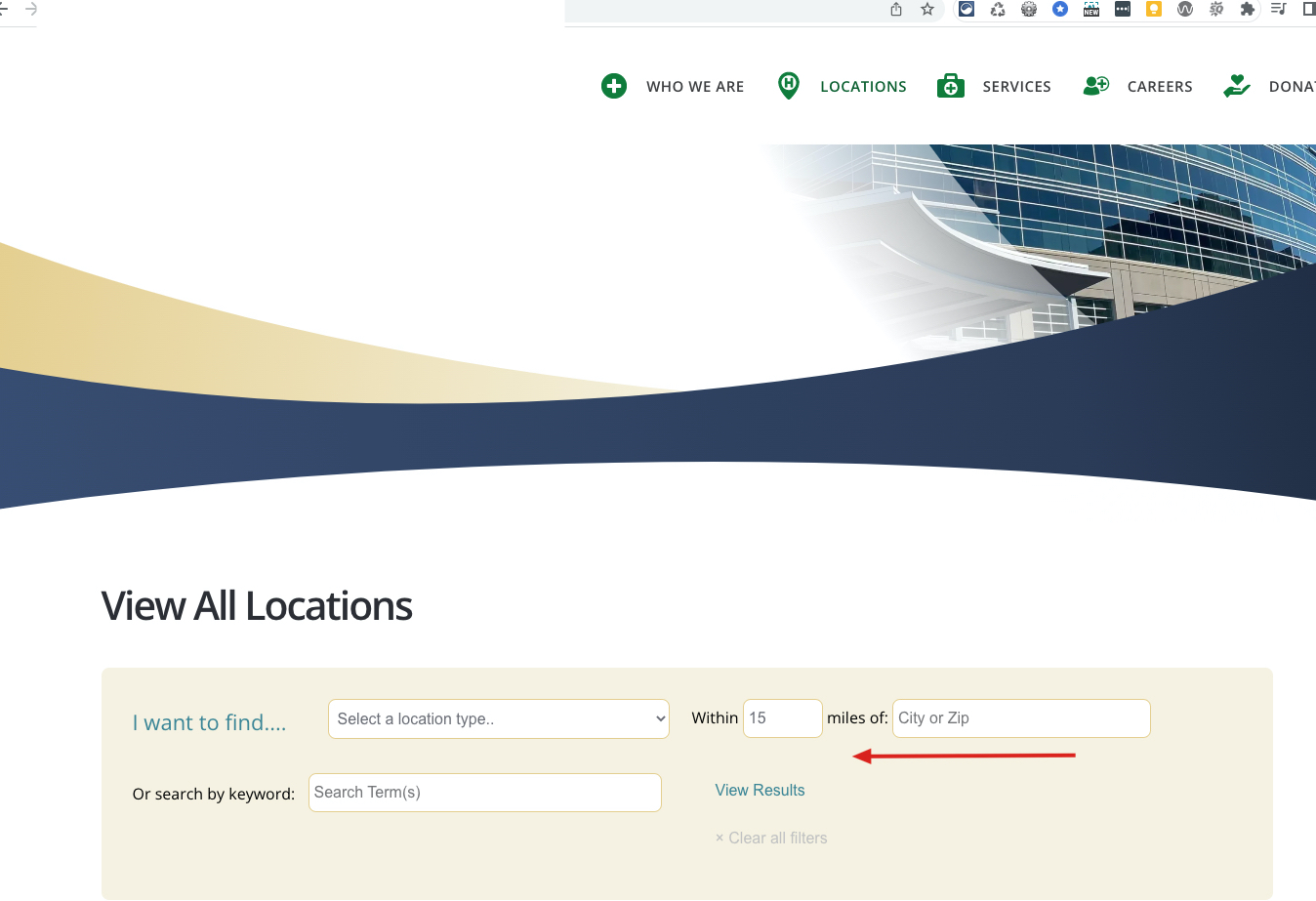
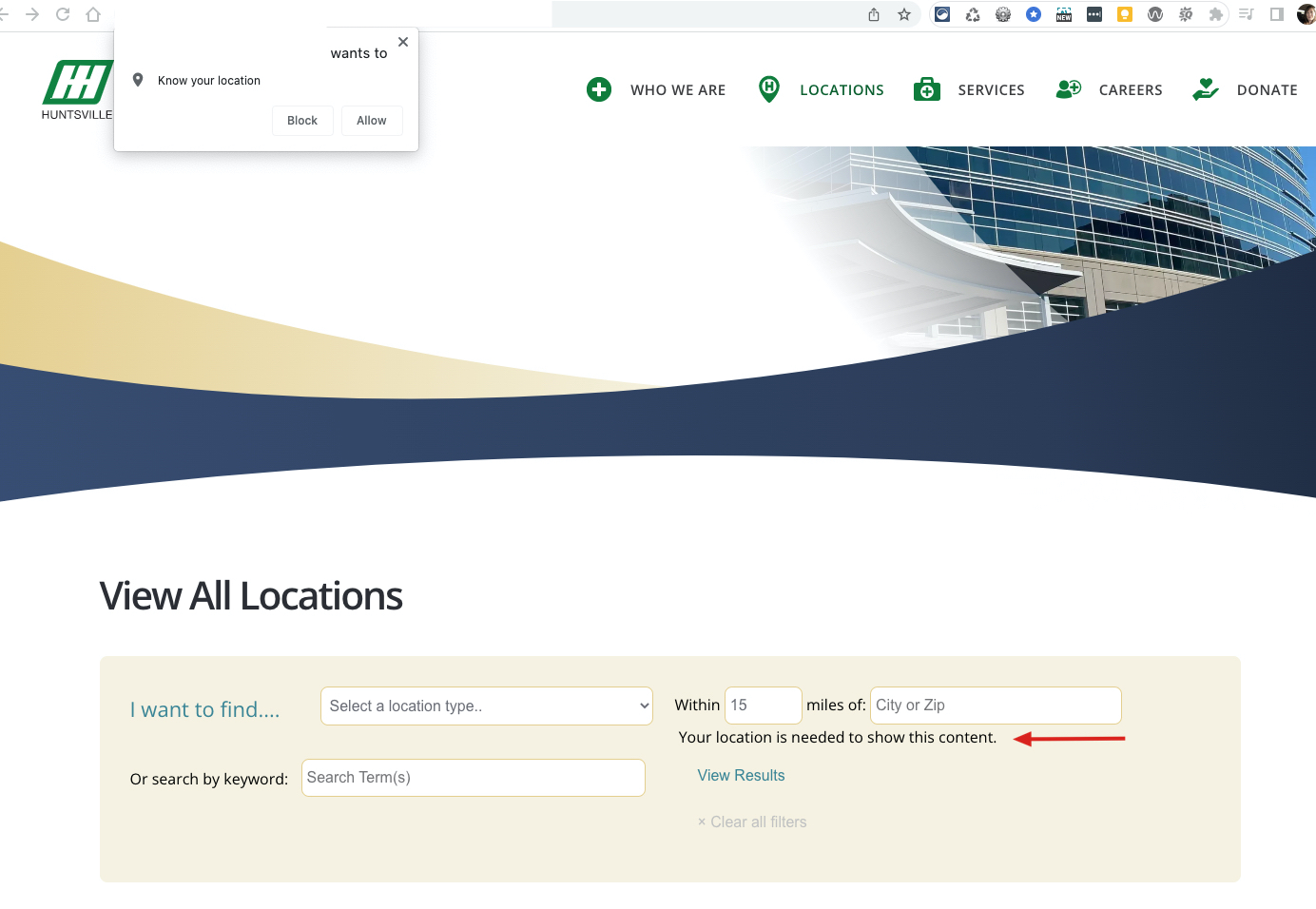
I am trying to: get the use my location button to show up

Link to a page where the issue can be seen: versteckter Link

I expected to see: The use my location button to show up

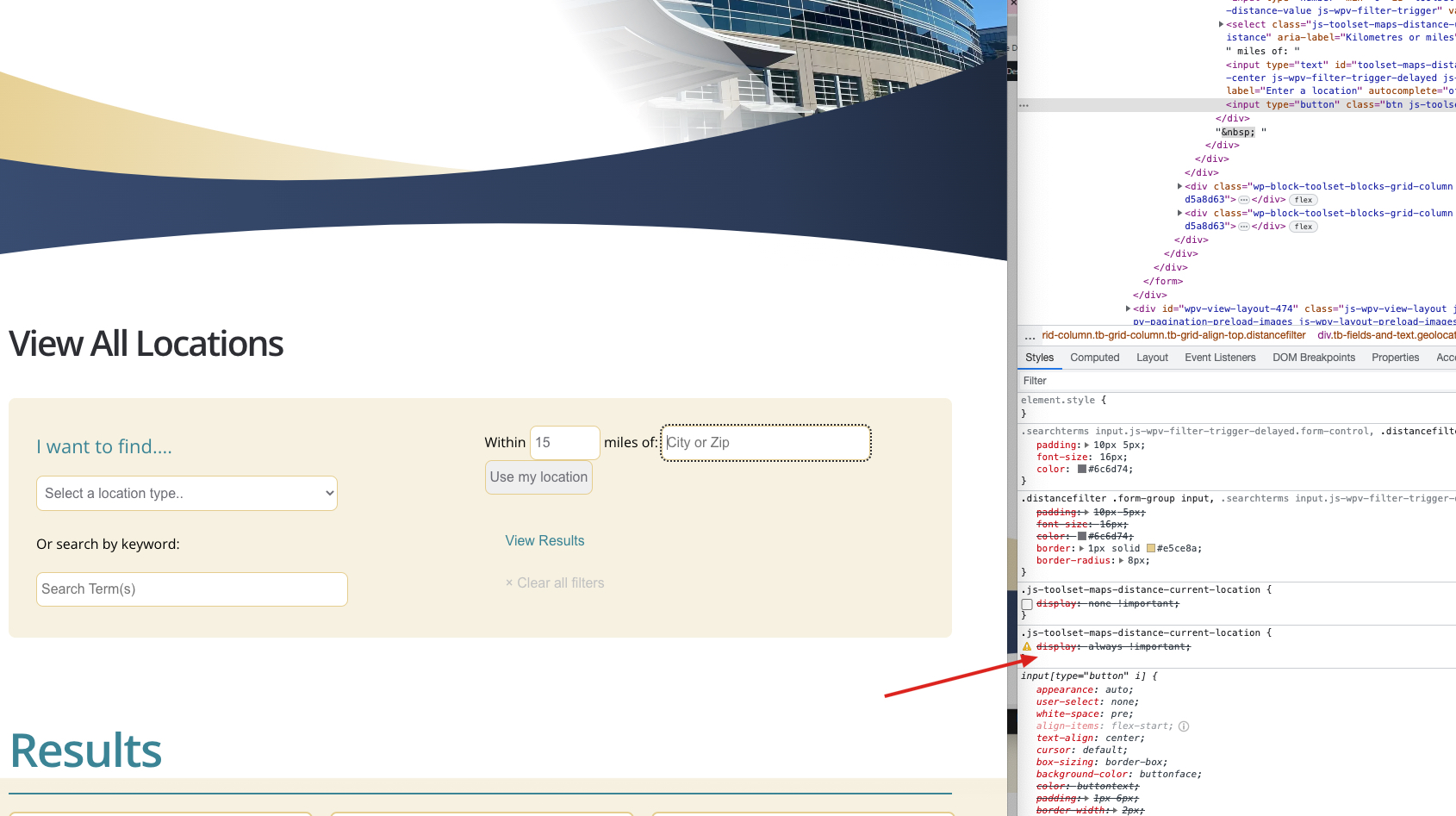
Instead, I got: a blank space that when inspected in the browser shows that the button is set to display none:
.js-toolset-maps-distance-current-location {
display: none !important;
}

I have tried to override the display none but I can't because the style is hardcoded to none.

We are using this code to display the radius search:
<div class="form-grouphorizontal">[wpv-control-distance default_distance="15" compare_field="family-approximate-location" distance_center_url_param="toolset_maps_distance_center" distance_radius_url_param="toolset_maps_distance_radius" distance_unit_url_param="toolset_maps_distance_unit" inputs_placeholder="Within %%DISTANCE%% miles of: %%CENTER%% "] [wpv-geolocation] [toolset-maps-distance-value origin_source='visitor_location' postmeta='wpcf-address'] [/wpv-geolocation]</div>

We put this in there after researching other posts about creating a radius search without having a map visible on the page.

#2597615

Minesh
Unterstützer

Sprachen: Englisch (English )

Zeitzone: Asia/Kolkata (GMT+05:30)

Hello. Thank you for contacting the Toolset support.

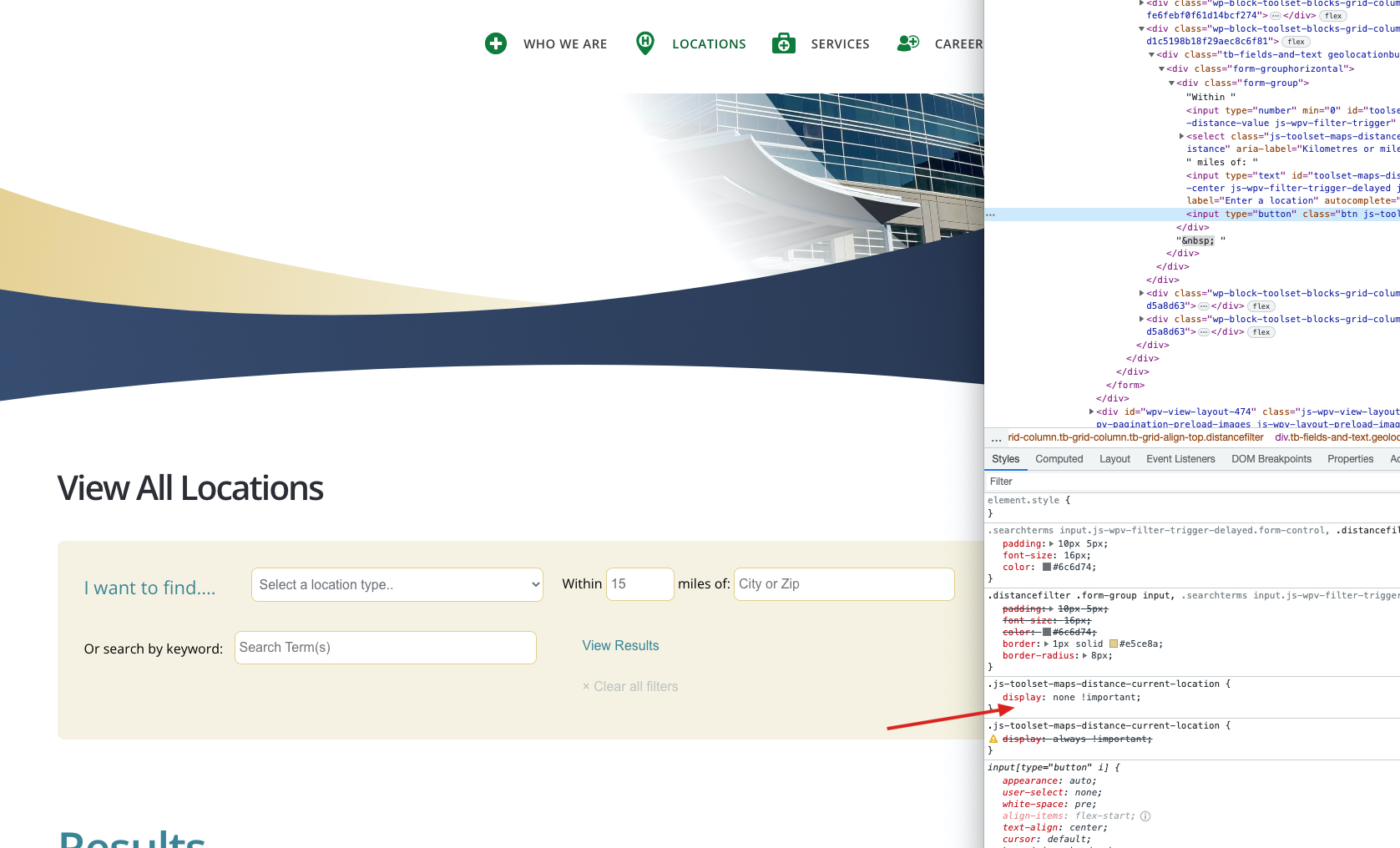
I'm not sure yet as you say you want to show the "Use my location" button then why you added the custom CSS code to your view's custom CSS section:

.js-toolset-maps-distance-current-location {
display: none !important;
}

#2597737

I see now where it is .. thank you.

#2597739

My issue is resolved now. Thank you!