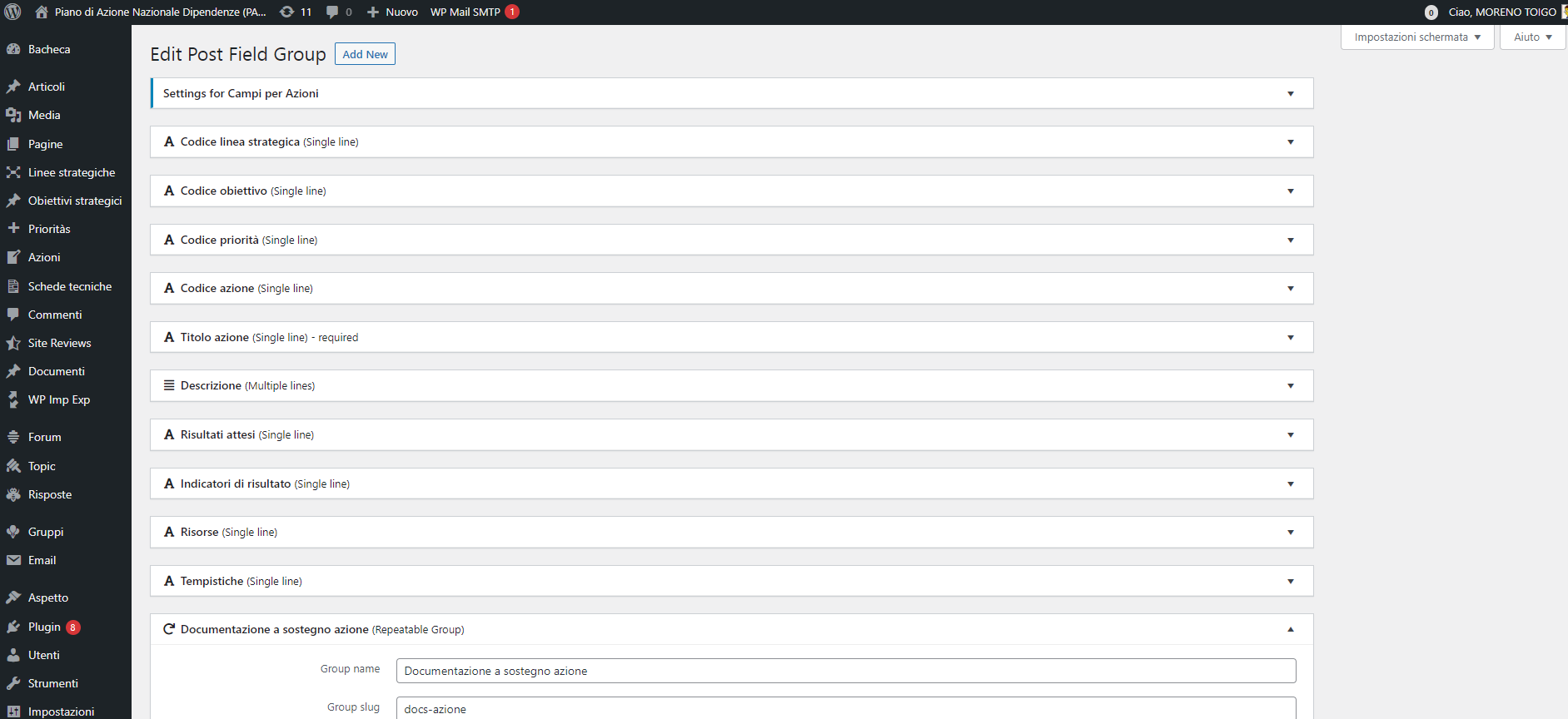
I am trying to add a new custom field in a existing Custom Fields Group "Azioni"
Link to a page where the issue can be seen: versteckter Link
I expected to see the "Save" button
So I can't save the new field. I've just tried to update all the active plugin.
Thank you.
Moreno
Hi Moreno,
Thank you for getting in touch.
Can you check if any of your existing custom fields are throwing any errors when trying to save?
To do this you will need to expand all your custom fields and try saving the field group. I know that you can experience this when you're trying to save the field group that has a required field but the field's default data isn't in a valid format.
Please try this and let me know. If you're still experiencing the issue would you mind allowing me to have admin access to the website so that I can have a more detailed look at this for you ?
Please where applicable please provide me with a link to an example page where I can see the issue.
I've enabled the private fields for your next response.
Thanks,
Shane
Hi Moreno,
Not sure if I understand the issue fully as i'm able to add a new custom field to the field group as well as save it.
See the test field at the bottom of this page.
versteckter Link
The save button is showing up fine for me. Can you try using a different browser to view the page.
Thanks,
Shane
Hi,
i've tried with chrome and firefox and the save button still doesn't display. I've just cleared cache.
After your last message, I've tried also with MS Edge and finally the save button appears and I'm able to save. It's strange, but the important thing is that it works now. Any idea of what could be the cause?
Thank you.
Moreno
Hi Moreno,
Not sure why it doesn't work for you when you're using Chrome or Firefox. Given that it works for me in those browsers then the issue is unique to your end and as such I can't provide an accurate cause of the issue.
However i'm happy to see that it works for you when using edge.
Thanks,
Shane
My issue is resolved now. Thank you!