Navigation überspringen

[Gelöst] Toolset Custom Post is adding additional margin to CSS styling

This support ticket is created vor 2 years, 3 months. There's a good chance that you are reading advice that it now obsolete.

This is the technical support forum for Toolset - a suite of plugins for developing WordPress sites without writing PHP.

Everyone can read this forum, but only Toolset clients can post in it. Toolset support works 6 days per week, 19 hours per day.

Sun Mon Tue Wed Thu Fri Sat
- 10:00 – 13:00 10:00 – 13:00 10:00 – 13:00 10:00 – 13:00 10:00 – 13:00 -
- 14:00 – 18:00 14:00 – 18:00 14:00 – 18:00 14:00 – 18:00 14:00 – 18:00 -

Zeitzone des Unterstützers: Asia/Kolkata (GMT+05:30)

Dieses Thema enthält 3 Antworten, hat 2 Stimmen.

Zuletzt aktualisiert von Minesh vor 2 years, 3 months.

Assistiert von: Minesh.

Author
Artikel
#2686793
Screenshot 2024-03-07 at 06.46.53.png
Screenshot 2024-03-07 at 06.45.21.png

I am trying to:
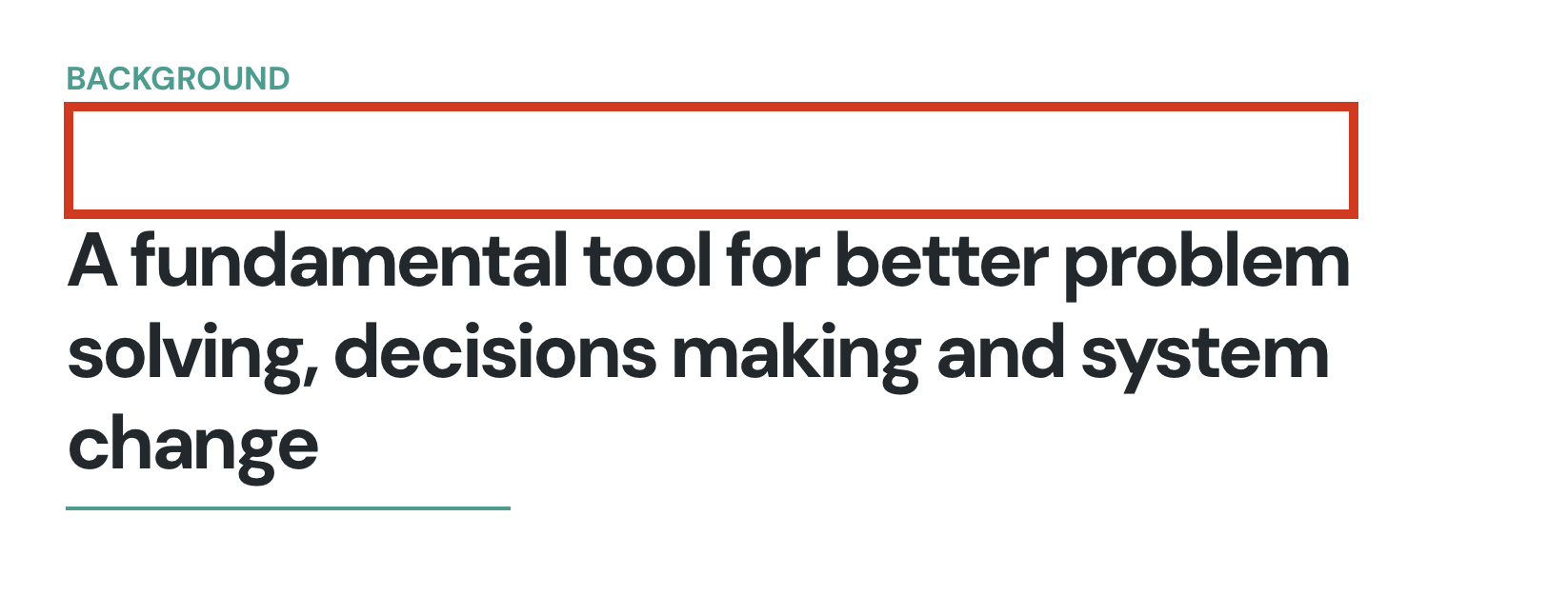
Fix an issue with a Toolset where a Template is adding additional Margin to a Block. For some reason, it's adding a 60px margin and I can't figure out where it's drawing this from. I would like to find the cause so I can rectify it rather than simply put in custom CSS to mask the issue.

Link to a page where the issue can be seen:
versteckter Link
See image attached.

I expected to see:
versteckter Link
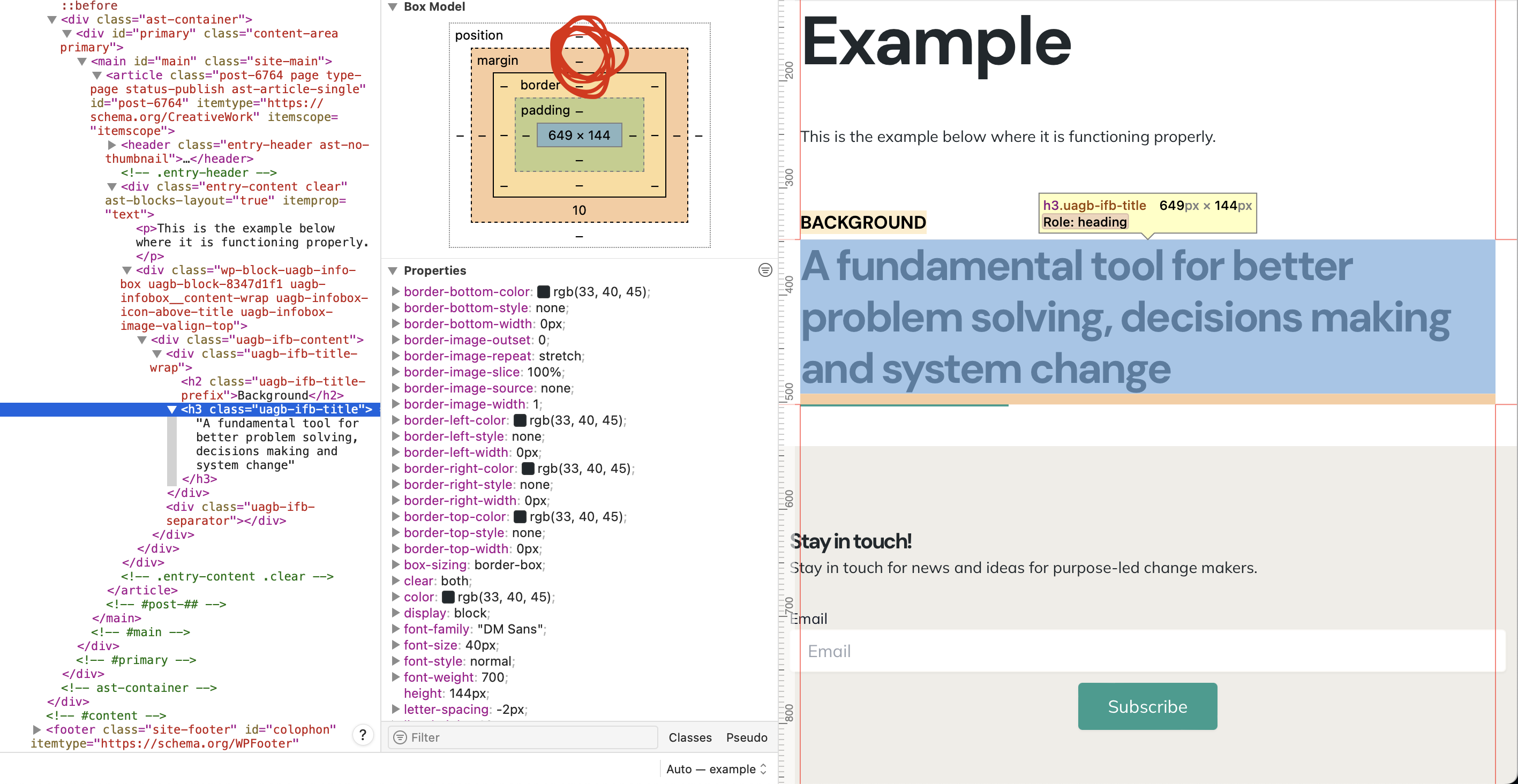
This is an identical block, with the same content, but is behaving normally.

Instead, I got:
versteckter Link
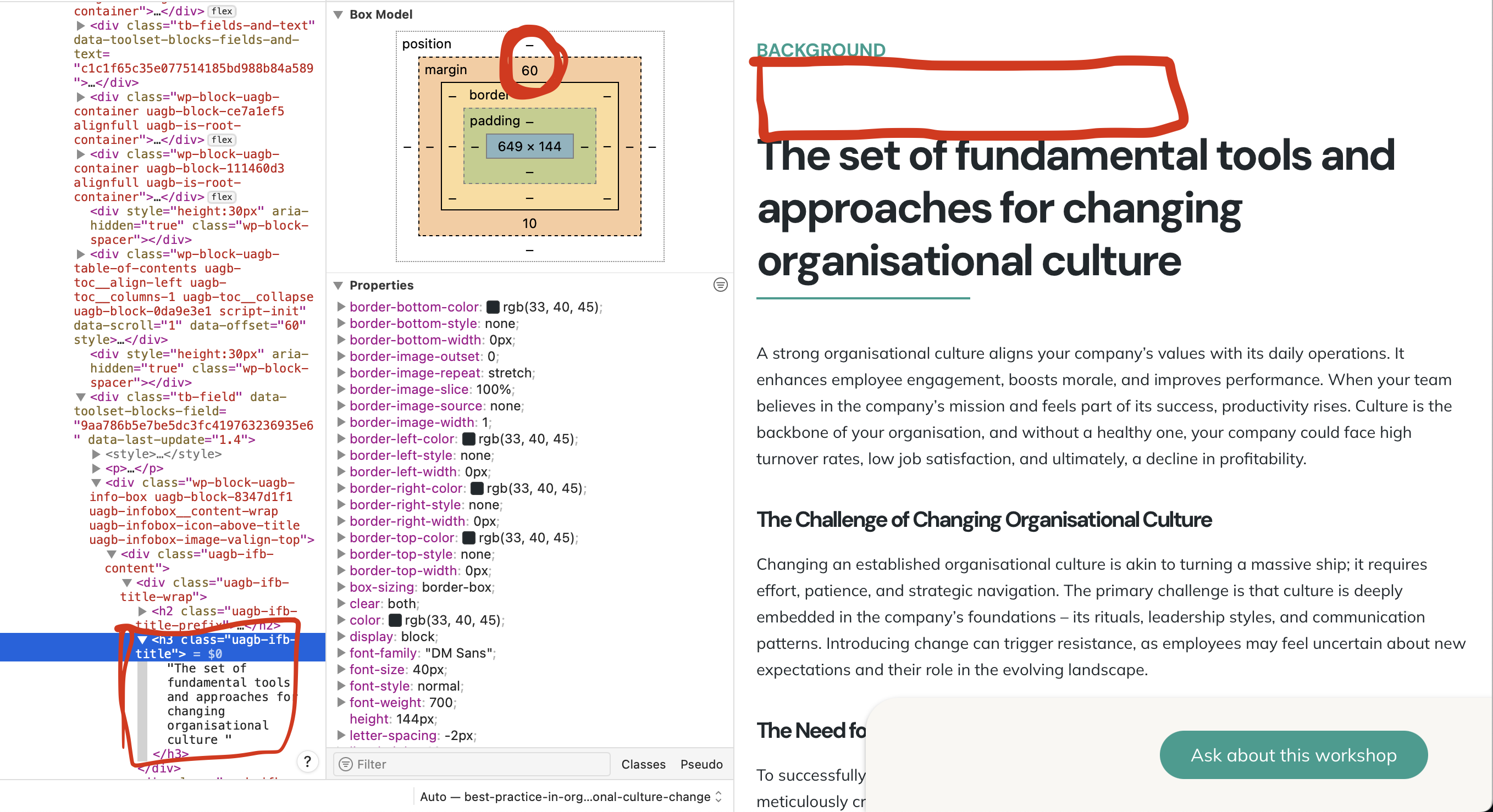
This is the same block, but within a Toolset Custom Template. It is adding 60px of margin to the block for some reason.

#2686811

Minesh
Unterstützer

Sprachen: Englisch (English )

Zeitzone: Asia/Kolkata (GMT+05:30)

Hello. Thank you for contacting the Toolset support.

Can you please check now:
- versteckter Link

With the content template:
- versteckter Link

With the container block - there was a style configuration for the row spacing set to 20. I set it to 0 as you can see with the screenshot:
- versteckter Link

I can see now the spacing is reduced. Can you please confirm it works as expected now.

#2687070
2. Normal Page without issue.png
1. Toolset Template with Issue.png

Hi, thank you. This has not solved the issue. The issue is that the template is creating additional margin in a block element within the Body of the content. See attached.

If you view that block here, and inspect it, it is adding 60px to the top margin.
versteckter Link
SEE IMAGE 1
This issue is happening on ALL Toolset Templates.

versteckter Link
This is an identical block, with the same content, but is behaving normally.
SEE IMAGE 2

The margin is only created when using a Toolset Template.

Does that make sense? Can you see the problem I'm trying to fix?

Thanks so much! 🙂

#2687210

Minesh
Unterstützer

Sprachen: Englisch (English )

Zeitzone: Asia/Kolkata (GMT+05:30)

I see the following CSS is added on the page:

.entry-content h1,.entry-content h2,.entry-content h3,.entry-content h4,.entry-content h5,.entry-content h6 {
                margin-top: 1.5em;
                margin-bottom: calc(0.3em + 10px);
            }

That is adding the: margin-top: 1.5em;

Can you please check from where the above CSS is coming from - might be from your theme?