Navigation überspringen

[Gelöst] Taxonomies Numerical Sorting issue

This support ticket is created vor 1 year, 8 months. There's a good chance that you are reading advice that it now obsolete.

This is the technical support forum for Toolset - a suite of plugins for developing WordPress sites without writing PHP.

Everyone can read this forum, but only Toolset clients can post in it. Toolset support works 6 days per week, 19 hours per day.

Dieses Thema enthält 1 reply, hat 2 Stimmen.

Zuletzt aktualisiert von Nigel vor 1 year, 8 months.

Author
Artikel
#2739546
Screenshot-2024-09-04-at-4.26.01-PM.jpg
Screenshot 2024-09-04 at 4.17.54 PM.png
Screenshot 2024-09-04 at 4.17.41 PM.png

My post-type archive page has a custom search filter. The numeric sorting isn't what I am looking for.

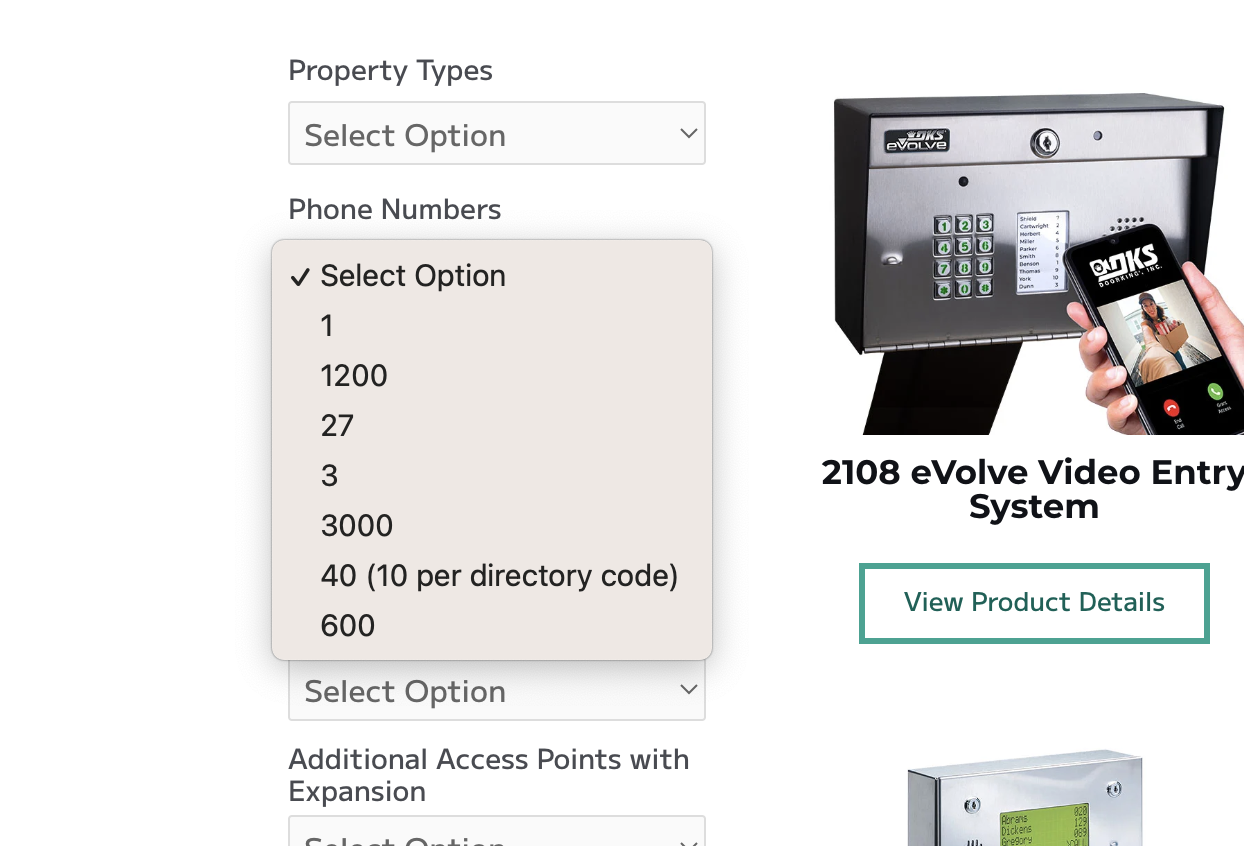
I want the dropdown to look like this:
Number of Entry Codes.

25

50

1000

1200

3000

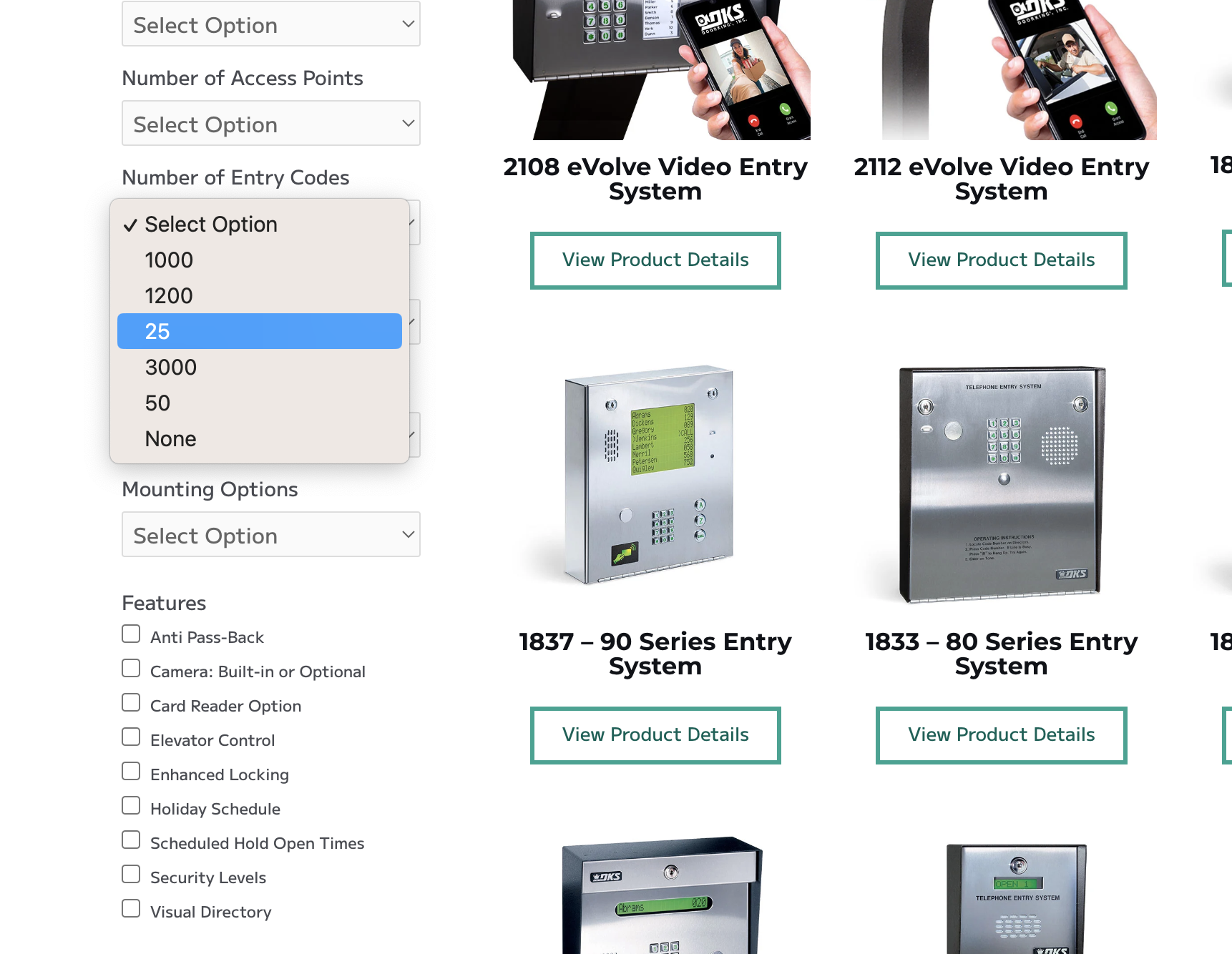
But it currently looks like this:
Number of Entry Codes.

1000

1200

25

3000

50

Can you please let me know how to set this sorted correctly?
Thank you

#2739835

Nigel
Unterstützer

Sprachen: Englisch (English ) Spanisch (Español )

Zeitzone: Europe/London (GMT+01:00)

Hi there

The problem is that these taxonomy terms are numbers, but when they are retrieved using the standard function get_terms to populate the dropdown options, they are evaluated as strings.

Although the number 10 comes after the number 9 the string "10" comes before the string "9".

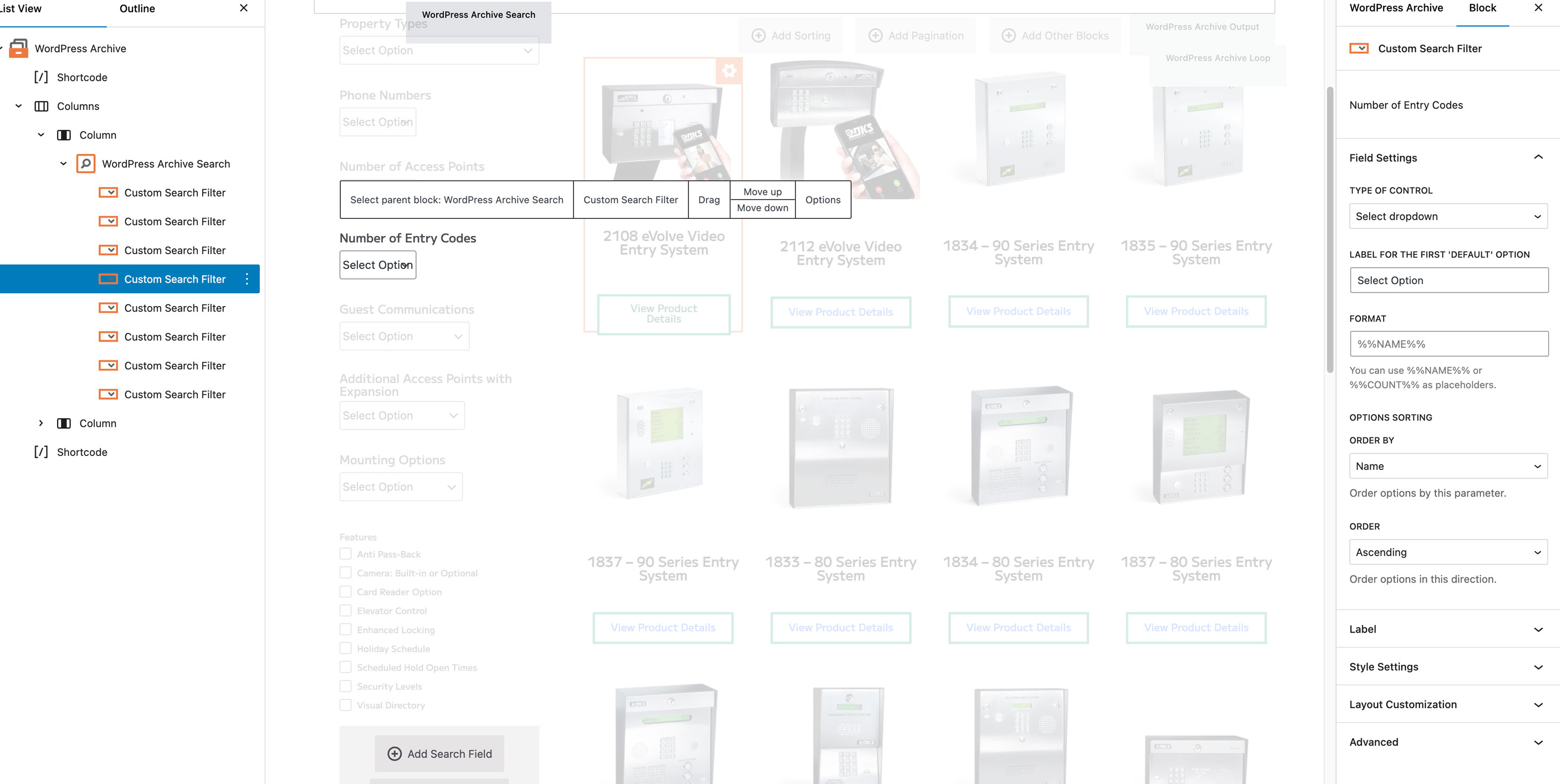
The arguments for the get_terms function don't offer the ability to handle the terms as numbers rather than strings, hence there is no such option in the settings for a taxonomy search filter.

The way to avoid this problem is to use leading zeros in the slugs of the terms, and then order the terms by the slug.

So if you have a term "100" you would set its slug as "00100". Likewise, if you have a term "99" you would set its slug as "00099".

Ordering by slug as strings "00099" comes before "00100", which is what you want, and the dropdown will display the term names, so it will display 99 before 100.

#2740123

Thank you that fixed it!