Hello Toolset Support,
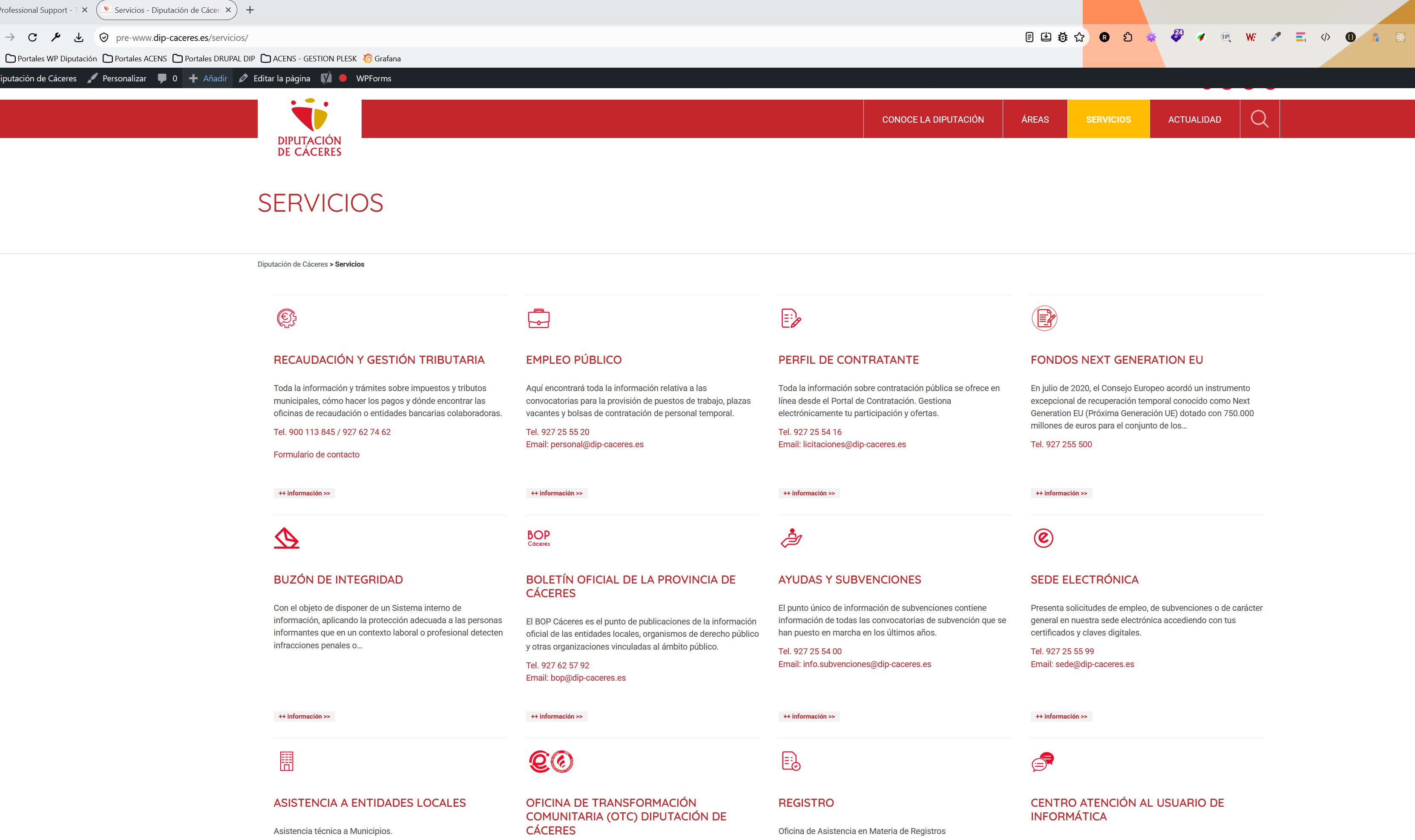
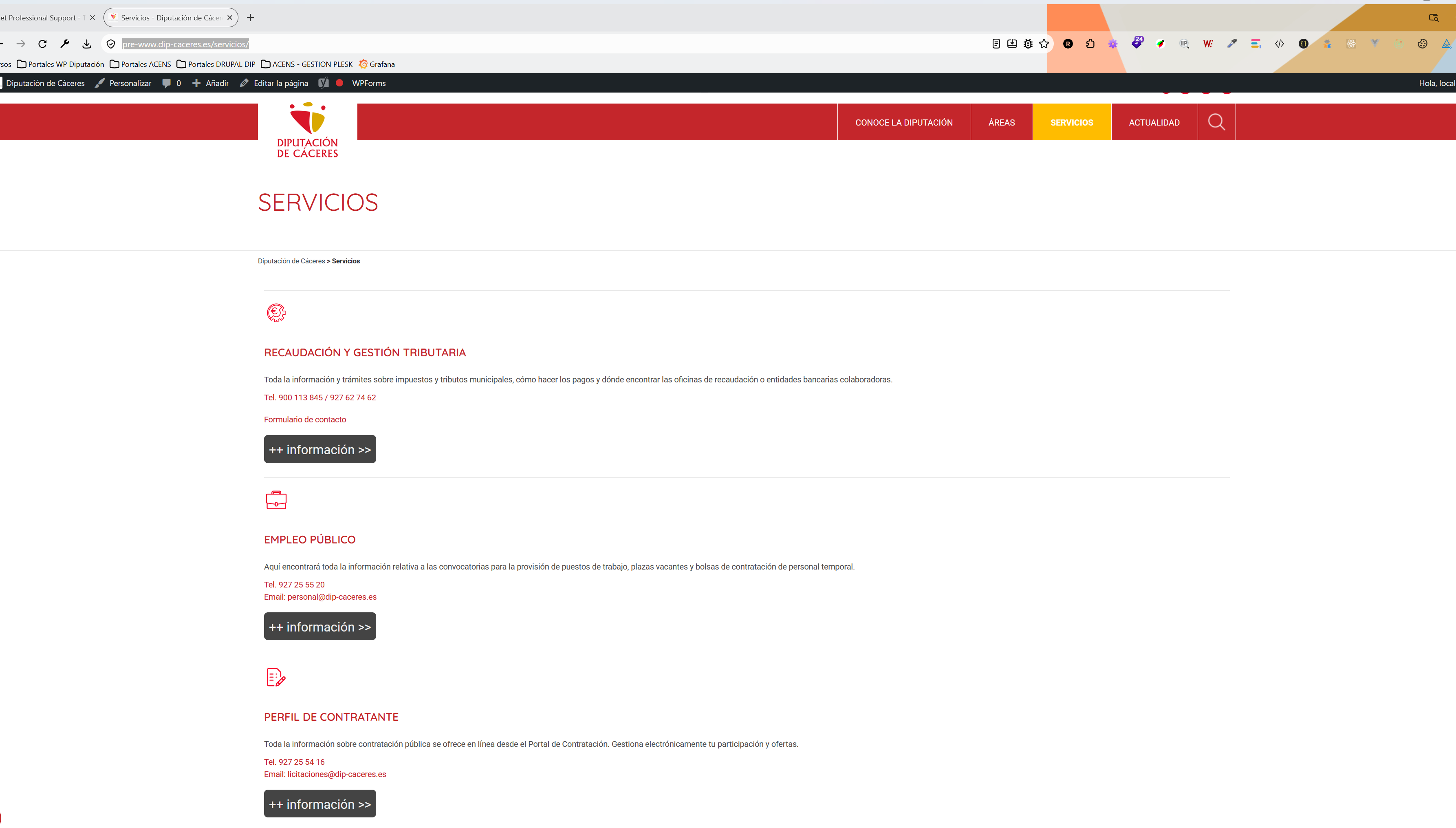
After updating Toolset Blocks from version 1.6.21 to 1.6.30 on our site versteckter Link, the front-end display of our Views breaks. With 1.6.21 everything displayed correctly.
Steps to reproduce:
1. Site running Toolset Blocks 1.6.21 – Views display correctly.
2. Update Toolset Blocks to 1.6.30 from the Plugins screen.
3. The View layout is broken (see attached screenshots). Affected page: versteckter Link; – please note that the temporary workaround is currently active on the live site, so the page displays correctly now. We can disable it on a staging copy if you need to see the issue live..
Expected result: the Views look the same as before the update.
Actual result: the items are no longer displayed side by side in a grid; spacing and alignment are lost.
Temporary workaround (confirmed working):
According to the 1.6.30 changelog, the View loop markup changed (one wrapper per loop item, .tb-grid-column is no longer output). Restoring the legacy markup fixes the display. We added the following line to our child theme's functions.php and the Views now display correctly again:
// Toolset Blocks 1.6.30+: keep the legacy View loop markup (temporary workaround)
add_filter( 'wpv_filter_use_legacy_loop_item_markup', '__return_true' );
This confirms the problem is caused by the new loop item markup introduced in 1.6.30. We would rather not rely on this filter permanently, so we would appreciate:
- A fix in a future release so existing Views keep their layout with the new markup, or
- Clear guidance on what we need to change in our Views/CSS to use the new markup without breaking the design.
Could you also confirm whether the wpv_filter_use_legacy_loop_item_markup filter will remain supported in future versions?
Environment:
- WordPress: 7.1.5
- PHP: 8.3.36
- Theme: Custom theme based on Understrap (Bootstrap-based starter theme)
- Toolset plugins and versions: Toolset Blocks 1.6.30 (previously 1.6.21), Toolset Types version 3.6.4, Toolset Form 2.6.27, Toolset Maps 2.4.1
- Other relevant plugins:
Accordion Blocks
Clases CSS de Widget
Easy Sidebar Menu Widget
Simple Custom CSS
Attached screenshots (both taken on the same page):
- view_example_work_fine_version_1.6.21_toolset_blocks – Toolset Blocks 1.6.21: the View is displayed correctly.
- view_example_work_bad_version_1.6.30_toolset_blocks – Toolset Blocks 1.6.30: the View is displayed incorrectly.
We can provide a staging copy or temporary admin access if needed.
Thank you,
Roberto Casares
Diputación de Cáceres