Navigation überspringen

[Gelöst] Show total number of child (relationship) posts

This support ticket is created vor 4 years, 3 months. There's a good chance that you are reading advice that it now obsolete.

This is the technical support forum for Toolset - a suite of plugins for developing WordPress sites without writing PHP.

Everyone can read this forum, but only Toolset clients can post in it. Toolset support works 6 days per week, 19 hours per day.

Dieses Thema enthält 2 Antworten, hat 2 Stimmen.

Zuletzt aktualisiert von Pierre vor 4 years, 3 months.

Author
Artikel
#2302883
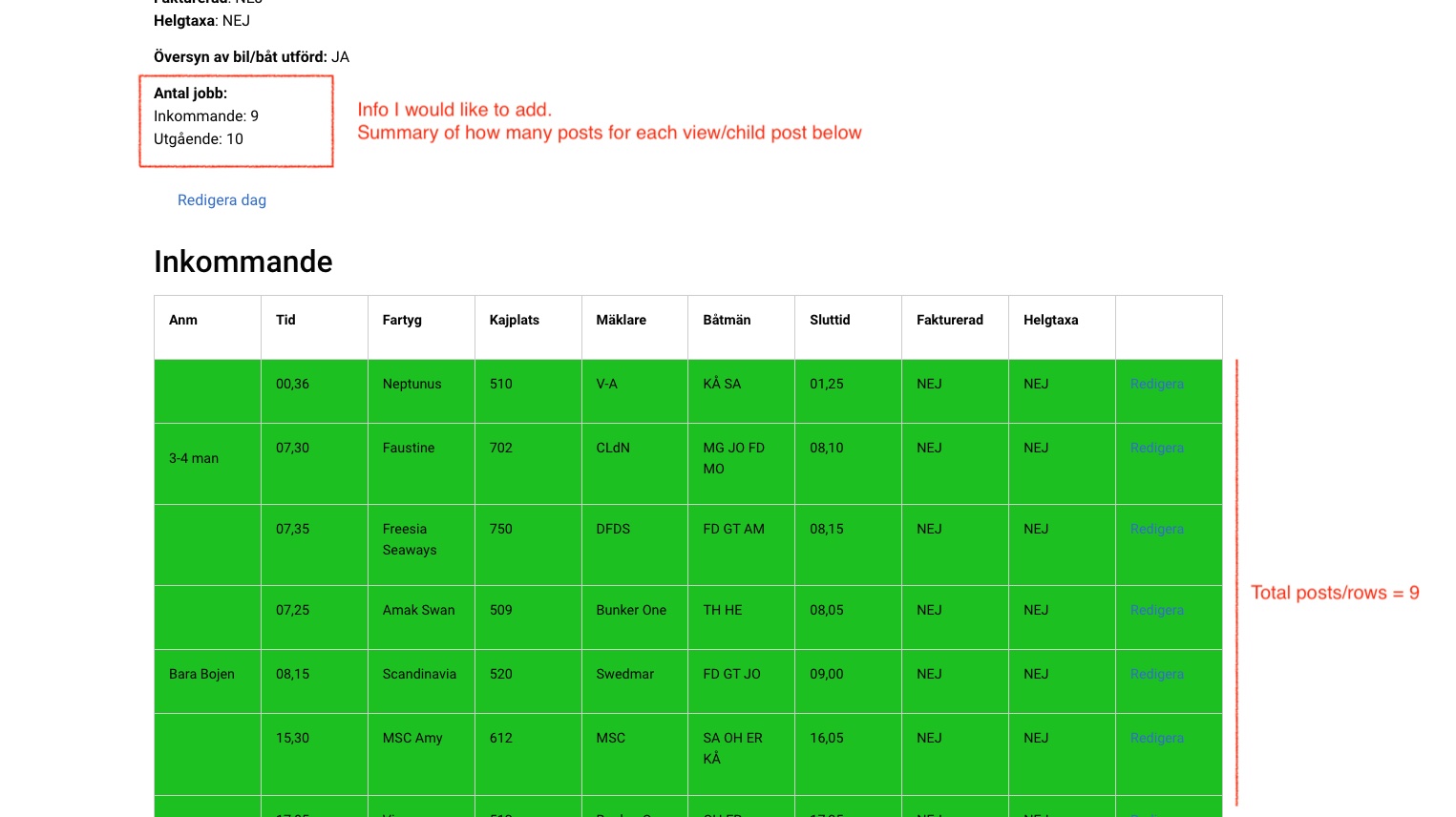
amount-of-posts.jpg

Tell us what you are trying to do?
I have a page template for a post type showing 2 different post types in a table view list.
Now I want to add a summary on top of that page showing the total amount of posts for each child post (Inkommande and utgående).
I've created a view for the correct post type, but since it's a loop, it shows the total number in a repeatable list. So 9 posts will show the number "9", nine times.

Is there any documentation that you are following?
https://toolset.com/forums/topic/show-number-of-topics-themen-which-belongs-to-the-related-articles/
But since I'm using the block-editor I'm not able to use this example above.

Please let me know if you need new access to the site.
Thanks, Pierre

#2302893

Nigel
Unterstützer

Sprachen: Englisch (English ) Spanisch (Español )

Zeitzone: Europe/London (GMT+01:00)

Screenshot 2022-02-25 at 09.51.31.png

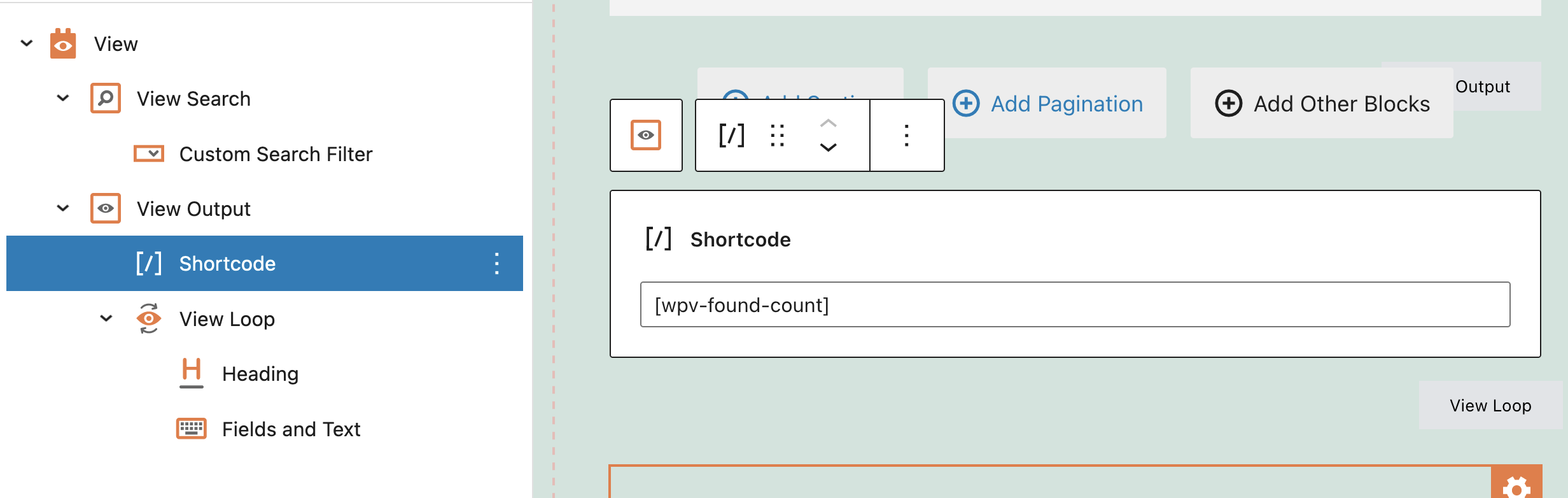
You need to move the block where you insert the wpv-found-count shortcode so that it is in the View Output block, but before the View Loop block. See the screenshot.

Alternatively, rather than create Views for this, you could just use the custom shortcode described here: versteckter Link

#2302919

My issue is resolved now. Thank you!
Super easy (when you know how to do it), Thanks Nigel!