Navigation überspringen

[Gelöst] Set button link to a no follow link.

Dieser Thread wurde gelöst. Hier ist eine Beschreibung des Problems und der Lösung.

Problem: I want to set a dynamic link to a "nofollow" link using the Toolset button block.

Solution: Go to the WordPress Archive, click on the button you want to modify, and open the "Layout Customization" panel from the right side sidebar. Scroll down to find the option to add a REL attribute, and enter "nofollow" there. This will apply the "nofollow" attribute to the button's link on the front end.
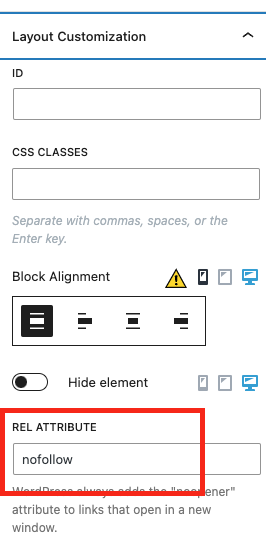
nofollow rel

This support ticket is created vor 2 years, 1 month. There's a good chance that you are reading advice that it now obsolete.

This is the technical support forum for Toolset - a suite of plugins for developing WordPress sites without writing PHP.

Everyone can read this forum, but only Toolset clients can post in it. Toolset support works 6 days per week, 19 hours per day.

Dieses Thema enthält 6 Antworten, hat 2 Stimmen.

Zuletzt aktualisiert von Christopher Amirian vor 2 years.

Assistiert von: Christopher Amirian.
Author
Artikel
#2692977
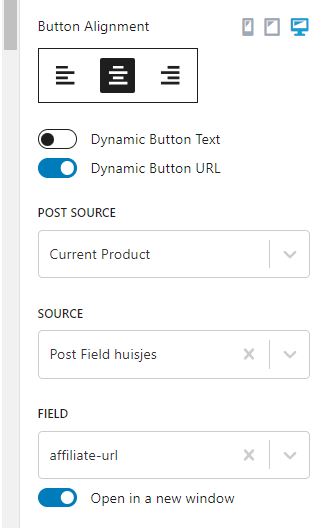
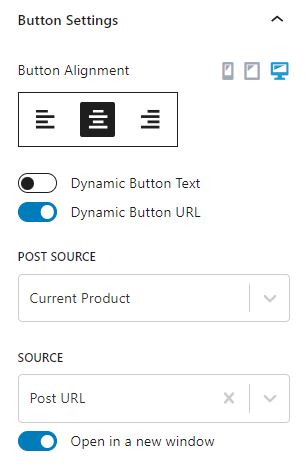
Link 2.JPG
Link 1.JPG

I want to set a dynamic links to a no follow link.
How can I do this?

#2693055

Christopher Amirian
Unterstützer

Sprachen: Englisch (English )

Hi there,

Toolset does not have a tool to add such a thing, but ou can use the Tyeps shortcode to retrieve the same URL and use custom HTML code to add the proper no follow code:

<em><u>versteckter Link</u></em>

Change the FIELD value in the shortcode to whatever the name of the field you use for the link.

Thanks.

#2693824

Hi there,

It's dynamic so I need a dynamic link of the current house.
Is this posible?

#2693881

Christopher Amirian
Unterstützer

Sprachen: Englisch (English )

Hi there,

Yes, you can get the dynamic information easily. Please use the Toolse Fields and Text block. Then you will have a button to get the dynamic data, use that to get the dynamic data you want.

then Check the generated code and you will see the corresponding shortcode.

Just replace [types field='url'][/types] with the code that is generated there.

So the result should be a URL that links to the source you want.

Thanks.

#2694106
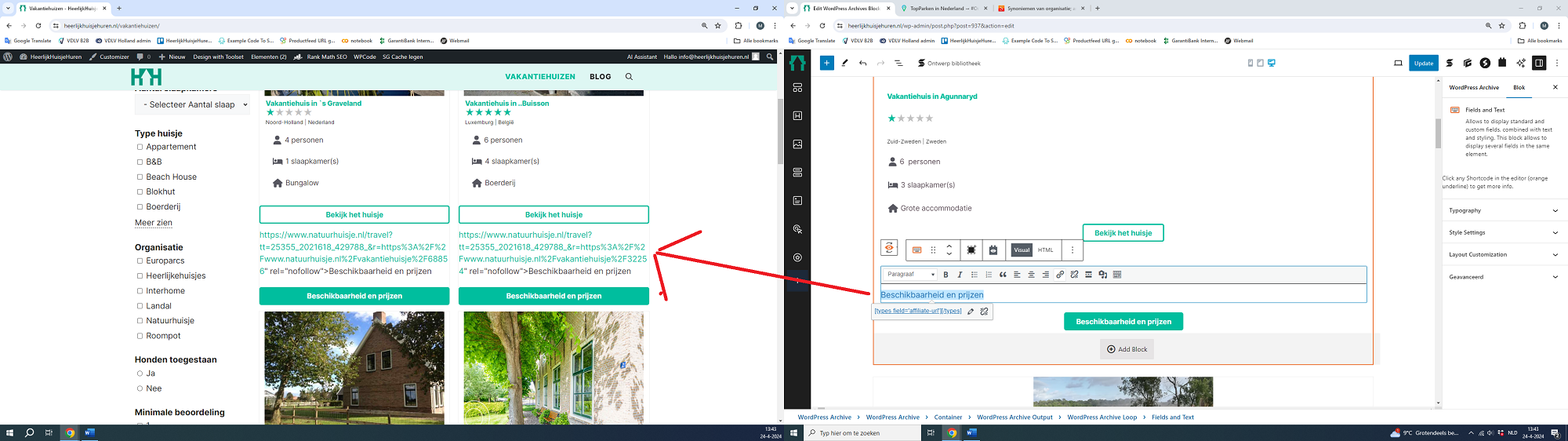
print screen.png

Hi there,

Thanks but it does not work. See the printsreen.

#2694187

Christopher Amirian
Unterstützer

Sprachen: Englisch (English )

Hi there,

Would you please mark the next reply as private and provide the login information for your website?

Also please tell me which page to check in the dashboard and what should be the dynamic content portion so I can test for you.

Thanks.

#2694874

Christopher Amirian
Unterstützer

Sprachen: Englisch (English )

Screenshot 2024-04-28 at 16.31.12.png

Hi there,

Thank you I went to the WordPress Archive clicked on the button in question, Checked the right side sidebar opened the "Layout Customization" panel, scrolled down and there was an option to add a REL attribute.

I added nofollow there and it works ok now in the front end for both buttons.

Please check the screenshot.

Thanks.

#2695549

Thanks!