Navigation überspringen

[Gelöst] Remove/Edit Views

Dieser Thread wurde gelöst. Hier ist eine Beschreibung des Problems und der Lösung.

Problem:

How to Edit/Delete Views

Solution:

- Go to "Toolset > Settings > General".

- Find the "Editing experience" section.

- Check the "Show both the legacy and Blocks interface and let me choose which to use for each item I build" checkbox.

- Reload the browser page.

- Go to the newly added "Toolset > Views" menu.

- There you will be able to edit the views.

This support ticket is created vor 4 years, 3 months. There's a good chance that you are reading advice that it now obsolete.

This is the technical support forum for Toolset - a suite of plugins for developing WordPress sites without writing PHP.

Everyone can read this forum, but only Toolset clients can post in it. Toolset support works 6 days per week, 19 hours per day.

Dieses Thema enthält 2 Antworten, hat 2 Stimmen.

Zuletzt aktualisiert von stephenC-3 vor 4 years, 3 months.

Assistiert von: Christopher Amirian.

Author
Artikel
#2296813
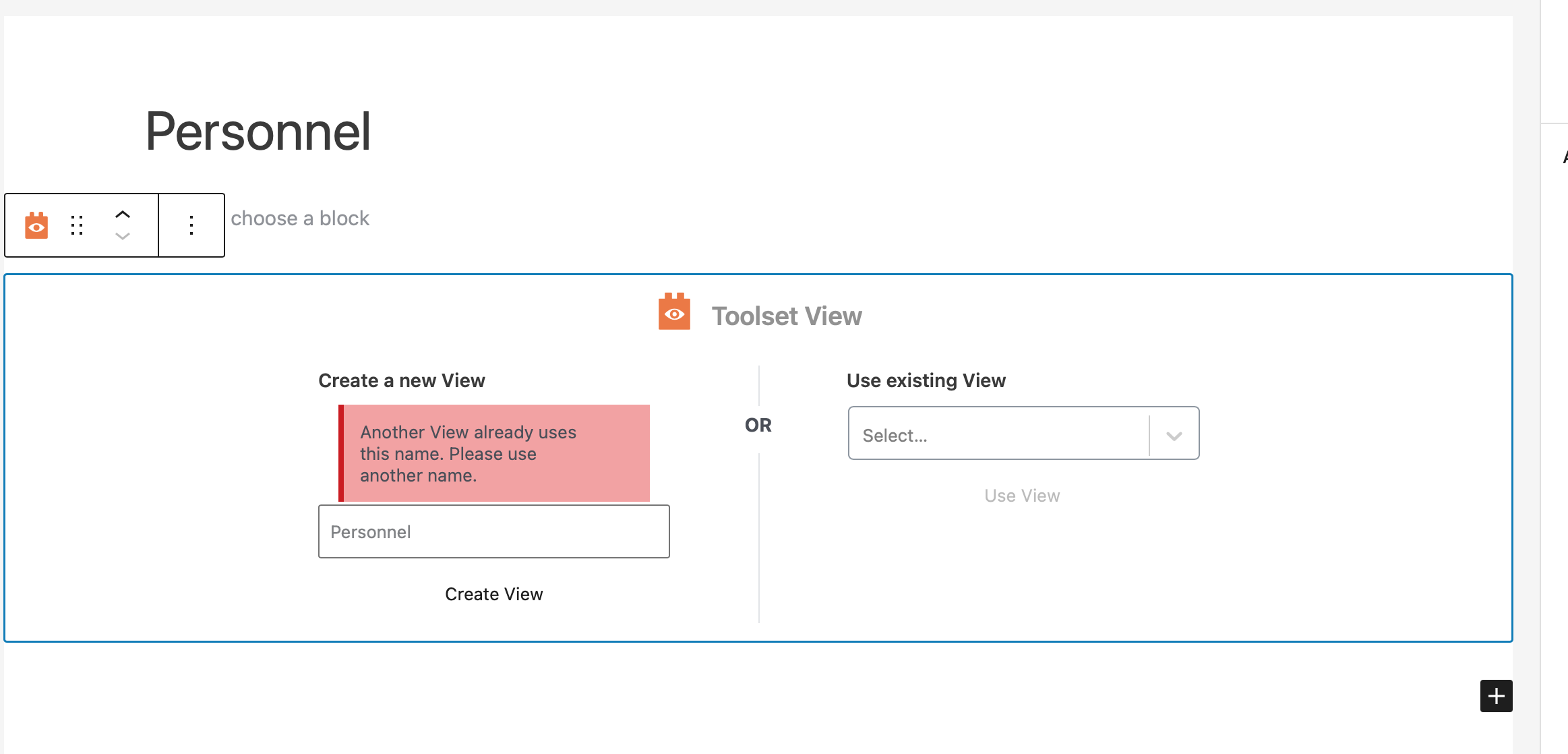
Screen Shot 2022-02-18 at 01.31.50.png

Tell us what you are trying to do?

I am attempting to edit/delete a view created within a block. Due to an error I had to refresh the screen and when I returned to the page a view I was attempting to create which had been blank still was still saved in the system. I cannot reuse the name or find a way to edit or delete the view.

Is there any documentation that you are following?

I could not find anything helpful with this.

Is there a similar example that we can see?

There are some on the forums but they are for older versions or don't address how to actually find the place to do this in my version of toolset.

What is the link to your site?

versteckter Link

#2298013

Christopher Amirian
Unterstützer

Sprachen: Englisch (English )

Hi there,

Toolset keeps the unused Views out of the way, but if you want to control the Views you need to enable the legacy view.

Please follow the steps below:

- Go to "Toolset > Settings > General".
- Find the "Editing experience" section.
- Check the "Show both the legacy and Blocks interface and let me choose which to use for each item I build" checkbox.
- Reload the browser page.
- Go to the newly added "Toolset > Views" menu.
- There you will be able to edit the views.

Thank you.

#2299101

My issue is resolved now. Thank you!