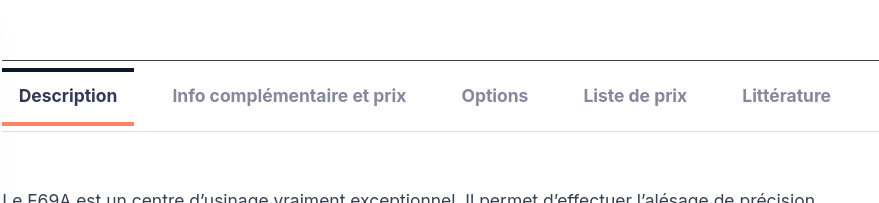
I would like to customize the WooCommerce product tabs colors. The active tab has an orange underline and I would like to change this color.
I can't find where to customize this color. Please see attached screenshot.
Hello. Thank you for contacting the Toolset support.
Can you please share problem URL and admin access details and let me check what we can do in this case.
*** Please make a FULL BACKUP of your database and website.***
I would also eventually need to request temporary access (WP-Admin and FTP) to your site. Preferably to a test site where the problem has been replicated if possible in order to be of better help and check if some configurations might need to be changed.
I have set the next reply to private which means only you and I have access to it.
What you should do is - with your single product content template:
- versteckter Link
Select the "Products Tab" block and with the right sidebar you should select the "Tab" tab and further select the "Active" as shown with the following screenshot:
- versteckter Link
Then, scrolldown and navigate to "Border" section available within the right sidebar within the "Tab" tab and select the round color circle as shown with the following screenshot and popup will appear and then you can input your desired hexa color code with the popup and save the content template and check on the frontend:
- versteckter Link