Tell us what you are trying to do?
So we have this custom field called "brand" which is a select type under post type In Production.
I just later realized that another post type created with ACF called Delivery has also a custom field called "brand".
We're going to create a new view for Delivery on Toolset so I was trying to load the non-Toolset fields there.
In Post field control, I tried managing the brand field from Delivery but when I did, the brand field from In Production got affected.
It just changed to single field and I can't find a way to put it back.
Is there any documentation that you are following? No
Is there a similar example that we can see?No
What is the link to your site?versteckter Link
Hi there,
It is not recommended to use ACF with Toolset.
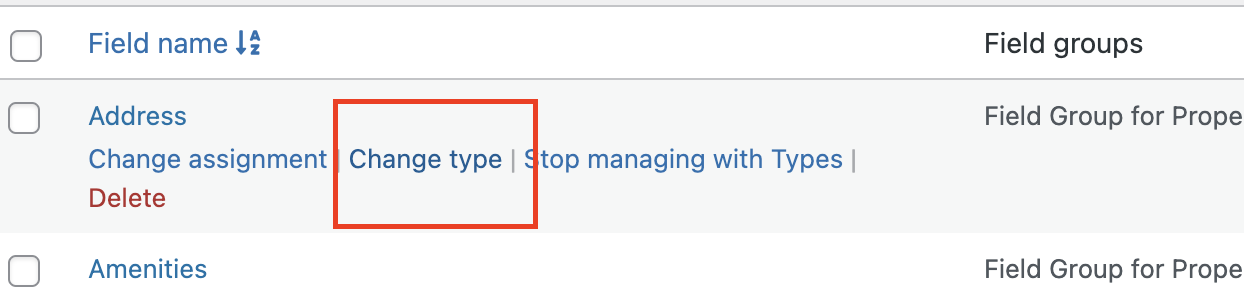
The only option that Toolset has is to go to the Post Control section and hover over the custom field in question and click the Change Type option there.
Please consider Some of the field types are disabled for conversion because they're using a significantly different data format, which is not compatible with the other field types.
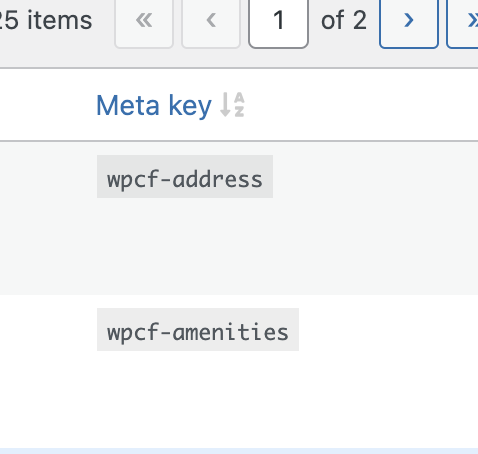
Also you can always check the Meta Key column in Post Fields and if the field slug has wpcf- prefix it is created by Toolset.
You might better restore your website from a backup if the issue persists.
Thanks.