Navigation überspringen

[Gelöst] Plugin conflict with gravityforms

This support ticket is created vor 4 years, 2 months. There's a good chance that you are reading advice that it now obsolete.

This is the technical support forum for Toolset - a suite of plugins for developing WordPress sites without writing PHP.

Everyone can read this forum, but only Toolset clients can post in it. Toolset support works 6 days per week, 19 hours per day.

Sun Mon Tue Wed Thu Fri Sat
- 10:00 – 13:00 10:00 – 13:00 10:00 – 13:00 10:00 – 13:00 10:00 – 13:00 -
- 14:00 – 18:00 14:00 – 18:00 14:00 – 18:00 14:00 – 18:00 14:00 – 18:00 -

Zeitzone des Unterstützers: Asia/Kolkata (GMT+05:30)

Dieses Thema enthält 2 Antworten, hat 2 Stimmen.

Zuletzt aktualisiert von juttaB vor 4 years, 2 months.

Assistiert von: Minesh.

Author
Artikel
#2316595
Bildschirmfoto 2022-03-14 um 19.04.35.png
Bildschirmfoto 2022-03-14 um 19.05.29.png

I am trying to:
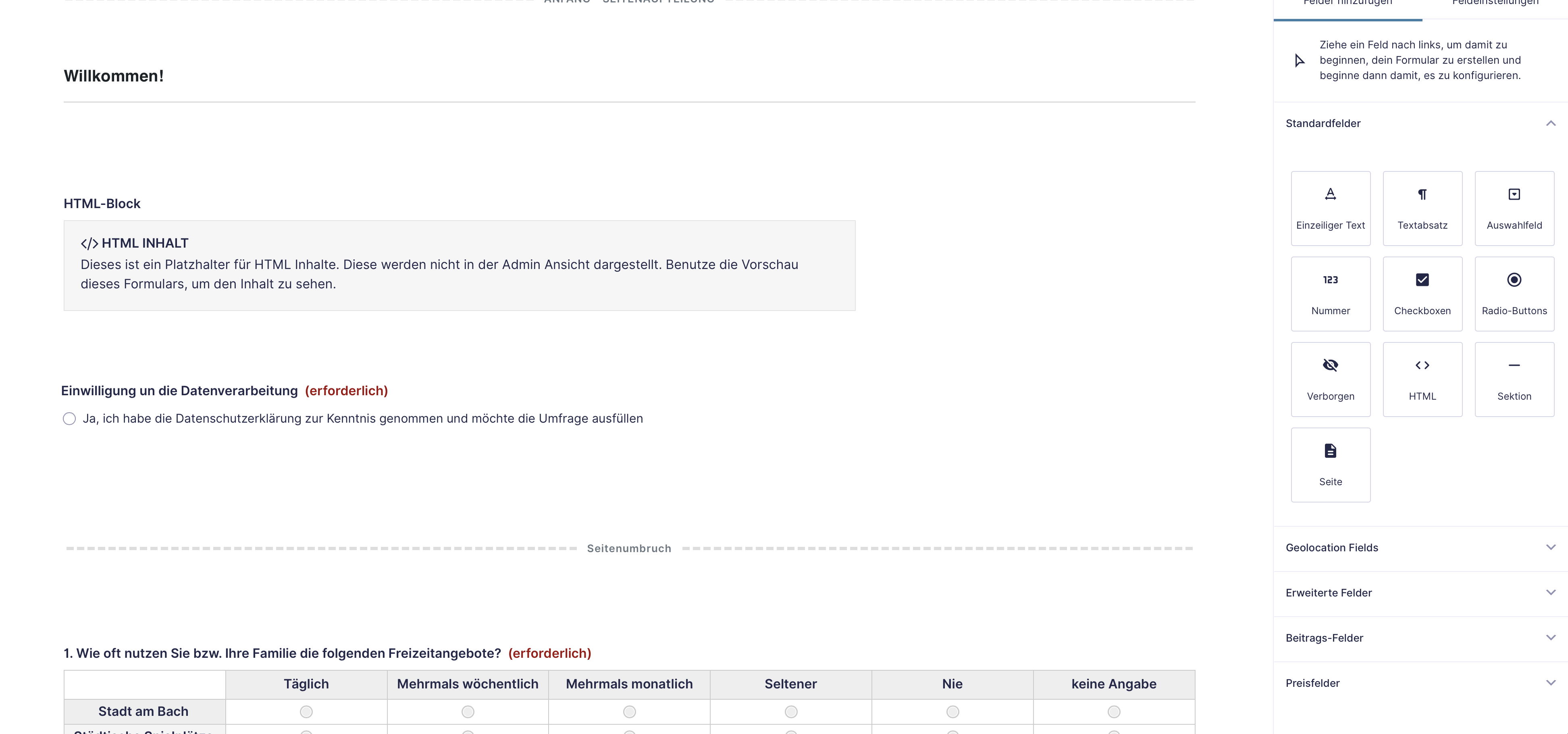
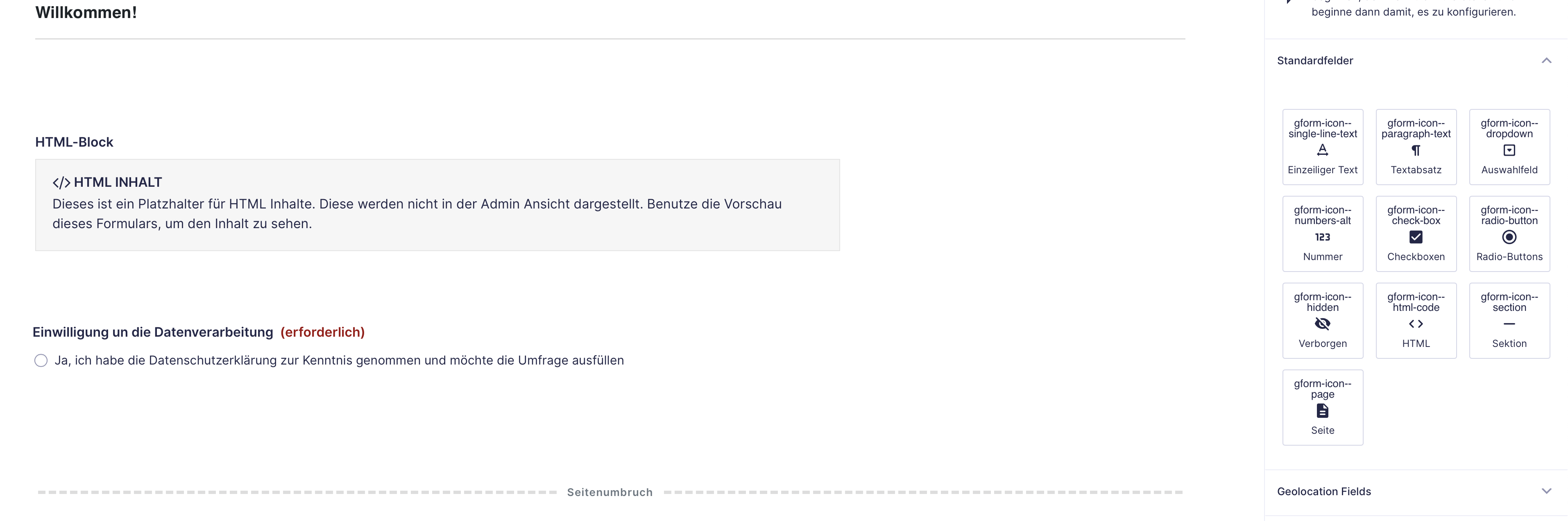
I need gravityforms and toolset forms for different purooses (Survey and front-end creation of custom post types). unfortunately, since a time (update?) there is a plugin conflict, between gravity forms and toolset forms: the Icon names are displayed in the gravity dashboard, and If I switch off toolset forms, it looks clean again. Is there a fix for this?

Regards and thanks
Jutta

Screenshots: first image with toolset forms deactivated, second image activated.

#2316955

Minesh
Unterstützer

Sprachen: Englisch (English )

Zeitzone: Asia/Kolkata (GMT+05:30)

Hello. Thank you for contacting the Toolset support.

I've added the admin CSS plugin and activated on your network install.
=> versteckter Link

And then to the section "Admin CSS", I've added the following CSS code:

[data-icon]:before { content: none;  }

It's on you how you want to manage the above one liner CSS code, you can use it as per your convenience.

I can see the icon names are not displayed now:
- versteckter Link

#2316969

My issue is resolved now. Thank you!