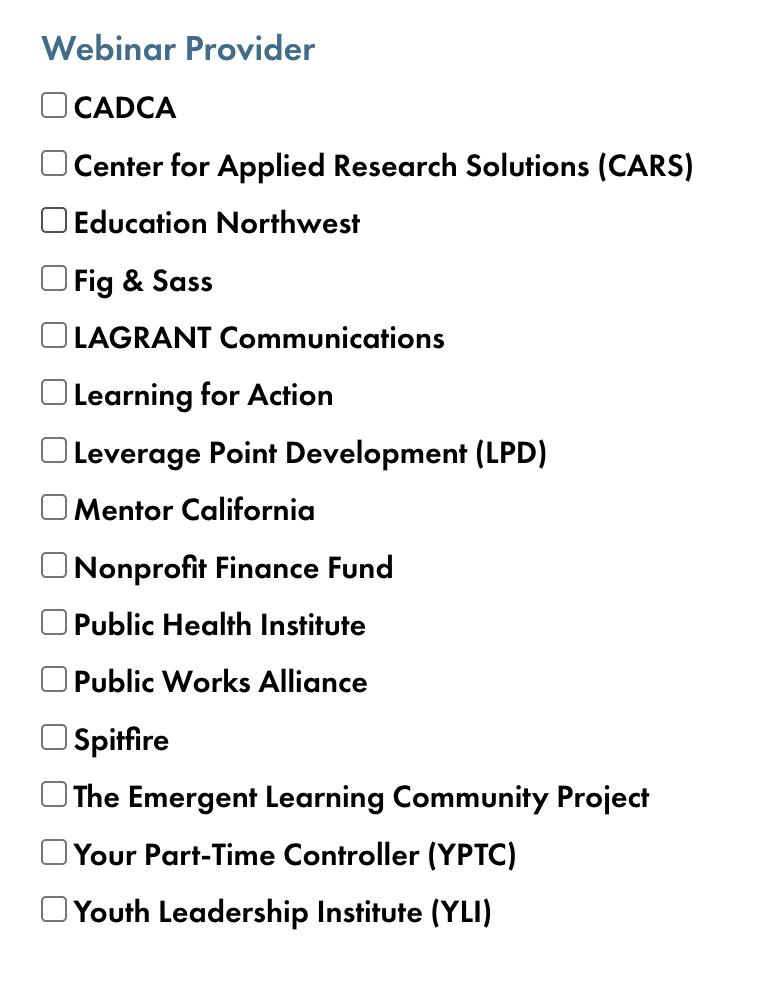
Hi, I've got a custom checkbox field for a custom post type. The checkbox field has 18 different options (see first attached image).
My view uses a search form, and displays the checkbox list as one of several search parameters, using this shortcode:
[wpv-control-postmeta field="wpcf-webinar-provider" url_param="wpv-wpcf-webinar-provider"]
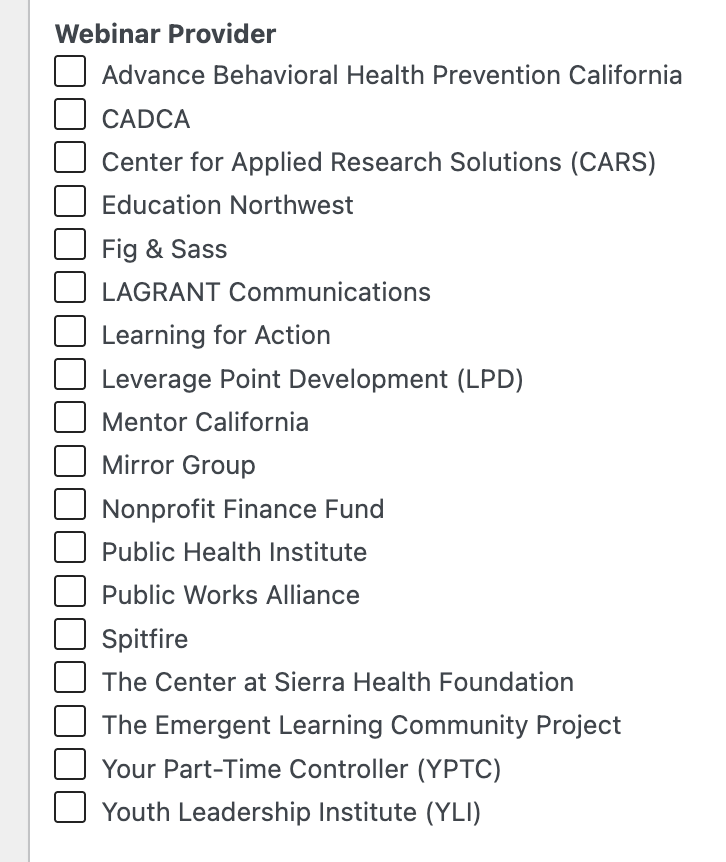
Everything works well, except that the search form only shows 15 of the 18 available options (see attached image). I am using the "Show only available options for each input" option, but have confirmed that all 18 options have matching posts, so have eliminated that as the possible cause.
Any thoughts?
Hello,
Thank you for the screenshots.
The three missing options are "Advance Behavioral Health Prevention California", "Mirror Group" and "The Center at Sierra Health Foundation".
With "Show only available options for each input" turned on, an option only shows when at least one post in the View's current results has it ticked. Posts that exist but are excluded by the View's other filters do not count.
I reproduced this on a test site with your 18 options. There are two common reasons:
1. Another filter or query setting in the View excludes the posts that use these options, for example a date or status filter.
2. The option was deleted and added again in the field settings. Posts saved before that are still linked to the old option, so they no longer count, even though the name is the same.
Please try this:
1. Turn off "Show only available options for each input" for a moment. If all 18 options appear, the filter itself is fine.
2. Open a post that should have "Mirror Group" in the admin and check whether the box is ticked. If it is not, tick it and update the post. Then check the search form again.
If the box is ticked and the option still does not show, please tell me which other filters the View uses.
Thanks.
Hello,
Thank you for the access. I think I found the cause.
All 18 options are in the search form, but "Mentor California" is hidden by a CSS rule in your theme. In Divi > Theme Options > Custom CSS, under the comment "/* Search Results v3 Layout */", there is this rule:
.addl_demographics_filter_wrapper div.checkbox:nth-child(10) {
display: none;
}
It hides the 10th checkbox of every filter group that has the class "addl_demographics_filter_wrapper". In the "Resources - Training Webinars (v3)" View, the Webinar Provider group uses that same class, and "Mentor California" is its 10th option. The Topic and Year groups use it too.
The rule was probably made for another search form. To fix it without affecting that form, edit the View's search form and change the class of the Webinar Provider group (and of Topic and Year) to a new one, for example "webinar_filter_wrapper". If you also want the same look, copy the other rules for "addl_demographics_filter_wrapper" to the new class, without the nth-child(10) rule.
After that you can set the filter back to "Show only available options for each input". With that setting, an option only shows when a post in the current results has it, so options without matching posts will still be hidden.
Thanks.
Hi Christopher,
You're absolutely right! That CSS rule was written for another search and filter form, where the stakeholder asked for an option to be hidden. I had completely forgotten about it and never thought to check for a CSS cause.
Thanks again, I believe we're all set!
David