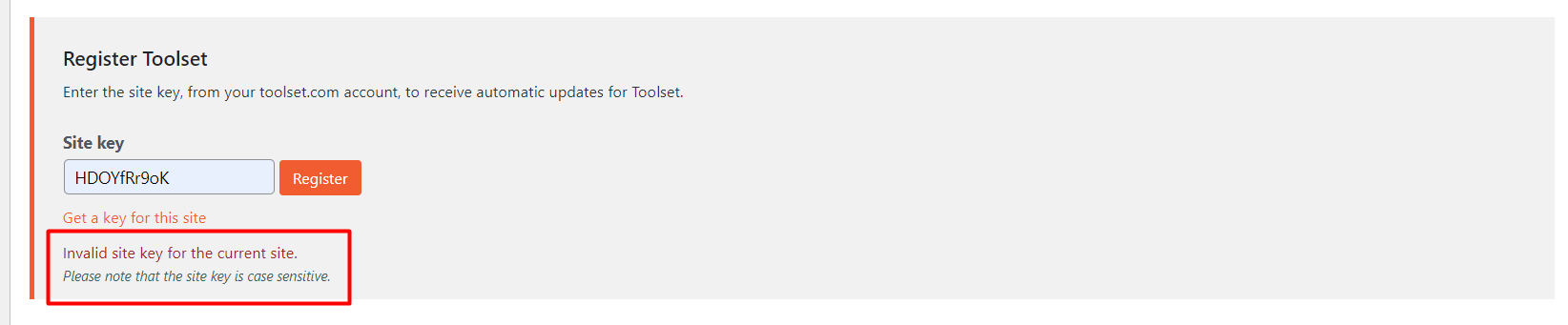
Tell us what you are trying to do?
-- I have created the new key to use on the site but it is not working on site.
Is there any documentation that you are following?
-- Yes I have followed the documentation while doing setup the key.
Is there a similar example that we can see?
-- No
What is the link to your site?
versteckter Link
Hi Maor,
Thank you for getting in touch.
It seems you may have copied and pasted the site URL in order to generate the key. In your screenshot you will see a Get a Key for this site link.
If you click on this link it will send the exact website link to our system to be registered. Please try generating the site key with this and let me know if the problem still remains.
Thanks,
Shane
Hello Sir
Can you please check into this issue. Also I have installed the woocommerce blocks plugin but it is not showing under toolset admin menu.
I have generated the site key using the get a site key link but it is also not working on site.
Hello,
Would you mind allowing me to have admin access to the website so that I can have a more detailed look at this for you ?
Please where applicable please provide me with a link to an example page where I can see the issue.
I've enabled the private fields for your next response.
Also I have installed the woocommerce blocks plugin but it is not showing under toolset admin menu.
The woocommerce blocks plugin will run automatically so there is no settings option for the plugin.
Thanks,
Shane
I have shared the WordPress access.
Hi Maor,
Thank you for the credentials, however they dont seem to work.
Can you test them on your end and let me know if they work for you ?
Thanks,
Shane