Navigation überspringen

[Gelöst] Inconsistent view width on search archive page

This support ticket is created vor 2 years, 3 months. There's a good chance that you are reading advice that it now obsolete.

This is the technical support forum for Toolset - a suite of plugins for developing WordPress sites without writing PHP.

Everyone can read this forum, but only Toolset clients can post in it. Toolset support works 6 days per week, 19 hours per day.

Sun Mon Tue Wed Thu Fri Sat
- 10:00 – 13:00 10:00 – 13:00 10:00 – 13:00 10:00 – 13:00 10:00 – 13:00 -
- 14:00 – 18:00 14:00 – 18:00 14:00 – 18:00 14:00 – 18:00 14:00 – 18:00 -

Zeitzone des Unterstützers: Asia/Kolkata (GMT+05:30)

Dieses Thema enthält 2 Antworten, hat 2 Stimmen.

Zuletzt aktualisiert von Minesh vor 2 years, 3 months.

Assistiert von: Minesh.

Author
Artikel
#2687509
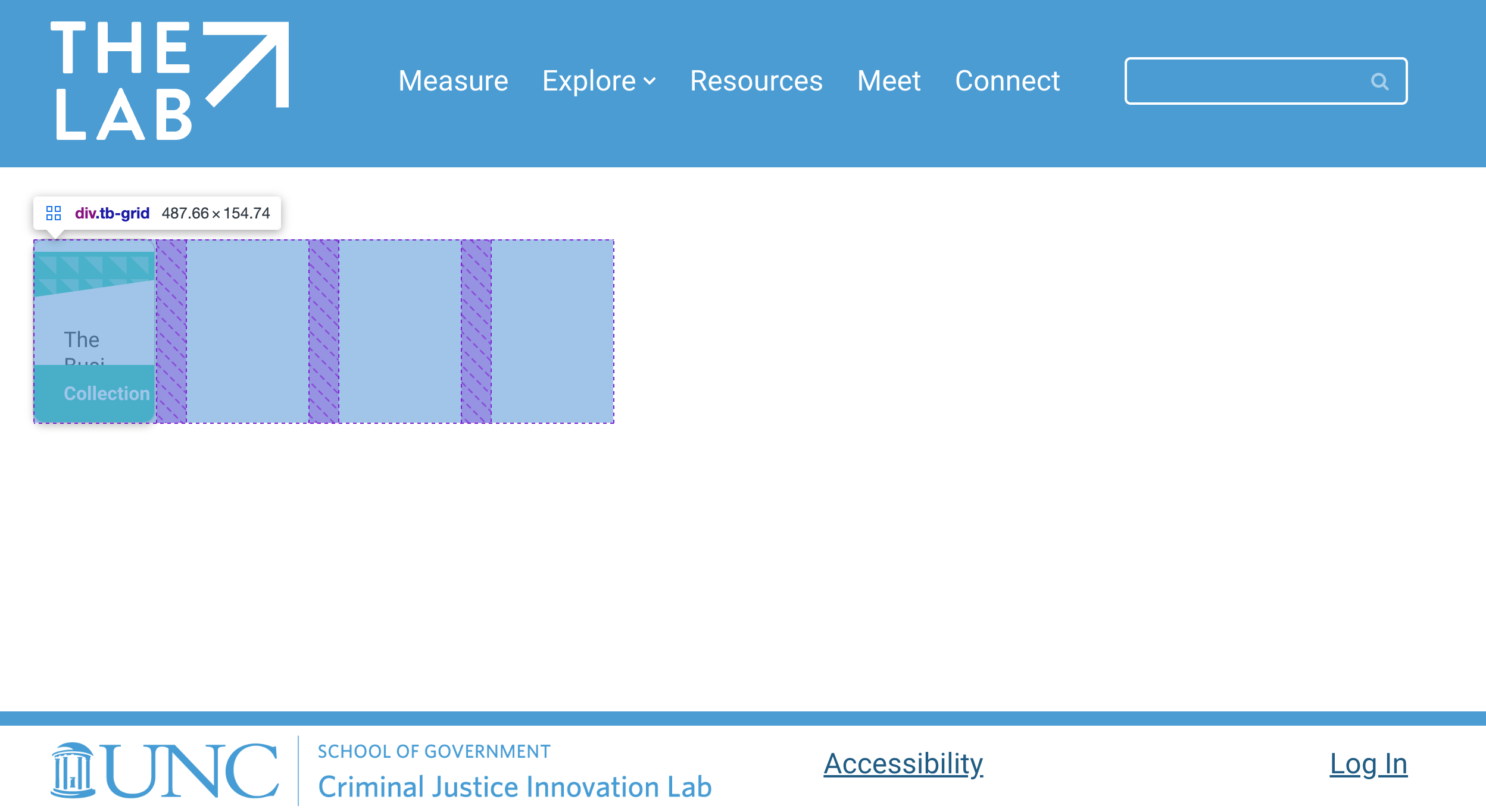
Screenshot 2024-02-24 at 9.47.12 PM.png
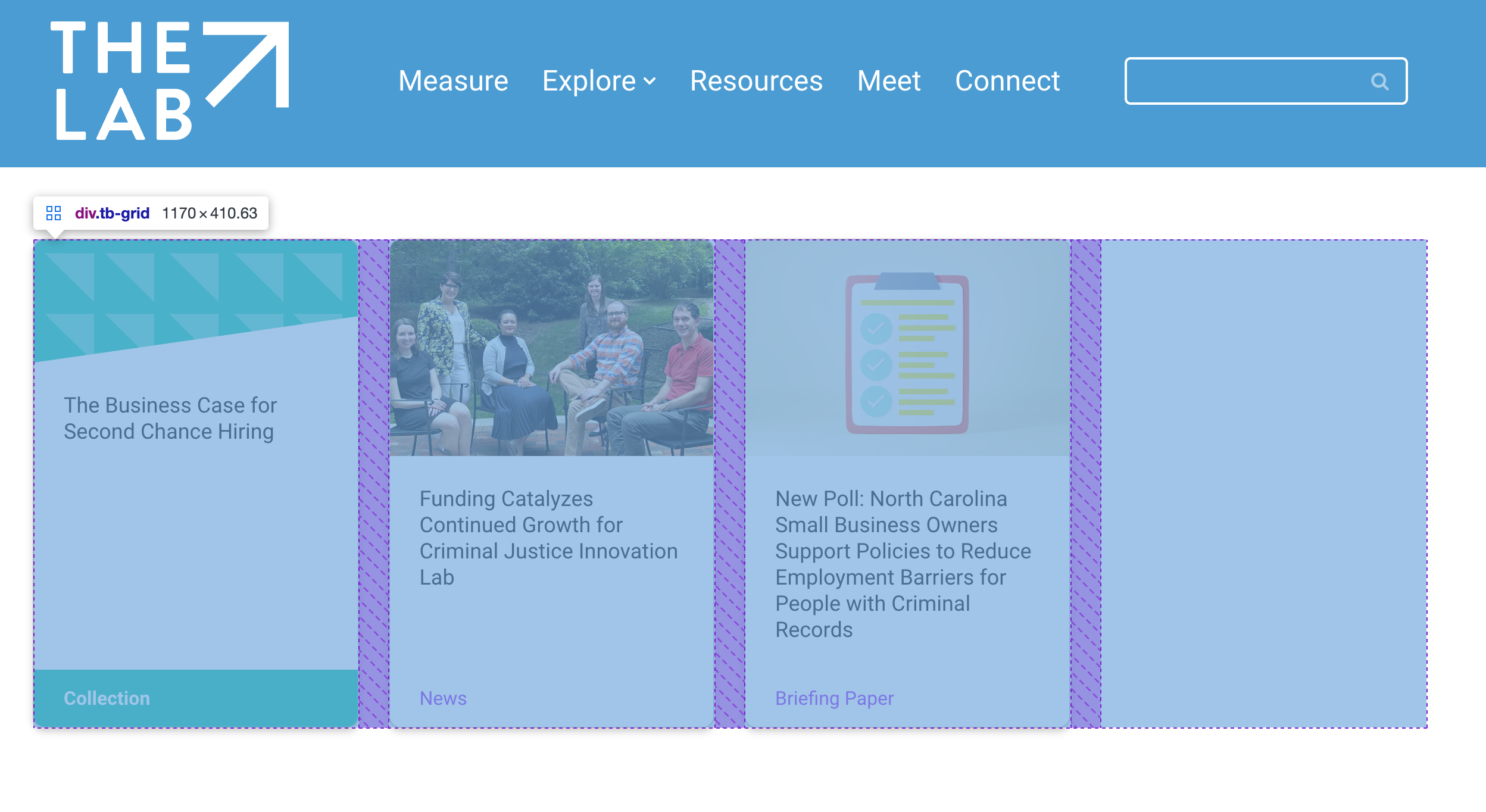
Screenshot 2024-02-24 at 9.47.51 PM.png

Hello Toolset team,

I'm running into some inconsistent handling of a view within my search page.

This is the expected behavior and look:
versteckter Link

Notice the width of the
<div data-toolset-views-wpa-editor="4d8db588a1097eac0052ce21086e4973" class="wp-block-toolset-views-wpa-editor">
element is 1170px

However, on search pages with only a single collection, such as:
versteckter Link
The same view element only has 487px width
resulting in grid columns which are too small to be usable.

I have updated toolset and all its modules to the latest available versions.

#2687551

Minesh
Unterstützer

Sprachen: Englisch (English )

Zeitzone: Asia/Kolkata (GMT+05:30)

Hello. Thank you for contacting the Toolset support.

When I try to access the wp-admin page: versteckter Link

It redirect me on versteckter Link page and the admin access details you shared is not working.

Can you please make sure I should be able to access the admin access details.

I have set the next reply to private which means only you and I have access to it.

#2687837

Minesh
Unterstützer

Sprachen: Englisch (English )

Zeitzone: Asia/Kolkata (GMT+05:30)

Can you please check now: versteckter Link

I've added the following CSS to "Custom JS and CSS" section's "Custom CSS" box as you can see with the following screenshot:
- versteckter Link

.wp-block-toolset-views-wpa-editor {
    width: 100% !important;
}

More info:
- https://toolset.com/course-lesson/adding-custom-css-to-templates-archives-and-views/#steps-for-adding-css-to-a-wordpress-archive

#2688462

That worked.
Thanks Minesh!