Hi
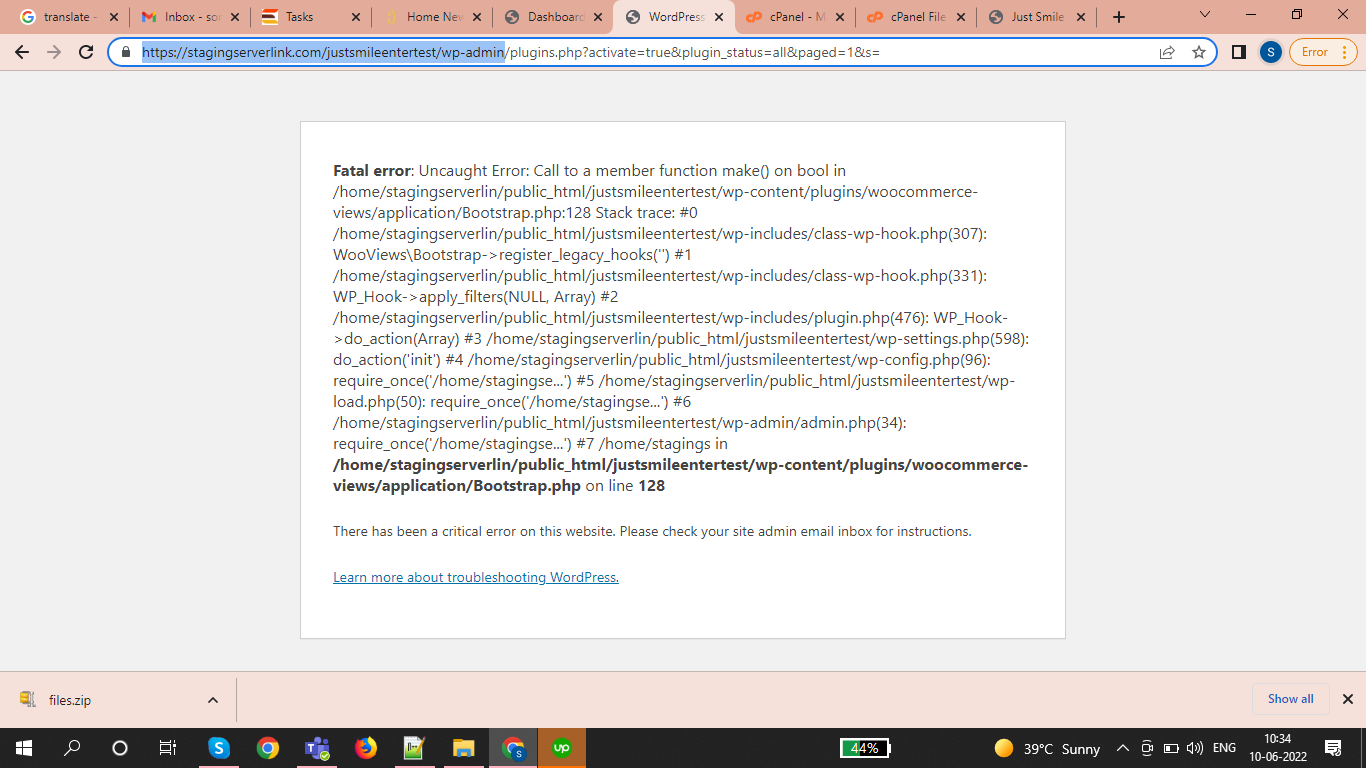
having issues getting plugins setup and working
Hi, I have installed shared plugin with fresh wordpress . I am seeing this plugin error at the time of installation so can you discuss with support regarding this. Please check the default wordpress for just checking plugin installation
versteckter Link
Hi Mark,
Thank you for getting in touch.
Are you able to provide FTP access to the site so that I can manually disable the plugin to see what could be causing this issue ?
Please let me know.
Thanks,
Shane
Hi Mark,
Thank you for the FTP details.
In order to use the Toolset Forms Commerce and Woocommerce Views you need to have our Toolset Forms and Toolset Blocks plugins installed as well as Woocommerce.
Without these plugins installed you won't be able to use the Toolset Forms Commerce and Woocommerce Views plugin.
Thanks,
Shane
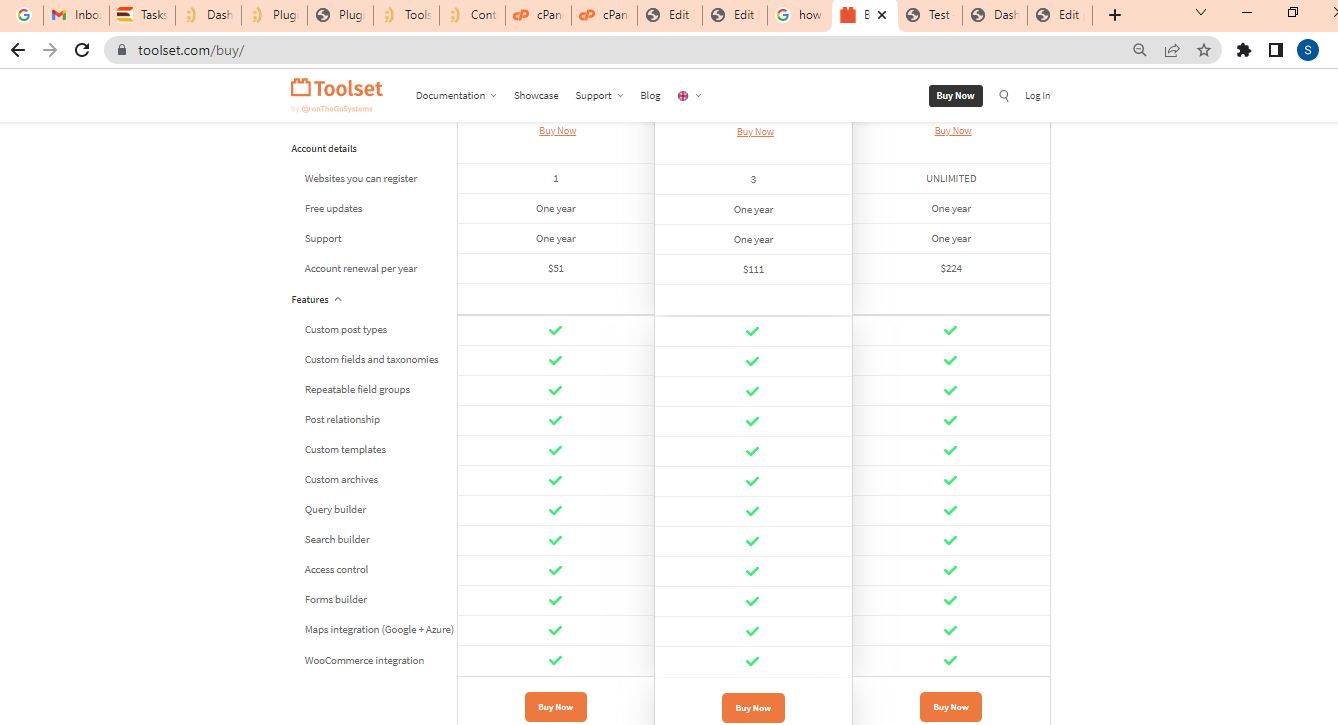
We are not able to see all Tool-set modules(options, features) like dashboard , Post Type, Taxonomies, Custom fields, Add new post field group. Can you please share these modules / features. Please check the below features screenshot .I want to create custom forms like drop down, check boxes etc these fields will also show on product admin and fronted.
Url: versteckter Link
Username: admin
Password: ess@word1
many thanks
Mark
Hi Mark,
I checked your site again and it appears that you've now installed the Toolset Forms and Toolset Blocks plugin.
It also appears that the Toolset Woocommerce Blocks plugin has now been activated without any issues.
Can you let me know if you've noticed any problems since activating the plugin. Also for the additional plugins you can download them from the link below.
https://toolset.com/account/downloads/
Thanks,
Shane
We are not seeing all the features in our test setup as per message above
We are not able to see all Tool-set modules(options, features) like dashboard , Post Type, Taxonomies, Custom fields, Add new post field group. ??
Please login to out WP - and advise where these features are??
Can you please share these modules / features. Please check the below features screenshot .I want to create custom forms like drop down, check boxes etc these fields will also show on product admin and fronted.
Url: versteckter Link
Username: admin
Password: ess@word1
many thanks
Mark
Hi Mark,
This is because the Types plugin is missing from your install.
I went ahead and installed this plugin for you. Please not that you will need to perform a registration of the plugins by getting your site key.
The best way to generate the site key is by following the instructions in the link below.
https://toolset.com/faq/how-to-install-and-register-toolset/#automatic-installation-once-you-have-types-plugin-installed
Paying close attention to step 3.
Thanks,
Shane