Navigation überspringen

[Gelöst] Filtering a view with more than one value of a custom “select” field

This support ticket is created vor 1 year, 2 months. There's a good chance that you are reading advice that it now obsolete.

This is the technical support forum for Toolset - a suite of plugins for developing WordPress sites without writing PHP.

Everyone can read this forum, but only Toolset clients can post in it. Toolset support works 6 days per week, 19 hours per day.

Sun Mon Tue Wed Thu Fri Sat
- 10:00 – 13:00 10:00 – 13:00 10:00 – 13:00 10:00 – 13:00 10:00 – 13:00 -
- 14:00 – 18:00 14:00 – 18:00 14:00 – 18:00 14:00 – 18:00 14:00 – 18:00 -

Zeitzone des Unterstützers: Asia/Kolkata (GMT+05:30)

Dieses Thema enthält 0 reply, hat 1 Stimme.

Zuletzt aktualisiert von derekD-2 vor 1 year, 2 months.

Assistiert von: Minesh.

Author
Artikel
#2801411
Screenshot_3.jpg
Screenshot_2.jpg
Screenshot_1.jpg

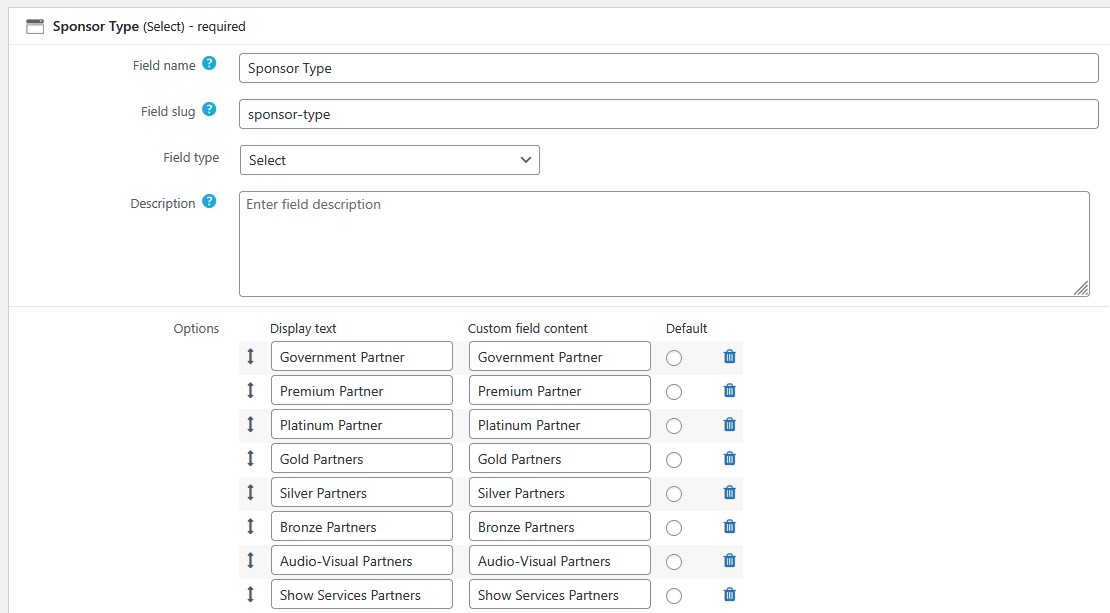
I am trying to display a slider of sponsor logos in a widget using a shortcode similar to what is described here: https://toolset.com/forums/topic/need-to-filter-with-several-value-of-the-same-custom-field/ in order to only display the results from two options selected by a custom field (Premium and Platinum).

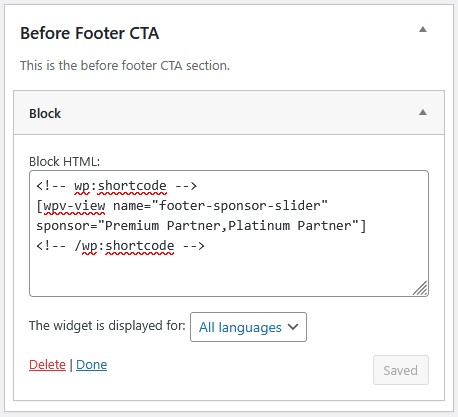
The shortcode is as follows: [wpv-view name="footer-sponsor-slider" sponsor="Premium Partner,Platinum Partner"]
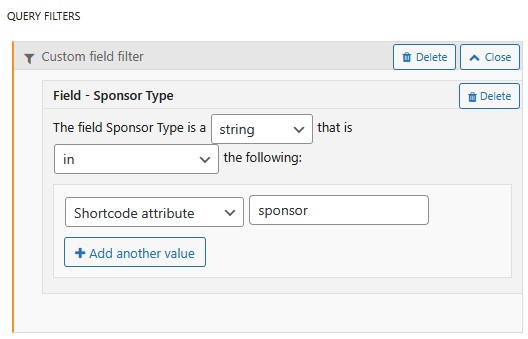
And the view is setup to filter based on the "sponsor" shortcode value.

When this runs, the first set of images are briefly shown, then the entire view disappears when the next slide is shown. Also, image sizes set in the view are not adhered to.

I am creating the view on this temporary page: versteckter Link
And results can be seen on any pages footer (except the homepage). Example to use: versteckter Link

Ideally, I would be able to simply select the desired two fields as filters on the view, then simply use the view widget to display this, but that is apparently not an option.

How do I get this to behave properly?

#2801540

Minesh
Unterstützer

Sprachen: Englisch (English )

Zeitzone: Asia/Kolkata (GMT+05:30)

Hello. Thank you for contacting the Toolset support.

Can you please share admin access details and tell me what is your expected result and where exactly you want to display and what.

Once I review the information you share I will be able to guide you in the right direction.

*** Please make a FULL BACKUP of your database and website.***
I would also eventually need to request temporary access (WP-Admin) to your site. Preferably to a test site where the problem has been replicated if possible in order to be of better help and check if some configurations might need to be changed.

I have set the next reply to private which means only you and I have access to it.

#2801710

Minesh
Unterstützer

Sprachen: Englisch (English )

Zeitzone: Asia/Kolkata (GMT+05:30)

Can you please check now: versteckter Link

The only workaround I've to offer is, I've added the view widget to "Before Footer CTA" widget area.
=> versteckter Link

And with the "Custom Code" section offered by Toolset, I've added code snippet "toolset-custom-code" and I've added the following filter hook:
=> versteckter Link

add_filter('wpv_filter_query', 'func_filter_sponsor_slider_posts', 99, 3);
function func_filter_sponsor_slider_posts($query_args, $setting, $view_id) {
  global $wpdb;
  if($view_id == 192) {
    
       $query_args['meta_query'][] = array(
                                  'key' => 'wpcf-sponsor-type',
                                  'value' => array("Premium Partner","Platinum Partner"),
                                  'type' => 'char',
                                  'compare' => 'IN'
                                );


  }
  return $query_args;
}

Can you please confirm it works as expected.

#2802020

Thank you Minesh, the filtering now appears to be working correctly.

I have one remaining question about the layouts. The view itself is configured to use the Grid layout, and the images on the view have a specific size applied to them. Both of these things are not applied to the view when placed in the widget area. Is there a way to have those changes applied?

The layout I can customize with CSS, but I want to ensure that the images are not the original, and are the smaller size to reduce load times.

Thanks!

#2802028

Minesh
Unterstützer

Sprachen: Englisch (English )

Zeitzone: Asia/Kolkata (GMT+05:30)

Can you please check now: versteckter Link

with your view, I've just added a container block and inside container block I've added the image field and its working as expected:
=> versteckter Link

#2802036

Thanks Minesh, I think that solves all of my issues. I appreciate the help!