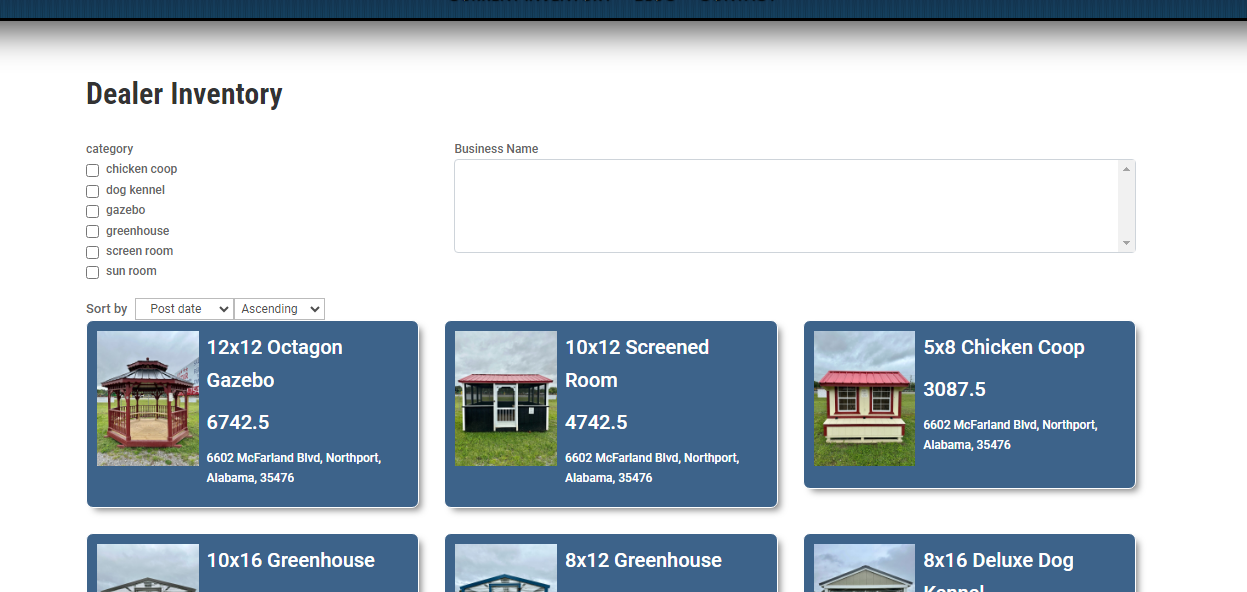
A) I have 2 CPTs, Dealers and Buildings. I set up a one to many relationship between them. I have imported the data and created a page with a Toolset View module. The view module is displaying all the buildings to start. I have 2 search filters I added in the View Search section. The first is based on the categories for the buildings and it works fine, however the second filter, which is set to display the related dealers, does not show any dealers on the published page. It does, however show dealers in the editor.
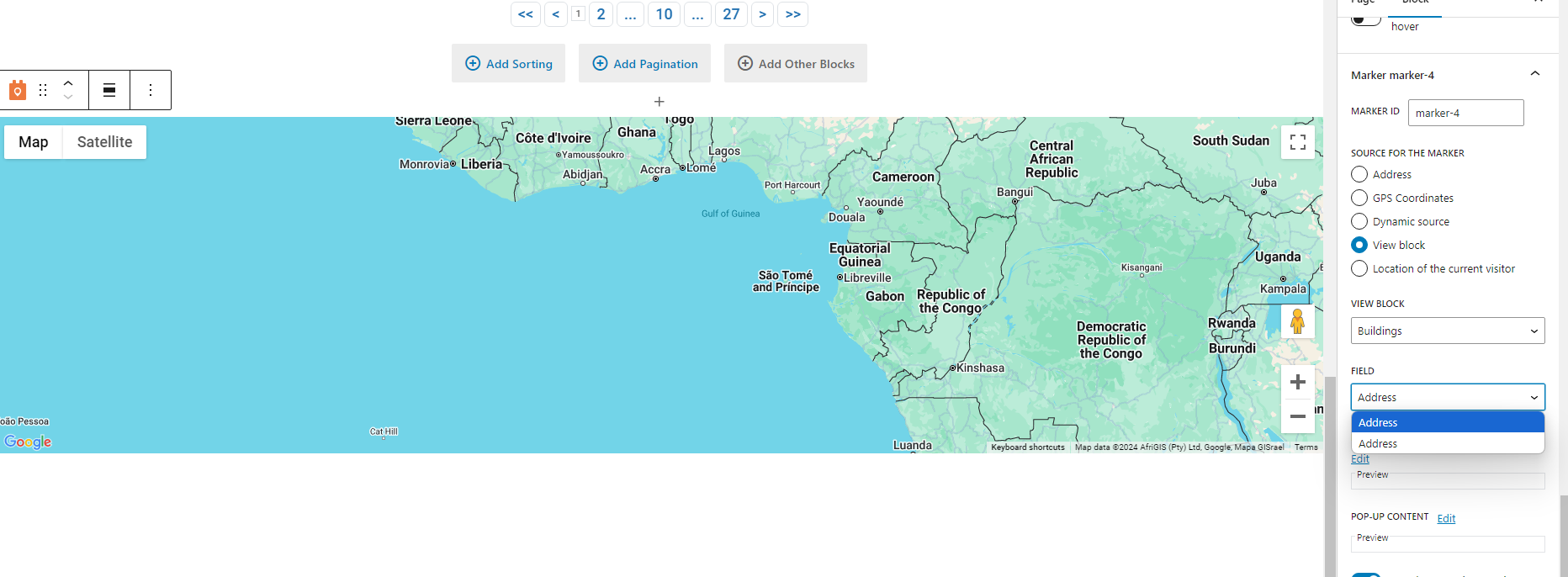
B) I have another problem with the Map module I added below the View module (not inside it). The map will not display the markers for the buildings, which I have set to get the address from the related Dealers CPT. What even more strange is there are two Address fields available to select in the field dropdown for the view block in the marker settings. I checked my Google Maps API key in the Toolset settings and it is working.
C) After I get this working I'm wanting to add a filter to show only the results within a 50 mile radius of an address entered by the customer (with autofill while searching). I think this is probably pretty straight forward.
D) I need all the filters to be automatically engaged via url parameters so I can use this as a landing page for ads targeting specific categories and target locations. Is this possible?
EDIT: I did try versteckter Link and it does filter by the category, so I think any of the filters are available via URL, right? Is there any documentation on this?
E) No matter what I do I can't get the sort field to change on the live page to the selected field I have in my settings. I want to sort by price but that field is not even available to select for the default order settings or the sorting options. It seems to want to use only the Dealer related fields, not the building fields.
Is there any documentation that you are following?
I did watch/read some of your tutorials/courses/forum, but I don't have the links right now.
Is there a similar example that we can see?
I haven't found one yet.
Hello. Thank you for contacting the Toolset support.
As per our support policy, we entertain only one question per ticket. This will help other users searching on the forum as well as help us to write correct problem resolution summery.
With this ticket we will try to address the first issue you mentioned and for other issues, we will create new ticket once we address this issue.
A) I have 2 CPTs, Dealers and Buildings. I set up a one to many relationship between them. I have imported the data and created a page with a Toolset View module. The view module is displaying all the buildings to start. I have 2 search filters I added in the View Search section. The first is based on the categories for the buildings and it works fine, however the second filter, which is set to display the related dealers, does not show any dealers on the published page. It does, however show dealers in the editor.
====>
Can you please share details where you added the view and what post-relationship filter you added and whats not working exactly. Maybe few screenshots would be helpful.
*** Please make a FULL BACKUP of your database and website.***
I would also eventually need to request temporary access (WP-Admin and FTP) to your site. Preferably to a test site where the problem has been replicated if possible in order to be of better help and check if some configurations might need to be changed.
I have set the next reply to private which means only you and I have access to it.
First of all, when I checked the plugins page:
-versteckter Link
I see you are using outdated Toolset plugin version. We always recommend running your site with the latest stable release plugin version.
*** Please make a FULL BACKUP of your database and website.***
Could you please update ALL Toolset plugins to it's latest officially released version. You can download the latest plugin release from your accounts page:
=> https://toolset.com/account/downloads/
Once you update the Toolset plugins, please let me know and I will start to review the issue further.
That's great. I didn't understand how the shortcodes worked inside the View Loop and interacted with the Map module outside it. This example really helps.
My next issue is the view is not displaying any results when entering an address in the distance filter. Can you look at my settings and tell me if I'm doing something wrong?
Neue Threads, die von Minesh erstellt wurden und mit diesem verbunden sind, sind unten aufgeführt:
As per our support policy, we entertain only one question per ticket. This will help other users searching on the forum as well as help us to write correct problem resolution summery for the original issue reported.