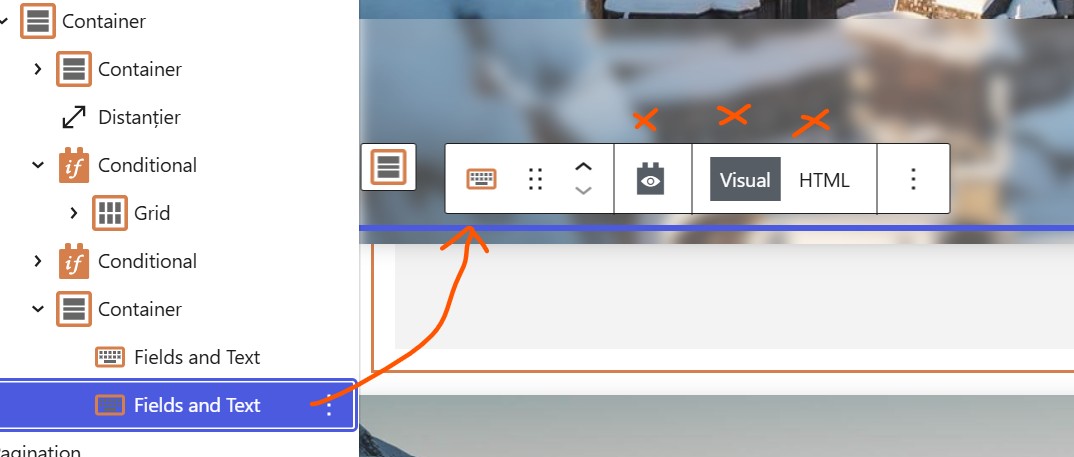
I am trying to: edit the contents of Fields & Text block
Link to a page where the issue can be seen: the problem is only visible in the backend
I expected to see: the editor of the Fields and Text should load normally
Instead, I got: the contents & editor of the Fields and Text block is not visible
In the screenshot you can see a Fields and text bloc is selected, but the neither the contents or the editor are visible.
Hi,
Welcome to Toolset support. Would you please follow the steps below?
- IMPORTANT STEP! Create a backup of your website. Or better approach will be to test this on a copy/staging version of the website to avoid any disruption of a live website.
- Go to "WordPress Dashboard > Plugins > Add new > Commercial (tab)".
- Click the "Check for Updates" button.
- Update Toolset and its addons there.
After that, test if there is a possible plugin conflict:
- IMPORTANT STEP! Create a backup of your website. Or better approach will be to test this on a copy/staging version of the website to avoid any disruption of a live website.
- Go to "WordPress Dashboard > Plugins" and deactivate all plugins except:
. Toolset Types
. Toolset Blocks
- Check if you can still recreate the issue.
- If not, re-activate your plugins one by one and check the issue each time to find out the plugin that causes the problem.
hi, disabling the plugins did NOT fix the issue
what else can we do?
Hi,
Would you please update Toolset plugins to the latest version?
- IMPORTANT STEP! Create a backup of your website. Or better approach will be to test this on a copy/staging version of the website to avoid any disruption of a live website.
- Go to https://toolset.com/account/downloads/
- Click the "Download Toolset manually" link to show the rest of the plugins on the page.
- Download the latest version of Toolset and its add-ons.
- Install them manually on your website.
If the issue persists, please check the same scenario here, which is a clean installation of WordPress and Toolset:
versteckter Link
Thanks.
hi, thanks, I will update all Toolset plugins and get back with a reply