I am trying to: edit the contents of Fields & Text block
Link to a page where the issue can be seen: the problem is only visible in the backend
I expected to see: the editor of the Fields and Text should load normally
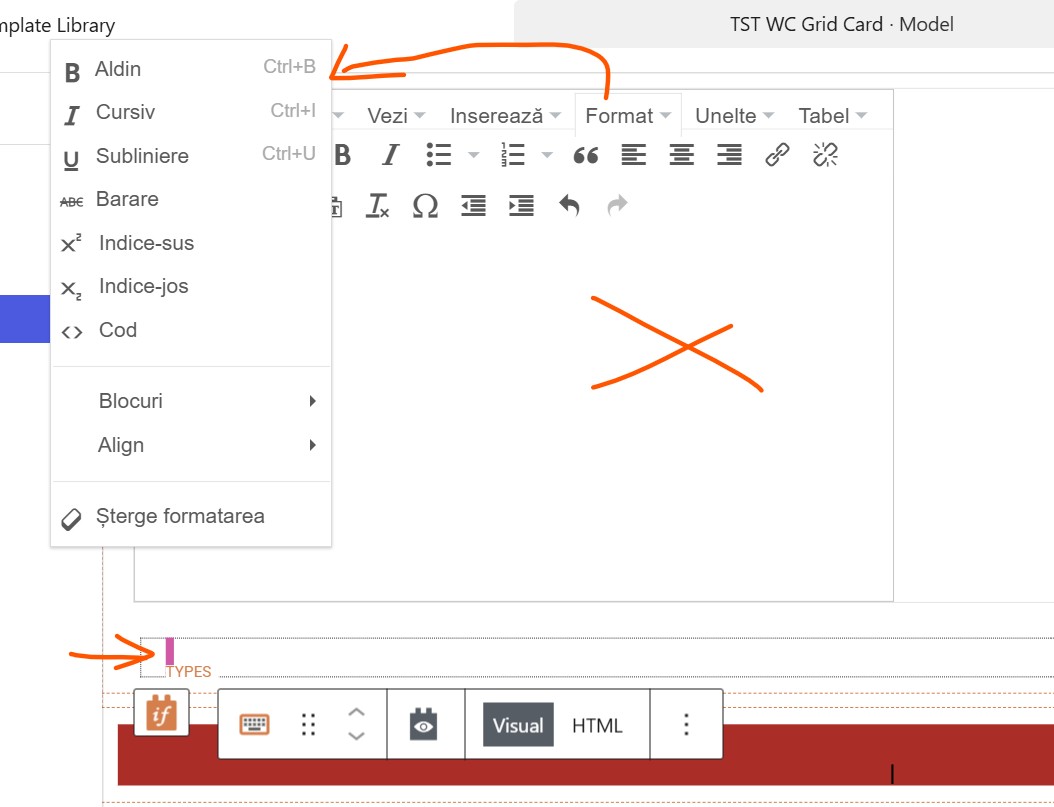
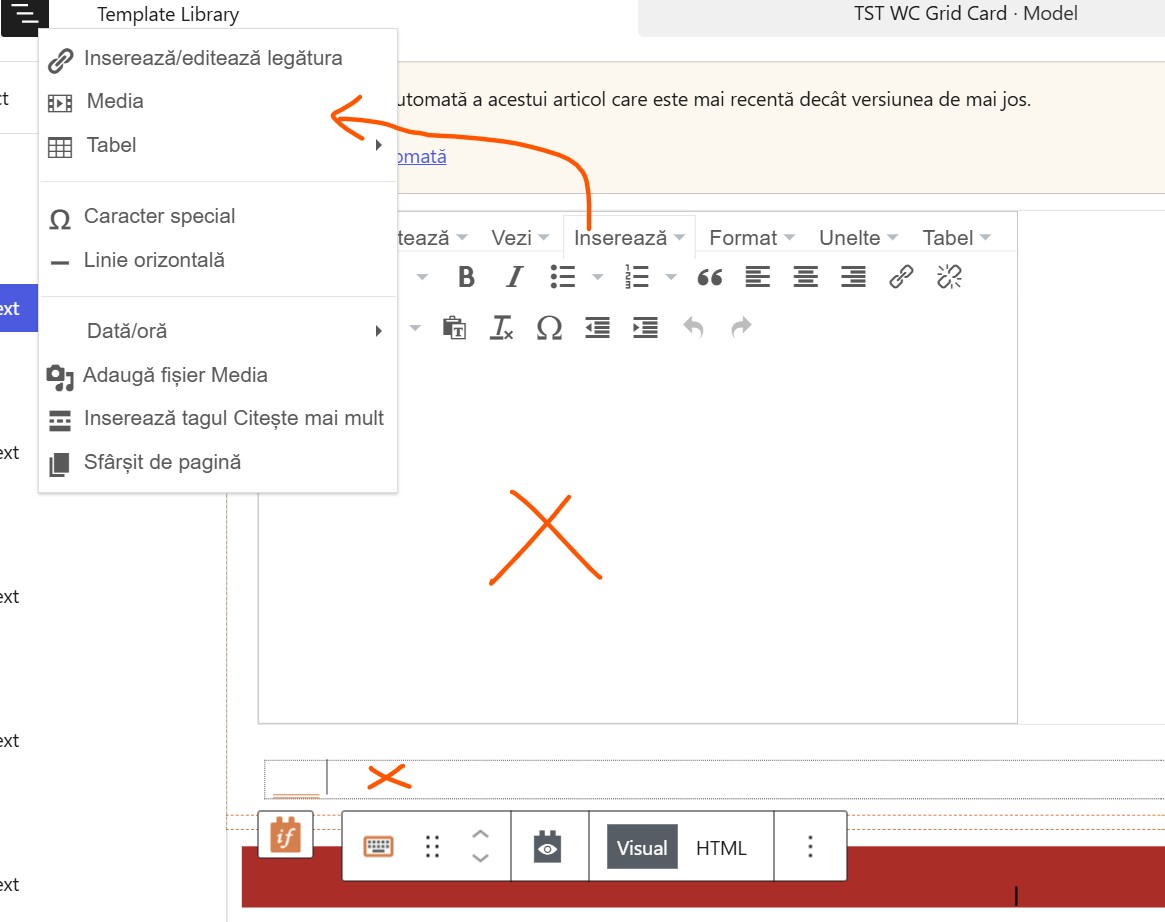
Instead, I got: the contents & editor of the Fields and Text block is not intially visible, only after opening and dismissing the "fields and views" pop-up the editor loads incorrectly
- menus items are in the wrong place
- the content editor is empty
- a smaller content box appears below he maine one
- viewing the content as HTML does display the code
In the screenshot you can see a Fields and text block is selected, and how it appears AFTER opening and dismissing the "fields and views" pop-up
all plugins upaded to their latest version
all other plugins disabled but behavior does not change
Hello. Thank you for contacting the Toolset support.
I've good news for you that we just publish hotfix release for Toolset Blocks/Views and Maps plugin that should have possibally contains the fix for your issue.
You can download the latest Toolset plugins from your account's Downloads page and update ALL Toolset plugins to it's latest official release version.
That is really strange. Did you try to delete the cache?
If your issue still persists - Can you please share problem URL and admin access details.
*** Please make a FULL BACKUP of your database and website.***
I would also eventually need to request temporary access (WP-Admin and FTP) to your site. Preferably to a test site where the problem has been replicated if possible in order to be of better help and check if some configurations might need to be changed.
I have set the next reply to private which means only you and I have access to it.
Das Thema „[Geschlossen] Fields & Text block is unusable in the back end #2“ ist für neue Antworten geschlossen.