Hi there,
I have a CPT called stores. I've created custom fields for this CPT and one of them is the address of the store.
On the contact page I'd like to create a view that displays the store details on the right and a map on the left that only shows the store location with a marker. Something like this versteckter Link
I've tried but I'm not sure which block to use for the map, as if I add the Toolset Map block it displays this message "Map block cannot be inside the View block. If you want map markers to come from a View, place the Map block outside the View and in the Marker section, select View block for the Source for the marker option."
Could you help please?
thank you
Hi Simone,
Thank you for getting in touch.
If you're trying to achieve the same setup as the page you've sent then it won't be possible with the map block.
What you're going to have to do is to use the shortcode for the map instead.
Assuming here each map will be tied to the post being listed then you will do it like this.
[wpv-map-render map_id="map-[wpv-post-id]" map_width="400px" map_height="200px"]
The above is the shortcode for the map, which can be added into your view using the Classic editor block or the Fields and Text block.
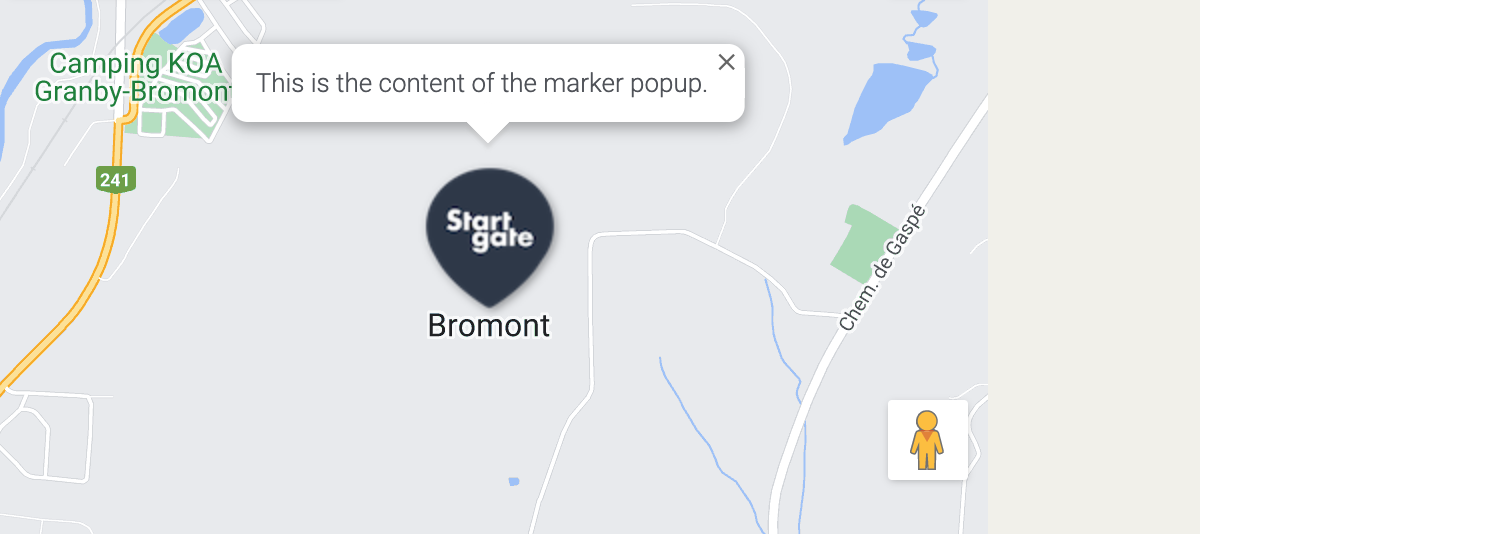
[wpv-map-marker map_id="map-[wpv-post-id]" marker_id="my-marker" marker_title="This is a marker" marker_field="wpcf-my-marker"]This is the content of the marker popup.[/wpv-map-marker]
The above is the marker information and should be added to the view block as well, ideally below where you've added the map shortcode. Finally just change "wpcf-my-marker" to the slug of the custom field that holds the address keeping the wpcf- prefix.
Thanks,
Shane
Hi Shane,
thank you for your help! It worked just fine 🙂
Is there a way I can use a custom marker for the map?
thanks again
Hi Simone,
You can use the marker_icon attribute to use a custom marker.
With the marker_icon attribute you will add the URL to the custom marker that you want to use.
marker_icon = "urlformarker"
Please let me know if this helps.
Thanks,
Shane
Great, thank you.
Also, here
[wpv-map-marker map_id="map-[wpv-post-id]" marker_id="my-marker" marker_title="This is a marker" marker_field="wpcf-my-marker"]This is the content of the marker popup.[/wpv-map-marker]
1. Is it possible to have a marker title that's dynamic coming from one field? I tried marker_title="wpcf-name-of-field" but no success
2. Any way I can style the marker title to make it larger and change font?
thanks
Hi Simone
Is it possible to have a marker title that's dynamic coming from one field? I tried marker_title="wpcf-name-of-field" but no success
Perhaps you can try adding the shortcode itself for the custom field rather than using the field name. Like this marker_title="[types field='name-of-field'][/types]"
<Em>2. Any way I can style the marker title to make it larger and change font?
You will need to do this by inspecting the page element and then finding the css class and then using css to style the title.
Thanks,
Shane
Hi Shane,
1. "Perhaps you can try adding the shortcode itself for the custom field rather than using the field name. Like this marker_title="[types field='name-of-field'][/types]""
this worked, thank you!
2. "Any way I can style the marker title to make it larger and change font?
You will need to do this by inspecting the page element and then finding the css class and then using css to style the title."
I tried and also googled it but I wasn't able to find any css selector for this label...any ideas?
Thank you
Hi Simone,
Perhaps you can send me a link to the page you're working on so that I can have a look .
Thanks,
Shane
Sure,
this is the page versteckter Link
I've followed this forum post https://toolset.com/forums/topic/map-use-on-mobile/ and added a second map for mobiles (FYI: I've duplicated the block it's inserted in and changed its visibility).
Please access backend here if needed: versteckter Link
thanks a lot
Hi Simone,
I'm not seeing the marker title being displayed on the map. When I clicked on the map no title appears, just the content area. See Screenshot
Thanks,
Shane
Shane, by reading your answer I realised that I was looking at the on hover label, while there's actually an on-click label. The latest one I was able to find the css selector for. I think I'm fine with this so thank you for your help.
BTW I added the title