Navigation überspringen

[Gelöst] Display heading based on archive page URL in Archive page after search

This support ticket is created vor 4 years, 10 months. There's a good chance that you are reading advice that it now obsolete.

This is the technical support forum for Toolset - a suite of plugins for developing WordPress sites without writing PHP.

Everyone can read this forum, but only Toolset clients can post in it. Toolset support works 6 days per week, 19 hours per day.

Dieses Thema enthält 2 Antworten, hat 2 Stimmen.

Zuletzt aktualisiert von pramodk-2 vor 4 years, 10 months.

Author
Artikel
#2128433
Archive URL page - Two.png
Archive URL page - One.png

Hi Team,

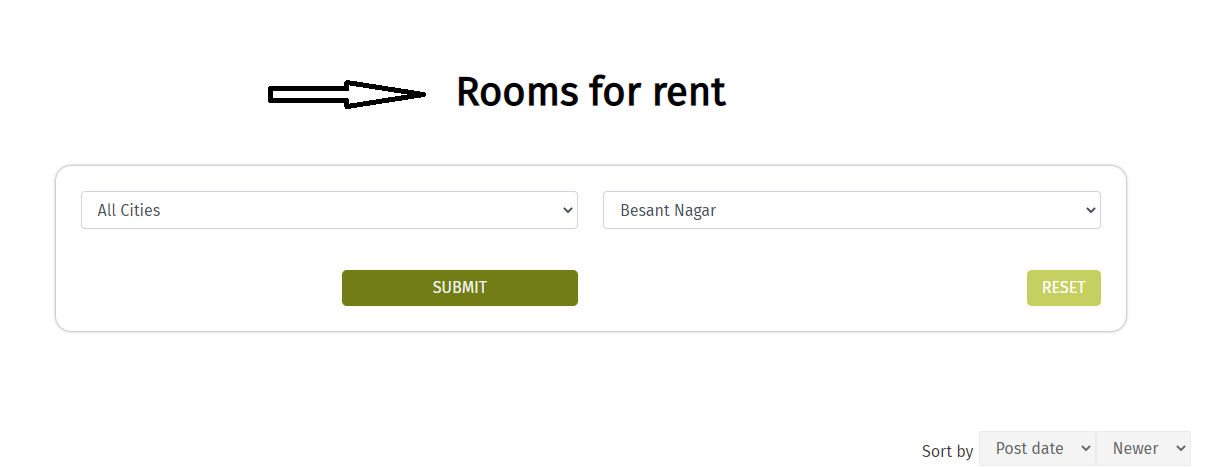
Created an archive page which contains search filter (Uploaded Image : Archive URL page - One).

Page link : versteckter Link

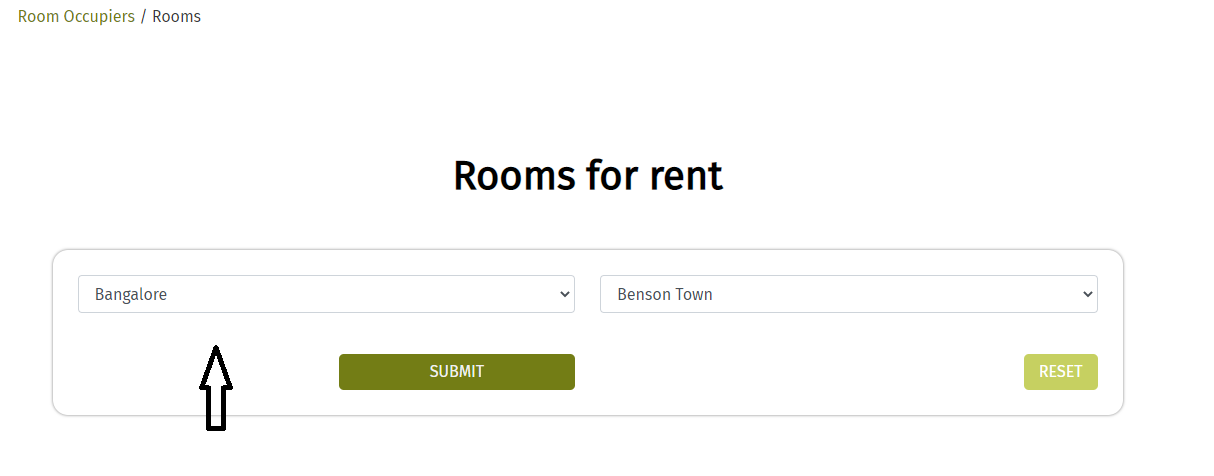
Heading (H1) of an archive page should be changed based on the URL parameter. As you know, the URL parameter changes based on the search filter selection (Uploaded Image : Archive URL page - Two)

1. Display 'Room for rent in Bangalore' as archive page heading when the the URL parameter contains 'bangalore'.
2. Display 'Room for rent in Chennai' as archive page heading when the the URL parameter contains 'chennai'.
3. Display 'Room for rent in Hyderabad' as archive page heading when the the URL parameter contains 'hyderabad'.
4. Display 'Room for rent' as archive page heading when the URL parameter does not contain 'bangalore' or 'chennai' or 'hyderabad'.

Example URL parameter : versteckter Link

Read all the courses related to conditional block but do not get to the point.

Please suggest.

Thanks,
Pramod.

#2128633

Nigel
Unterstützer

Sprachen: Englisch (English ) Spanisch (Español )

Zeitzone: Europe/London (GMT+01:00)

Screenshot 2021-07-29 at 09.44.23.png
Screenshot 2021-07-29 at 09.44.52.png

You can check a URL parameter using the wpv-search-term shortcode (https://toolset.com/documentation/programmer-reference/views/views-shortcodes/#wpv-search-term), where you specify the URL parameter to listen for using the param attribute.

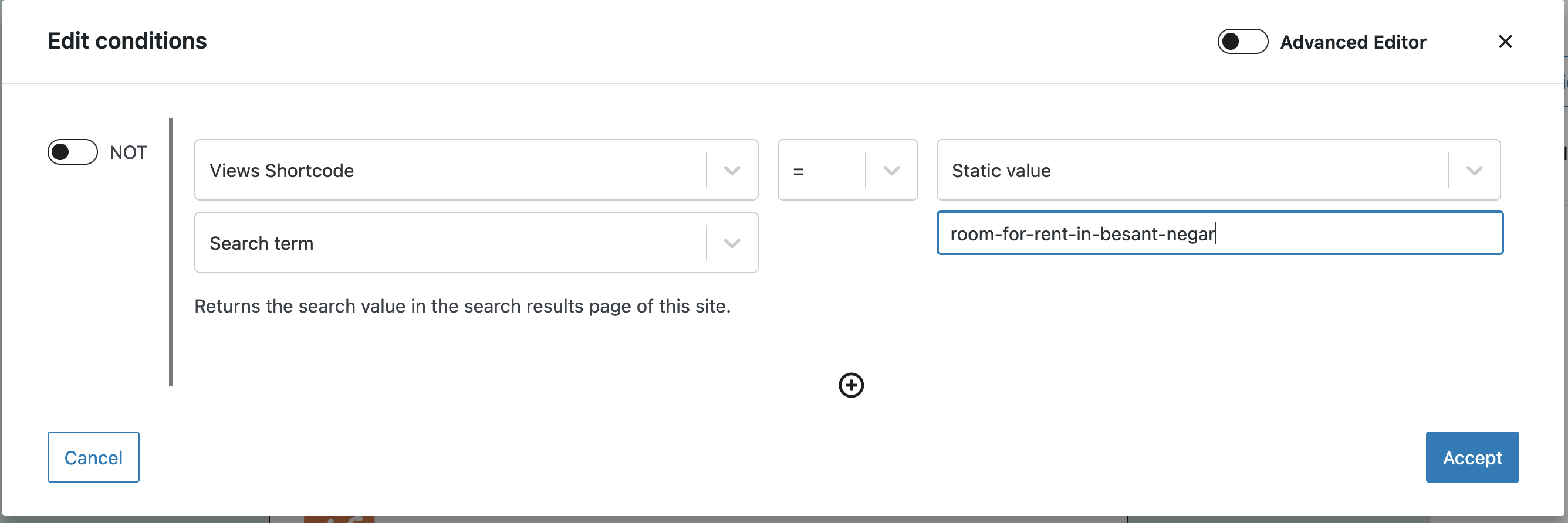
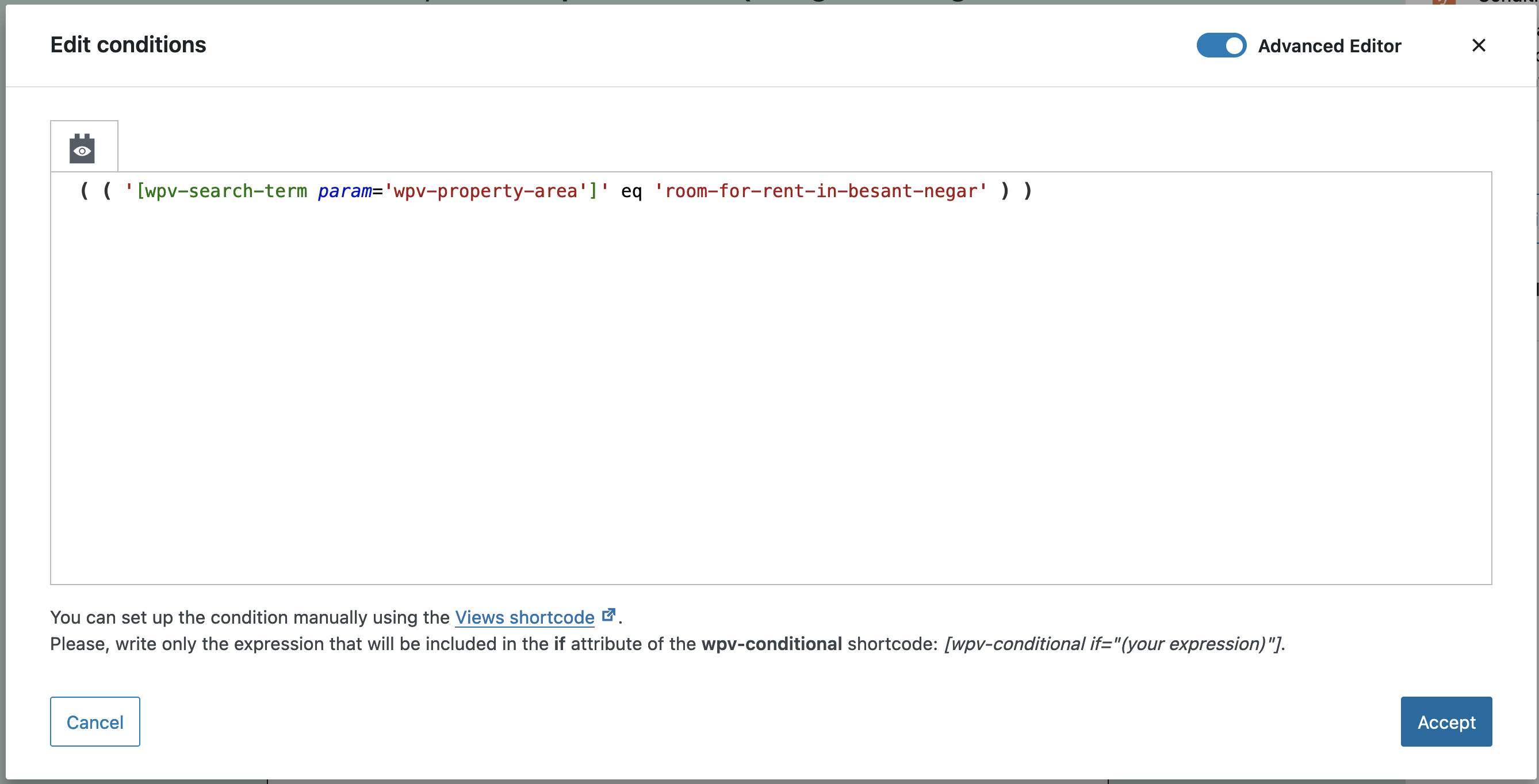
If you are using the Conditional Block then you'll need to set up the condition without the param attribute, and then switch to the advanced editor to manually insert the param attribute.

It should be clear from these two screenshots what is involved.

#2128737

My issue is resolved now. Thank you!