Navigation überspringen

[Gelöst] CPT from WP Store Locator not showing as Content Selection option in View

This support ticket is created vor 2 years. There's a good chance that you are reading advice that it now obsolete.

This is the technical support forum for Toolset - a suite of plugins for developing WordPress sites without writing PHP.

Everyone can read this forum, but only Toolset clients can post in it. Toolset support works 6 days per week, 19 hours per day.

Sun Mon Tue Wed Thu Fri Sat
- 10:00 – 13:00 10:00 – 13:00 10:00 – 13:00 10:00 – 13:00 10:00 – 13:00 -
- 14:00 – 18:00 14:00 – 18:00 14:00 – 18:00 14:00 – 18:00 14:00 – 18:00 -

Zeitzone des Unterstützers: Asia/Kolkata (GMT+05:30)

Dieses Thema enthält 2 Antworten, hat 3 Stimmen.

Zuletzt aktualisiert von Minesh vor 2 years.

Assistiert von: Minesh.

Author
Artikel
#2702271
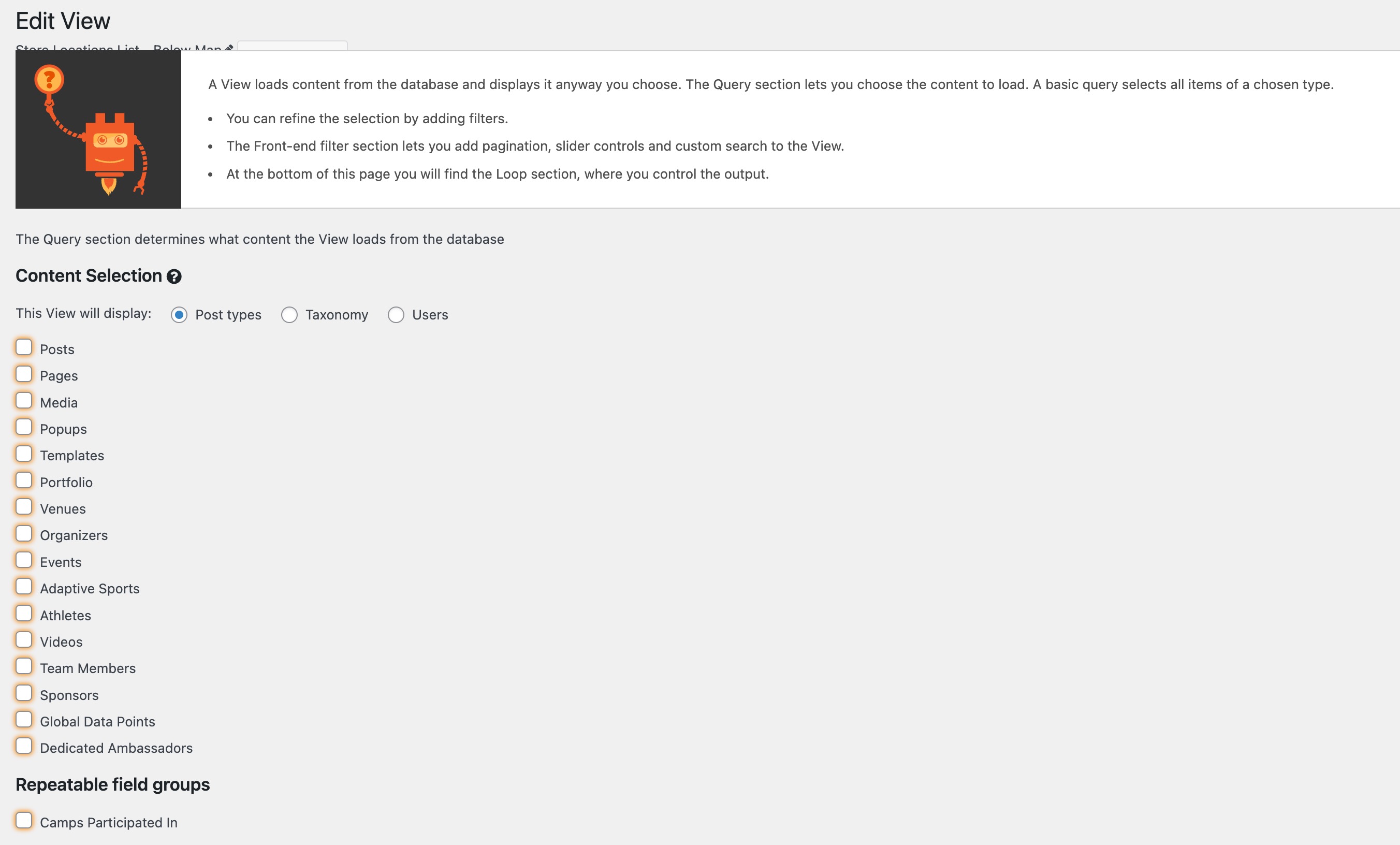
Screenshot 2024-06-12 at 10.49.57 AM.jpg

Tell us what you are trying to do?
I'd like to create a View for the CPT 'wpsl_stores' (this is from the plugin WP Store Locator (versteckter Link) but it is not showing as an option. I would expect there to be a "Stores" option in this list. Should I contact WP Store Locator support or is this something you can help with?

Is there any documentation that you are following?
No

Is there a similar example that we can see?
Not that I could find

What is the link to your site?
versteckter Link

#2702341

Christopher Amirian
Unterstützer

Sprachen: Englisch (English )

Hi there,

If the post type is created with the hidden option by default, Toolset can not detect those for the views.

Usually, plugins create custom post types with hidden options to avoid accessing them by the users as they need those post types for their internal use.

Thanks.

#2702342

Minesh
Unterstützer

Sprachen: Englisch (English )

Zeitzone: Asia/Kolkata (GMT+05:30)

Hello. Thank you for contacting the Toolset support.

Can you please navigate to:
- Store Locator => Settings => Permalink section and enable the checkbox setting "Enable permalink? " and click on button "Save Changes"

Then navigate to your view page and refresh the page and you should be able to see the post type "Store Locator".