Tell us what you are trying to do?
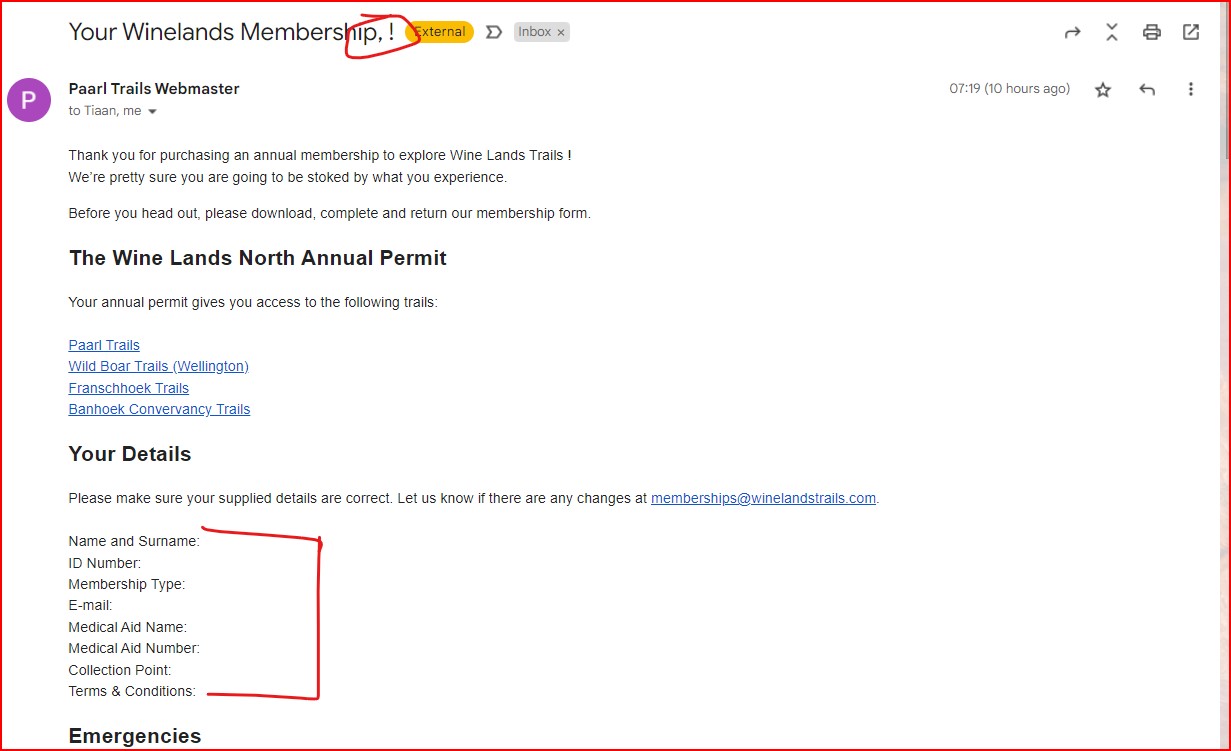
Send an automatic notification that includes some fields from the Annual Permit custom post type when a Post Form is submitted. When submitting the form myself all details are included (as a new users or logged in user). When (some/many) other users submit the form, the fields in the email return now values.
Is there any documentation that you are following?
Consulted available documents.
Is there a similar example that we can see?
What is the link to your site?
versteckter Link

Nigel
Unterstützer
Sprachen:
Englisch (English )
Spanisch (Español )
Zeitzone:
Europe/London (GMT+00:00)
The notifications are sent and received, but the field values are empty?
This is a form to publish an Annual Permit post, which as part of a Forms Commerce workflow that goes via WC to charge users to "publish" that Annual Permit post, would that be right?
What is the trigger for sending the notification?
Any custom code involved in the workflow?
Do the Annual Permit posts published by the form contain the expected data, and it is only missing from the notification email?
Is this a new problem?
The notifications are sent and received, but the field values are empty? Correct.
This is a form to publish an Annual Permit post, which as part of a Forms Commerce workflow that goes via WC to charge users to "publish" that Annual Permit post, would that be right? Yes, that is correct.
What is the trigger for sending the notification? When post status changes to processing (which is the action the form is set to complete when form is submitted).
Any custom code involved in the workflow? No.
Do the Annual Permit posts published by the form contain the expected data, and it is only missing from the notification email? Yes it does. It is only the notification email that does not contain the data.
Is this a new problem? Been struggling with this for a while, but have not been able to isolate the issue.

Minesh
Unterstützer
Sprachen:
Englisch (English )
Zeitzone:
Asia/Kolkata (GMT+05:30)
As I understand that the field display empty values with email notification when you submit the form - correct? if yes: Can you please share the fields you added to email notification. (just copy/paste what content you added to your email notification.)
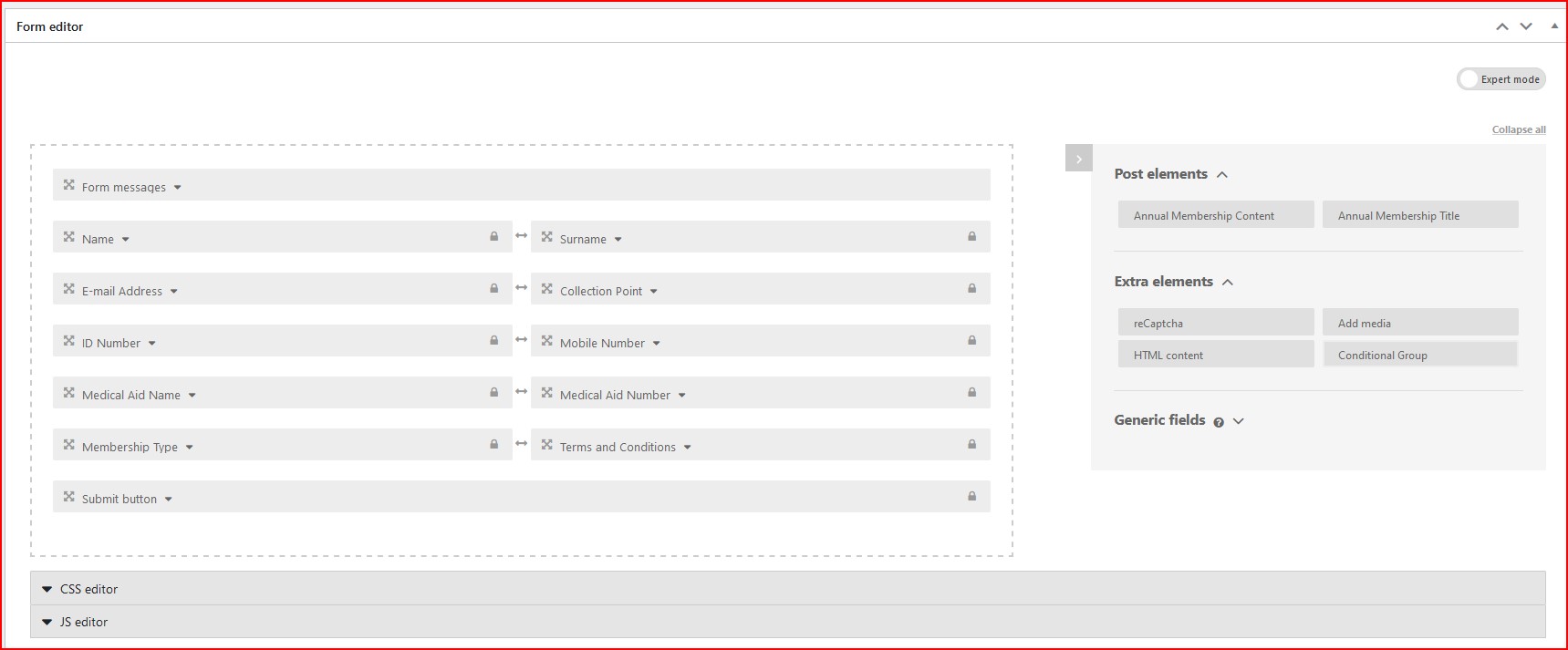
In addition to that - please share screeshot of your edit form page and email notification settings.
Please see below, Minesh:
Name and Surname: [types field='md-name'][/types] [types field='md-surname'][/types]
ID Number: [types field='md-id-number' format='FIELD_VALUE'][/types]
Membership Type: [types field='membership-type'][/types]
E-mail: [types field='md-e-mail-address'][/types]
Medical Aid Name: [types field='md-medical-aid-name'][/types]
Medical Aid Number: [types field='md-medical-aid-number' format='FIELD_VALUE'][/types]
Collection Point: [types field='collection-point'][/types]
Terms & Conditions: [types field='terms-and-conditions'][/types]
Let me know if there is anything else?
Could you please try to add the item='%%POST_ID%%' attribute to all your fields and check.
For example:
Name and Surname: [types field='md-name' item='%%POST_ID%%'][/types] [types field='md-surname' item='%%POST_ID%%'][/types]
ID Number: [types field='md-id-number' format='FIELD_VALUE' item='%%POST_ID%%'][/types]
Membership Type: [types field='membership-type' item='%%POST_ID%%'][/types]
E-mail: [types field='md-e-mail-address' item='%%POST_ID%%'][/types]
Medical Aid Name: [types field='md-medical-aid-name' item='%%POST_ID%%'][/types]
Medical Aid Number: [types field='md-medical-aid-number' format='FIELD_VALUE' item='%%POST_ID%%'][/types]
Collection Point: [types field='collection-point' item='%%POST_ID%%'][/types]
Terms & Conditions: [types field='terms-and-conditions' item='%%POST_ID%%'][/types]
Does that helps?