Navigation überspringen

[Gelöst] Content template cannot show fields from other toolset

This support ticket is created vor 4 years, 4 months. There's a good chance that you are reading advice that it now obsolete.

This is the technical support forum for Toolset - a suite of plugins for developing WordPress sites without writing PHP.

Everyone can read this forum, but only Toolset clients can post in it. Toolset support works 6 days per week, 19 hours per day.

Sun Mon Tue Wed Thu Fri Sat
- 10:00 – 13:00 10:00 – 13:00 10:00 – 13:00 10:00 – 13:00 10:00 – 13:00 -
- 14:00 – 18:00 14:00 – 18:00 14:00 – 18:00 14:00 – 18:00 14:00 – 18:00 -

Zeitzone des Unterstützers: Asia/Kolkata (GMT+05:30)

Dieses Thema enthält 8 Antworten, hat 3 Stimmen.

Zuletzt aktualisiert von roulartaM vor 4 years, 4 months.

Assistiert von: Minesh.

Author
Artikel
#2276097

I have 3 toolsets:
- speakers
- companies
- presentations

I want to use 'content template' for presentation and show the following:
- presentation
- speaker name
- company name

Presentation title is shown.
My code does not show the speaker name or company name.

The relationships are set many 2 many.
Can someone help me please? I am using this code:

company name:
[types field='company-name' item='@company.parent'][/types]

image:
<img src="[types field='photo-speaker' size='full' item='@speaker-company.parent' url='true'][/types]" alt="" />

title:
[types field='title-presentation'][/types]

The result is blank: versteckter Link
I can give Wordpres login to check.

#2276179

Nigel
Unterstützer

Sprachen: Englisch (English ) Spanisch (Español )

Zeitzone: Europe/London (GMT+01:00)

If these are many-to-many relationships, then a presentation could have multiple speakers connected and multiple companies connected.

You cannot output multiple (or what could be multiple) connected fields using a normal shortcode. (The item attribute only works when there can only be one field being referred to, e.g. where the source post is the one part of a one-to-many relationship.)

You need to create a View to output a field where there could be multiple sources (even if there is only actually one).

So one View to output the speakers connected to the current presentation, and another View to output the companies connected to the current presentation. (The Views will have query filters to specify that only related posts should be shown.)

#2277297
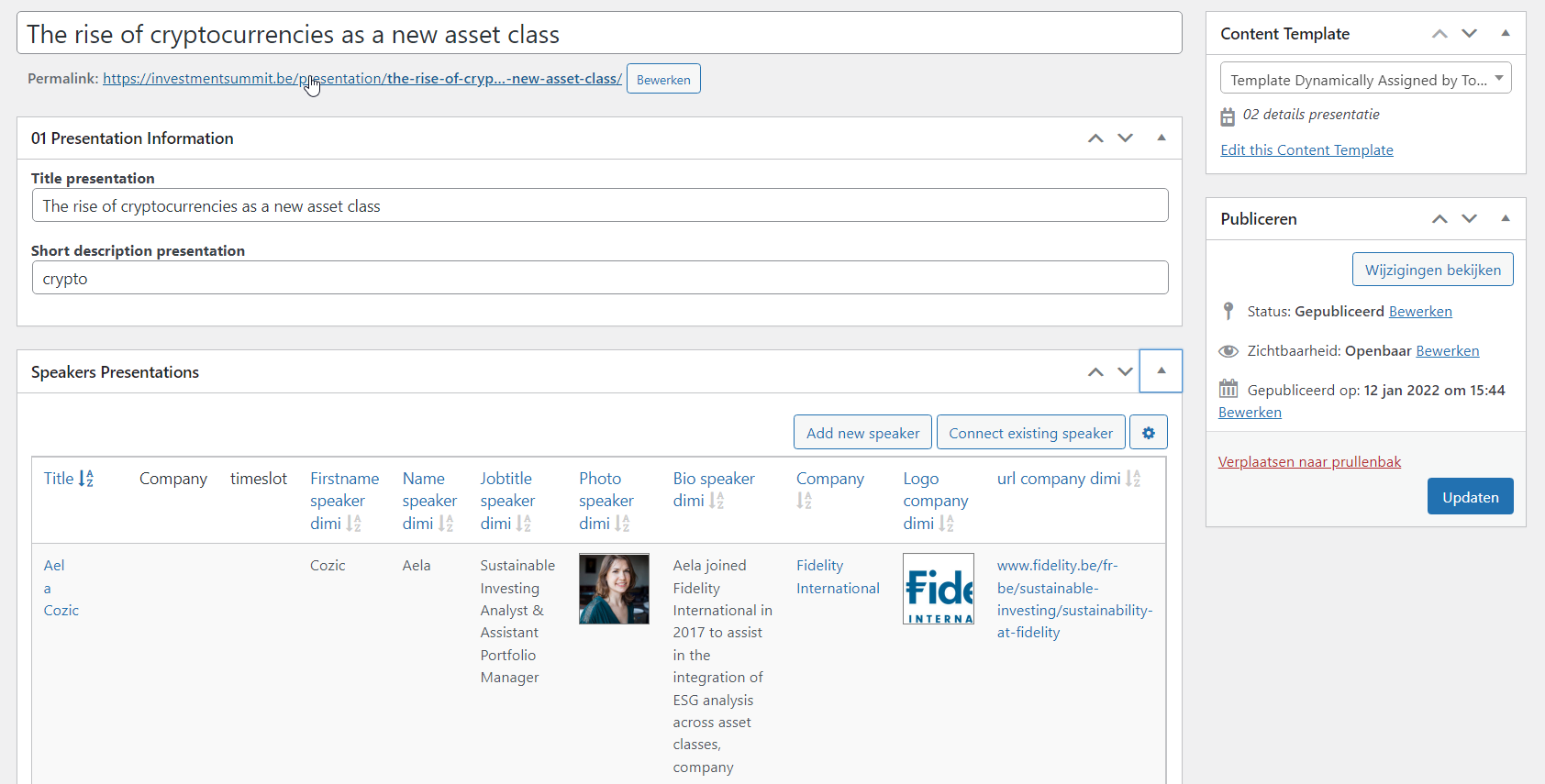
crypto2.png
crypto.png

As you can see, the view is empty:
versteckter Link
versteckter Link

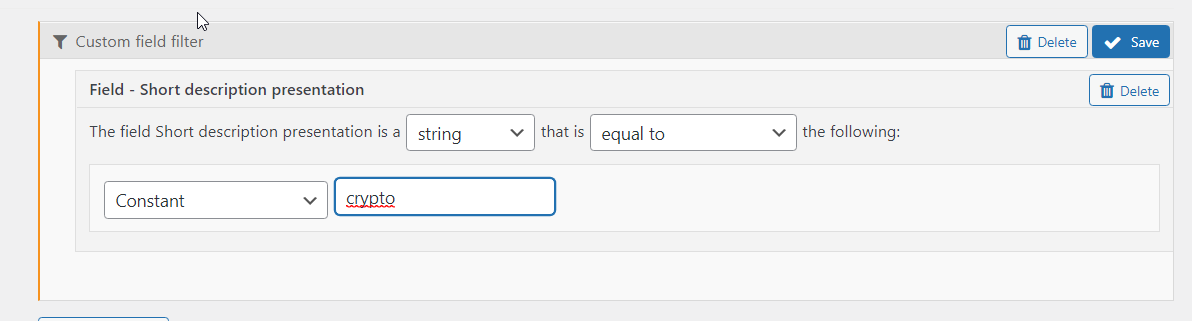
I attached a screenshot of my filter, I really don"t know why this is empty 🙁

#2277437

Minesh
Unterstützer

Sprachen: Englisch (English )

Zeitzone: Asia/Kolkata (GMT+05:30)

Can you please share admin access details so I can check whats going wrong with your setup.

*** Please make a FULL BACKUP of your database and website.***
I would also eventually need to request temporary access (WP-Admin and FTP) to your site. Preferably to a test site where the problem has been replicated if possible in order to be of better help and check if some configurations might need to be changed.

I have set the next reply to private which means only you and I have access to it.

#2277461

Minesh
Unterstützer

Sprachen: Englisch (English )

Zeitzone: Asia/Kolkata (GMT+05:30)

I see two many -2-many post relationship:
- Speakers [*] <<>> Presentations [*]
- Presentations [*] << Presentations Speakers >> Speakers [*]

I think we need to delete one, right? It seems may be while testing you created this.

#2278317

I deleted the second.
The page is still blank:

versteckter Link
versteckter Link

#2278403

Minesh
Unterstützer

Sprachen: Englisch (English )

Zeitzone: Asia/Kolkata (GMT+05:30)

So, I've set the following view to query the Presentation post type with query filter:

Custom field filter:
Select items with field:
Short description presentation is a string equal to crypto

=> versteckter Link

And then created the following view "display-related-speaker-info" that will used to query the post type "speakers" with query filer:

 Filter by post relationship or repeatable fields group owner
Select posts in a Speakers Presentations relationship that are a related to the current post in the loop.

=> versteckter Link

And then I've added the view "display-related-speaker-info" to the parent view "All Speakers from Crypto Presentation" loop editor's content template:
=> versteckter Link

[wpv-view name="display-related-speaker-info"]

Can you please confirm it displays the correct result:
- versteckter Link

#2280001

We also want this.

We created this view: versteckter Link
This works, as you can see on this page: versteckter Link

This shows a SPECIFIC presentation.
But how can we show the company name in another separate view, that is ASSIGNED to this presentation?

There can be multiple companies assigned. Please help 🙁

#2280465

My issue is resolved now. Thank you!