Tell us what you are trying to do?
Edit my product tmplate used at e.g. versteckter Link
What is the link to your site?
ochsonline.org
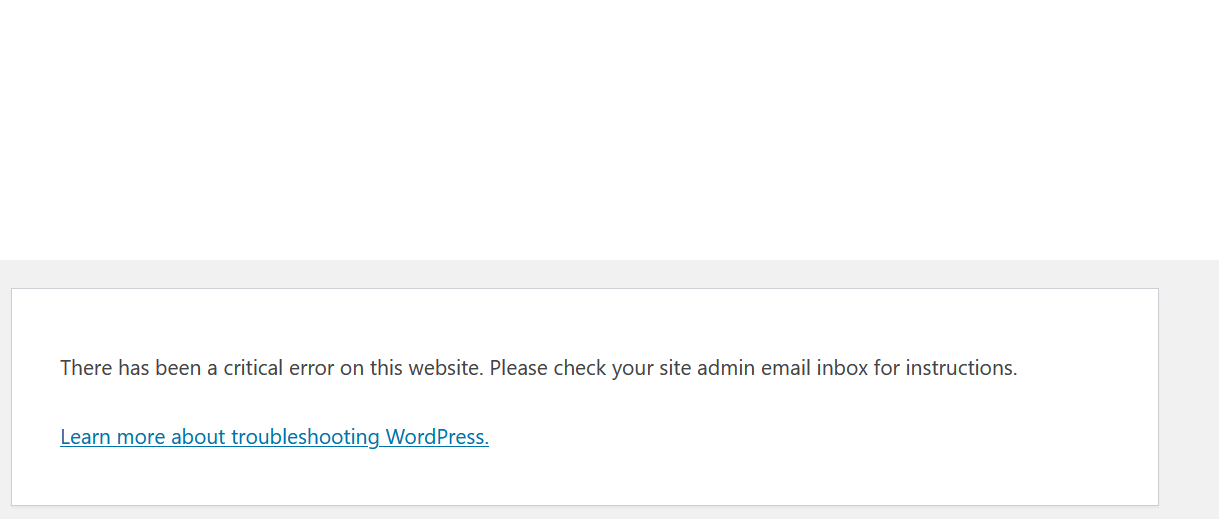
Wenh I go to edit the template I get a critical error: There has been a critical error on this website. Please check your site admin email inbox for instructions.
Here is the error info I get. Other templates seem ok.
Error Details
=============
An error of type E_ERROR was caused in line 67 of the file /nas/content/live/ochsonlineprod/wp-content/plugins/toolset-blocks/vendor/toolset/dynamic-sources/server/Sources/PostContent.php. Error message: Uncaught Error: Attempt to assign property "dynamic_sources_content_processed" on null in /nas/content/live/ochsonlineprod/wp-content/plugins/toolset-blocks/vendor/toolset/dynamic-sources/server/Sources/PostContent.php:67
Stack trace:
#0 /nas/content/live/ochsonlineprod/wp-content/plugins/toolset-blocks/vendor/toolset/dynamic-sources/server/DynamicSources.php(514): Toolset\DynamicSources\Sources\PostContent->get_content(NULL, NULL)
#1 /nas/content/live/ochsonlineprod/wp-includes/class-wp-hook.php(308): Toolset\DynamicSources\DynamicSources->get_source_content('', '__current_post', 26893, Object(Toolset\DynamicSources\Sources\PostContent))
#2 /nas/content/live/ochsonlineprod/wp-includes/plugin.php(205): WP_Hook->apply_filters('', Array)
#3 /nas/content/live/ochsonlineprod/wp-content/plugins/toolset-blocks/vendor/toolset/dynamic-sources/server/Cache.php(92): apply_filters('toolset/dynamic...', '', '__current_post', '26893', 'post-content')
#4 [internal function]: Toolset\DynamicSources\Cache->get_data_for_sources(Array, '__current_post', '26893')
#5 /nas/content/live/ochsonlineprod/wp-content/plugins/toolset-blocks/vendor/toolset/dynamic-sources/server/Cache.php(49): call_user_func_array(Array, Array)
#6 /nas/content/live/ochsonlineprod/wp-includes/class-wp-hook.php(308): Toolset\DynamicSources\Cache->add_cached_data(Array, '26893')
#7 /nas/content/live/ochsonlineprod/wp-includes/plugin.php(205): WP_Hook->apply_filters(Array, Array)
#8 /nas/content/live/ochsonlineprod/wp-content/plugins/toolset-blocks/vendor/toolset/dynamic-sources/server/DynamicSources.php(967): apply_filters('toolset/dynamic...', Array, 25508)
#9 /nas/content/live/ochsonlineprod/wp-includes/class-wp-hook.php(308): Toolset\DynamicSources\DynamicSources->get_dynamic_sources_data(Array)
#10 /nas/content/live/ochsonlineprod/wp-includes/plugin.php(205): WP_Hook->apply_filters(Array, Array)
#11 /nas/content/live/ochsonlineprod/wp-content/plugins/toolset-blocks/vendor/toolset/dynamic-sources/server/DynamicSources.php(942): apply_filters('toolset/dynamic...', Array)
#12 /nas/content/live/ochsonlineprod/wp-includes/class-wp-hook.php(308): Toolset\DynamicSources\DynamicSources->register_localization_data('')
#13 /nas/content/live/ochsonlineprod/wp-includes/class-wp-hook.php(332): WP_Hook->apply_filters(NULL, Array)
#14 /nas/content/live/ochsonlineprod/wp-includes/plugin.php(517): WP_Hook->do_action(Array)
#15 /nas/content/live/ochsonlineprod/wp-admin/edit-form-blocks.php(272): do_action('enqueue_block_e...')
#16 /nas/content/live/ochsonlineprod/wp-admin/post.php(187): require('/nas/content/li...')
#17 {main}
thrown
Hi there
Before going any further, we just released (today) updates for several plugins, including Blocks.
Could you update to the latest version and see if the issue persists?
If you don't see an update notice on your plugins page, click the registered link for one of the Toolset plugins to take you to the custom Toolset installer page, and use the Check for Updates button, otherwise you can download the latest versions from your downloads page at toolset.com/account/downloads.
Thanks. They are all up to date.
Best wishes,
Lal
And just to clarify, the problem persists.
Best wishes,
Lal
Hello,
Since it occurs only in one content template, it might be an exception of your website, please try these:
1) Backup your website database
2) Trash and delete the problem content template
3) Create another new one, and replace above one, and test again.
If the problem still persist, please provide a copy of your website in below private message box, you can put the package files in your own google drive disk, share the link only, also point out the problem content template URL, I need to test and debug it in my localhost,
Ok, I did that but now I have a new issue.
On some product pages, the style grid-75 is applied making the page narrower. They are all using the same template though. This is a new issue since using the updated template.
e.g. versteckter Link is full width but versteckter Link is 75% despite bioth being the same type and using the same termplate
I have tried the URL you mentioned above:
versteckter Link
versteckter Link
I see same width in content area, see my screenshot ct5.jpg
Is this problem resolved? it might be a cache problem.
Apologies, I meant to let you know. It is now resolved. Some weird setting changed.
Best wishes,
Lal