Navigation überspringen

[Gelöst] Adding content template produces “you have no permission to access this page.”

Dieser Thread wurde gelöst. Hier ist eine Beschreibung des Problems und der Lösung.

Problem:

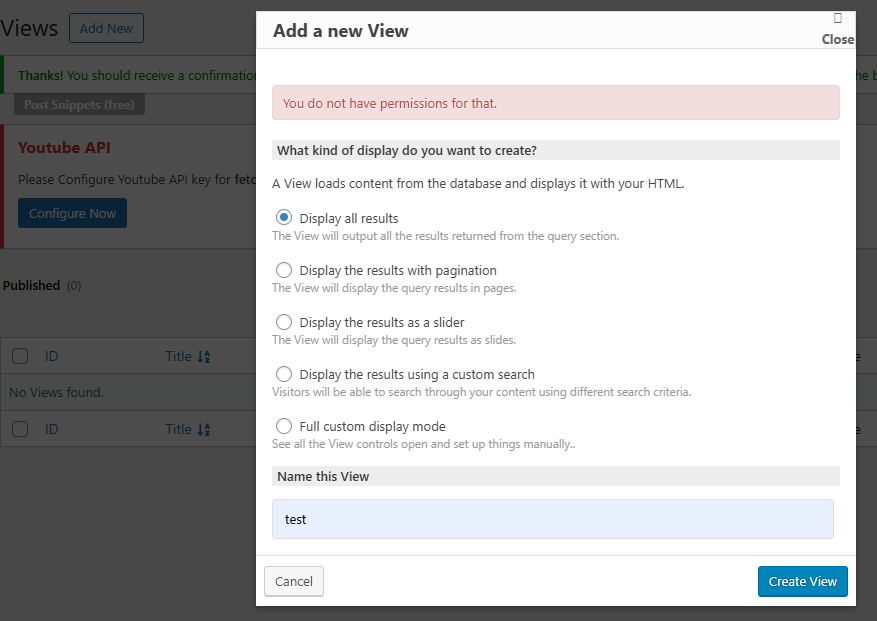
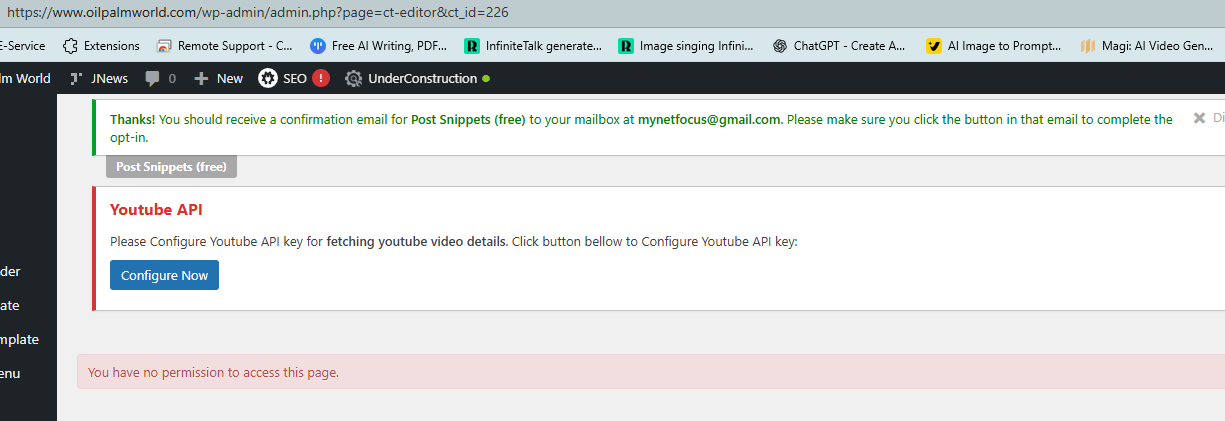
The client could not create a new Toolset View or Content Template from the Toolset admin screens. When clicking Add New View or creating the first Content Template, WordPress showed “You have no permission to access this page” and redirected to the CT editor. This happened even when logged in as an admin and with default Toolset settings.

Solution:

After testing by deactivating plugins did not resolve the issue, the client reinstalled the website. Following the reinstall, the permission errors disappeared and Views / Content Templates could be created normally again.
The root cause was most likely a rogue plugin or corrupted permissions that had altered user capabilities in the original installation.

This support ticket is created vor 5 months, 3 weeks. There's a good chance that you are reading advice that it now obsolete.

This is the technical support forum for Toolset - a suite of plugins for developing WordPress sites without writing PHP.

Everyone can read this forum, but only Toolset clients can post in it. Toolset support works 6 days per week, 19 hours per day.

Dieses Thema enthält 3 Antworten, hat 1 Stimme.

Zuletzt aktualisiert von ericL-2 vor 5 months, 1 week.

Assistiert von: Christopher Amirian.
Author
Artikel
#2839557
TinyTake12-12-2025-12-21-09.png
TinyTake12-12-2025-12-21-56.png

Add New content template for the first time at versteckter Link
produces "you have no permission to access this page." and redirect to versteckter Link

Similar with Add View only displays "you have no permission to access this page."

I can add Content Template without problem.

Toolset settings are default

Kindly please assist. TQ

#2839865

Christopher Amirian
Unterstützer

Sprachen: Englisch (English )

Hi,

Welcome to Toolset support. This seems to be a non-standard User Role issue.

Toolset Access plugin gives you the ability to change the user roles, or if you use another plugin that changes the roles can cause the issue.

You can test:

s- IMPORTANT STEP! Create a backup of your website. Or better approach will be to test this on a copy/staging version of the website to avoid any disruption of a live website.
- Go to "WordPress Dashboard > Plugins" and deactivate all plugins except:
. Toolset Blocks
. Toolset Types
- Check if you can still recreate the issue.
- If not, re-activate your plugins one by one and check the issue each time to find out the plugin that causes the problem.

If the issue is related to Toolset Access please revisit the settings you added for the Post Type in question.

Thanks.

#2839869

Hi

I have deactivated every plugin, only activated Toolset Types and Toolset Views with admin account. The message "no permission to access this page" still persist for creating first template and view.

What to do next?

Thanks
Eric

#2840002

Christopher Amirian
Unterstützer

Sprachen: Englisch (English )

Hi Eric,

Thank you. Do you have a copy/staging version of the website? If yes, please set the next reply as private and provide the login information.

I will check the website to be able to find out why it is happening without the fear of breaking a live website.

Thanks.

#2840872

Hi. I reinstalled the website and the issues no longer exist. I suspected that a rogue plugin might have altered users permission.

Thanks and regards