Navigation überspringen

[Gelöst] add a class to the Views custom filter dropdown options panel

This support ticket is created vor 4 years, 3 months. There's a good chance that you are reading advice that it now obsolete.

This is the technical support forum for Toolset - a suite of plugins for developing WordPress sites without writing PHP.

Everyone can read this forum, but only Toolset clients can post in it. Toolset support works 6 days per week, 19 hours per day.

Sun Mon Tue Wed Thu Fri Sat
- 10:00 – 13:00 10:00 – 13:00 10:00 – 13:00 10:00 – 13:00 10:00 – 13:00 -
- 14:00 – 18:00 14:00 – 18:00 14:00 – 18:00 14:00 – 18:00 14:00 – 18:00 -

Zeitzone des Unterstützers: Asia/Kolkata (GMT+05:30)

Dieses Thema enthält 9 Antworten, hat 2 Stimmen.

Zuletzt aktualisiert von oliverW-5 vor 4 years, 3 months.

Assistiert von: Minesh.

Author
Artikel
#2279289

Tell us what you are trying to do?
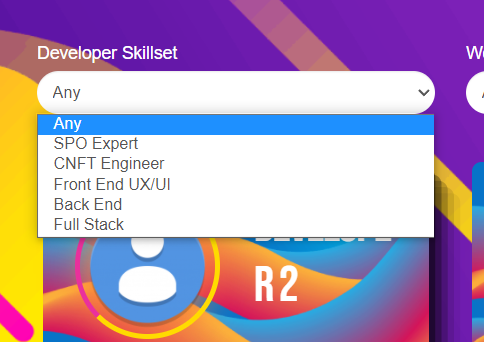
I'm trying to add some CSS style changes to the panel which appears when the dropdown filter is listed. I'm able to change use the class for the filter its self and it changes the background of the panel, but I want to add border / padding etc to it. Ideally I would like to add a secondary class for that section?

Is there any documentation that you are following?

Is there a similar example that we can see?

What is the link to your site?
versteckter Link testing password is beta

#2279821

Minesh
Unterstützer

Sprachen: Englisch (English )

Zeitzone: Asia/Kolkata (GMT+05:30)

Hello. Thank you for contacting the Toolset support.

Can you please share bit more details about where on what page you added the filter, please share problem URL and to what filter you want to add border or what other CSS?

#2280337
issue1.PNG
issue.PNG

Yep sure thing, so for example on versteckter Link

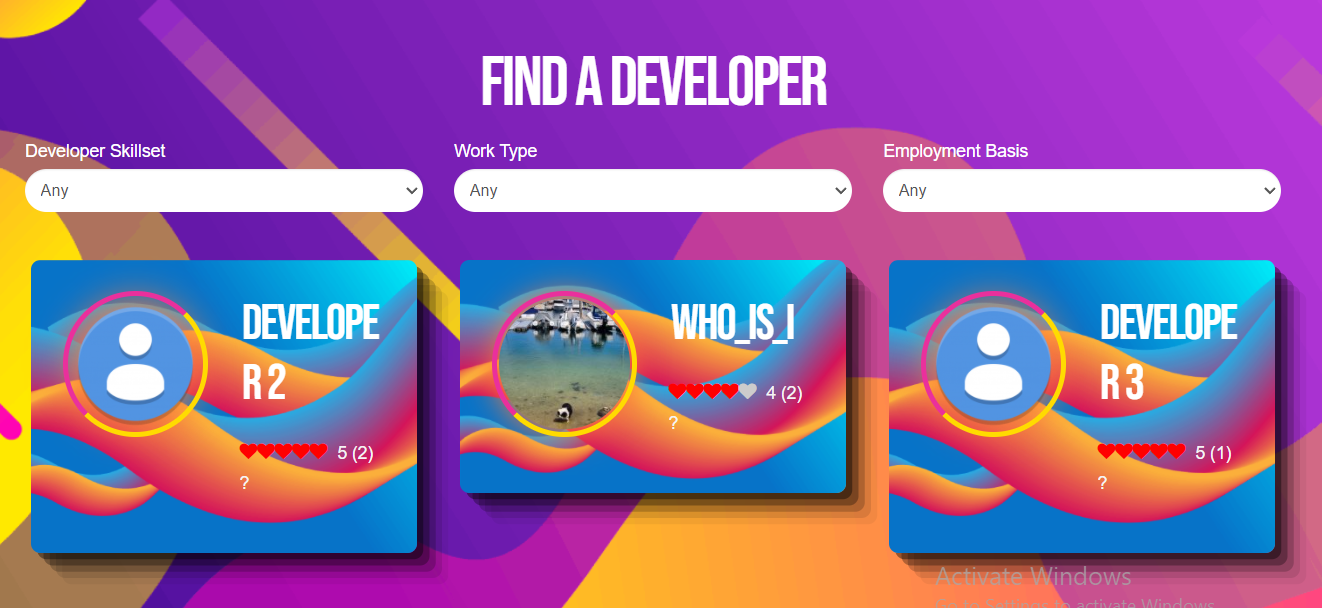
there is a view with 3 filters, all drop down type. I can style the dropdown button but cant seem to style the table as attached in the pics.

I just want the options in the dropdown to be inside one div with a class assigned which I can add css to

#2280373

Minesh
Unterstützer

Sprachen: Englisch (English )

Zeitzone: Asia/Kolkata (GMT+05:30)

It seems you want to style the select dropdown options style but the select options are shown based on the device and browser's native styles.

You can add some custom CSS code to style your dropdown as per your requirement or ask for help of professional CSS person.
versteckter Link

#2280555

Right, but in that docco, or this docco versteckter Link you need to be able to assign the class to the div.

How can i assign the class within toolset ?

#2280581

Minesh
Unterstützer

Sprachen: Englisch (English )

Zeitzone: Asia/Kolkata (GMT+05:30)

Can you please share admin access details so I will check how you added the filters and share the screenshot where you should assign the class.

*** Please make a FULL BACKUP of your database and website.***
I would also eventually need to request temporary access (WP-Admin and FTP) to your site. Preferably to a test site where the problem has been replicated if possible in order to be of better help and check if some configurations might need to be changed.

I have set the next reply to private which means only you and I have access to it.

#2283363

Minesh
Unterstützer

Sprachen: Englisch (English )

Zeitzone: Asia/Kolkata (GMT+05:30)

Thank you for sharing admin access details but the shared admin access details is not working at this end. Can you please send me working admin access details.

I have set the next reply to private which means only you and I have access to it.

#2283369

Whoops. Im so sorry, I need more coffee, I hadnt hit save.

Have saved the creds as above, please let me know if there are any issues.

Cheers 🙂

#2283375

Minesh
Unterstützer

Sprachen: Englisch (English )

Zeitzone: Asia/Kolkata (GMT+05:30)

I see you are using blocks editor and to add a class, you should select your filter and on the right bar within the "Advanced" section you can add the CSS class name. Please check the following screenshot:
- versteckter Link

Then you can add the related CSS for the class name you added to the view's CSS section:
=> https://toolset.com/course-lesson/adding-custom-css-to-templates-archives-and-views/#steps-for-adding-css-to-a-view

#2283379

Excellent, thanks!