I have been trying to do a slider from a repeating media custom field with auto transitions.
I have a repeating media custom field in my custom post type.
I am adding the slider to a content template for that custom post type..
With a regular toolset slider block I can add the images as dynamic data from the current post.
But that slider has minimal controls and styling and does not do auto transitions. Transitions is my biggest problem.
I tried using Views. I followed the instructions in your video versteckter Link
I added a view block. Set pagination to "Pagination enabled with automatic AJAX transition"
Content to my Custom Post Type "Accommodation"
Unchecked "Don't include the current page in the query result"
View loop style is unformatted
As in the video I added a container block to the view loop.
Then I attempted to set the background property to use my custom field.
I turned on Dynamic Source
Post Source = Current Accommodation
Source = RoomSliderImages (my field group)
Field = Accom Slider Images (my repeating media custom field.)
With the container selected, above the the dynamic source switch in the block editor I see "The selected source does not provide any image data"
I view (test) with a post which has 7 images in that custom field. (Mini apartment with kitchenette).
It does not work. It pulls the first of the custom field images from each of the 2 Accommodation posts I have created.
versteckter Link
Is it not possible to do what I want or am I making a mistake?
If it is not possible, do you have plans to add more features to the toolset slider block. It really needs to have basic auto transition controls. Other wish list items would be...
Dots for number of slides, styling of the dots, option for numbers instead of dots like views.
Styling of arrows. Option to use your own SVG or icon as arrows.
Position of arrows, above middle or below slider. Left or right as well.
Maybe even a position bar instead of dots, that is a dream feature, see this slider versteckter Link
These things would make Toolset Slider the go to tool. Some Slider blocks already have some of these features. I have looked at a lot!! But none of them have Dynamic Source data.
Hello,
The Video you mentioned above is using post view to list posts, and display them as sliders, each slider is just only a post.
I assume you are going to display the repeating image field as sliders, in this case, please try with Toolset Image Slider block, see our document:
https://toolset.com/block-item/image-slider/
You can follow below document to style the image slider block:
https://toolset.com/2020/07/how-to-create-wordpress-sliders-for-static-and-dynamic-content/
Ok,
as I mentioned I did use the Slider block successfully. BUT the slider block has very very minimal functionality.
Poor styling options. No Auto play timer etc. Things the views block does have.
Please add my features request to the Toolset wishlist.
The slider needs to have basic auto transition controls/timers.
Other wish list items would be...
Dots for number of slides, styling of the dots, option for numbers instead of dots like views.
Styling of arrows. Option to use your own SVG or icon as arrows.
Position of arrows, above middle or below slider. Left or right as well.
You can add feature request for them here:
https://toolset.com/home/contact-us/suggest-a-new-feature-for-toolset/
Our developers will evaluate them
For anyone that should come across this thread. looking for help.
This article which came from Toolset shortly after I posted this issue has a brilliant solution in the 3rd tip, that allows you to feed images from custom fields in a post to another companies gallery block. In this case Kadence Advanced gallery block, which also functions as a slider, but it would work for any gallery or slider block I think.
https://toolset.com/2022/02/3-non-obvious-applications-of-post-relationships-in-wordpress/?unapproved=735059&moderation-hash=c8ce53fbd656aaef5bcfe642b434dece#comment-735059
Thanks for sharing the workaround, it will help other users.
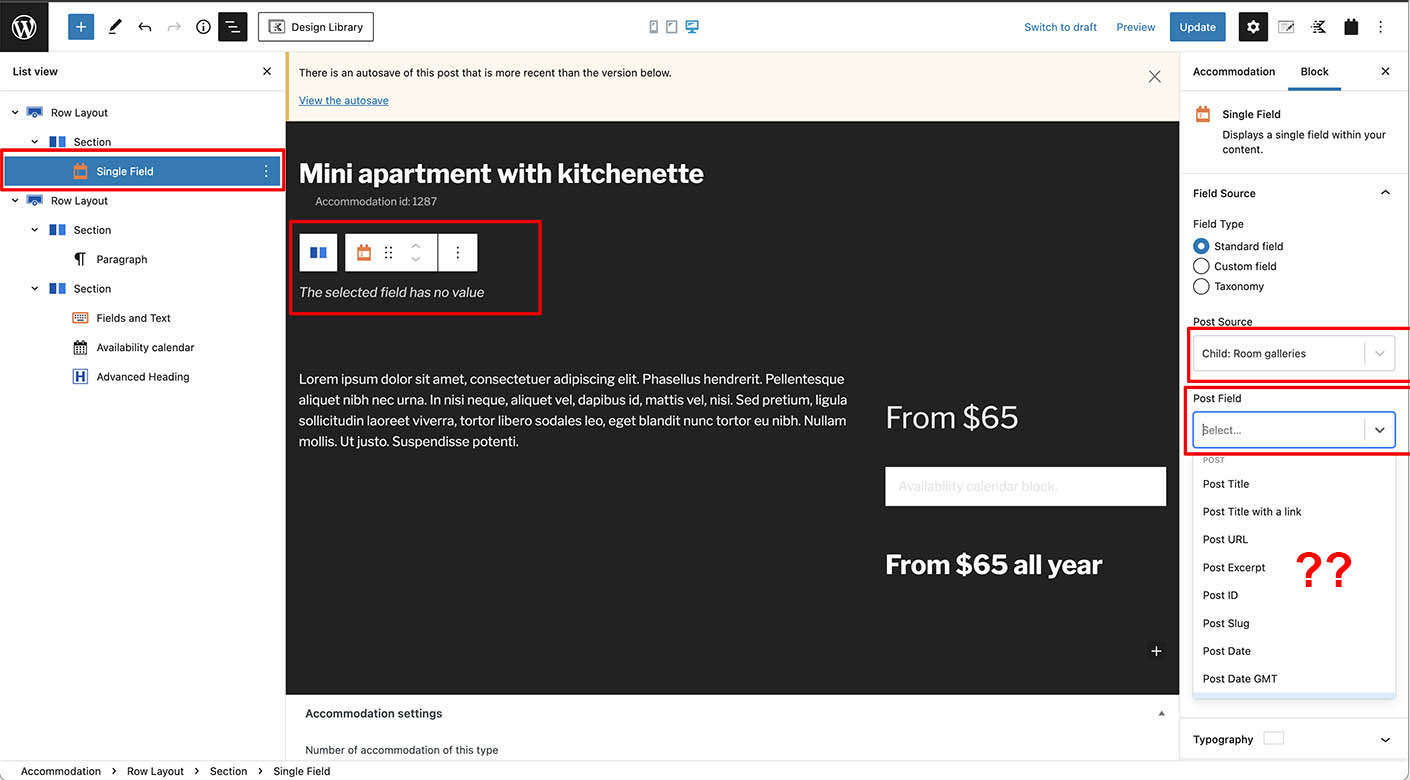
Hi can you offer any suggestion as to why when I get to the very last step of the article I do NOT see Post Content (Body) as an option? I do see all of the other post parts, Post Type, date, excerpt, Title etc.
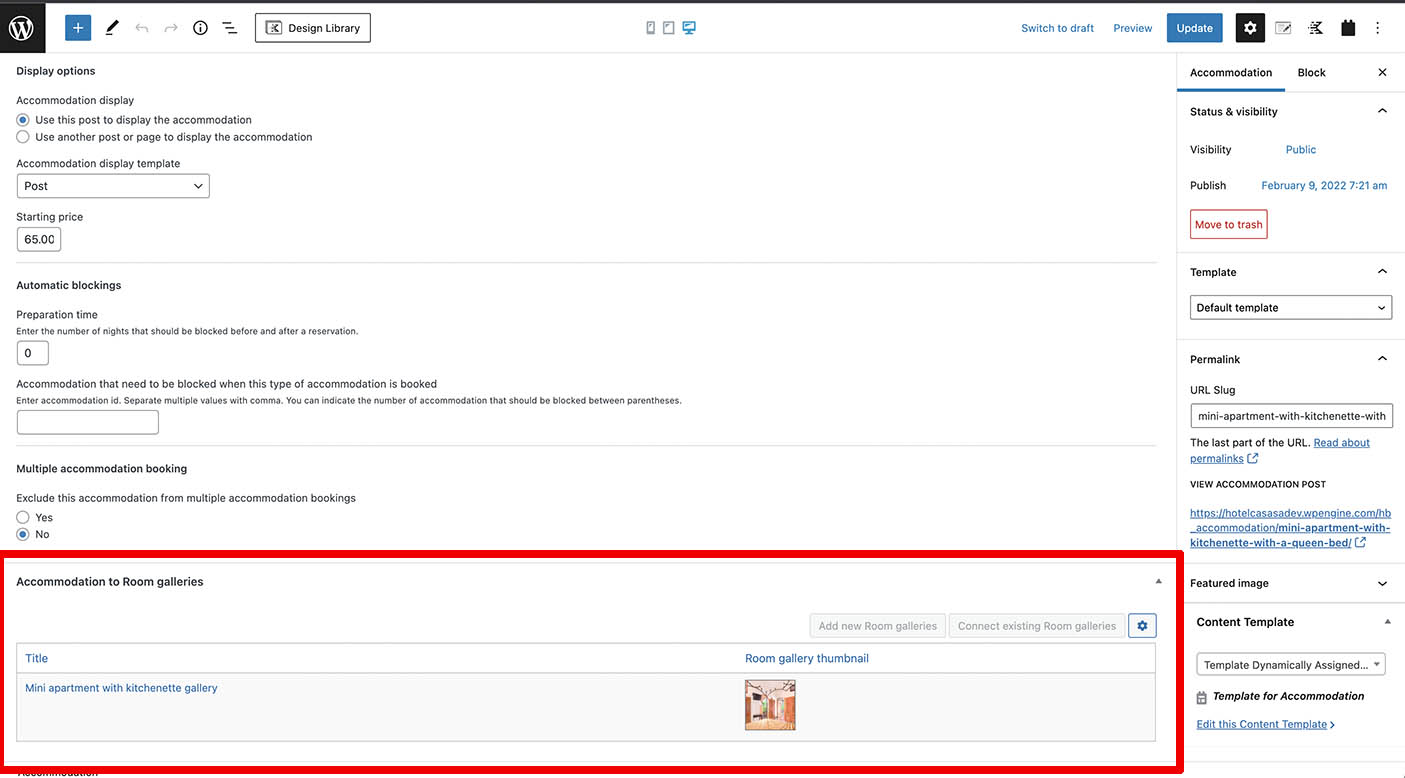
I am using a custom post type from Hbook plugin Accommodation, connected to the Toolset Custom Post type I made Room Galleries.
Feel free to login and take a look. Did I already supply a login? I did here
https://toolset.com/forums/topic/can-not-read-text-in-fields-to-select-dynamic-data-source-due-to-color/
The "Post Content" option was removed due to compatibility issue with block editor changes in WordPress 5.9.
As a workaround, you can use a WordPress shortcode block, and display post body shortcode, like this:
[wpv-post-body view_template="None"]
More help:
https://toolset.com/documentation/user-guides/views-shortcodes/#wpv-post-body